
Bring Work Orders
to Vercel AI SDK
Create your Vinkius account to connect Home River Group to Vercel AI SDK and start using all 10 AI tools in minutes. Fully managed, enterprise secure, and ready to use without writing a single line of code. No hosting, no server setup — just connect and start using.
 GDPR Free for Subscribers
Compatible with every major AI agent and IDE
 Gemini
What is the Home River Group MCP Server?
Empower your AI agents to interact with Home River Group's property management system. This MCP server allows listing properties, checking unit availability, managing resident information, tracking work orders, and creating leads directly through Entrata. Perfect for automating property maintenance workflows and prospect management.
Built-in capabilities (10)
Submits a new lead/prospect to Home River Group
Creates a new maintenance work order
Checks availability for units in a property
Lists sales leads and prospects
Retrieves detailed lease information for residents
Retrieves financial ledgers for residents
This is the starting point to get PropertyIDs needed for other tools. You can filter by specific property IDs or search by name in the results. Lists properties managed by Home River Group
You can filter by propertyId to see residents of a specific building. Lists residents across properties
Requires a valid PropertyID. Lists units for a specific property ID
Filtering by propertyId is highly recommended. Lists maintenance work orders
Why Vercel AI SDK?
The Vercel AI SDK gives every Home River Group tool full TypeScript type inference, IDE autocomplete, and compile-time error checking. Connect 10 tools through Vinkius and stream results progressively to React, Svelte, or Vue components. works on Edge Functions, Cloudflare Workers, and any Node.js runtime.
- —
TypeScript-first: every MCP tool gets full type inference, IDE autocomplete, and compile-time error checking out of the box
- —
Framework-agnostic core works with Next.js, Nuxt, SvelteKit, or any Node.js runtime. same Home River Group integration everywhere
- —
Built-in streaming UI primitives let you display Home River Group tool results progressively in React, Svelte, or Vue components
- —
Edge-compatible: the AI SDK runs on Vercel Edge Functions, Cloudflare Workers, and other edge runtimes for minimal latency
Home River Group in Vercel AI SDK
Why run Home River Group with Vinkius?
The Home River Group connection runs on our fully managed, secure cloud infrastructure. We handle the hosting, maintenance, and security so you don't have to deal with servers or code. All 10 tools are ready to work instantly without any complex setup.
You stay in complete control of your data. Your AI only accesses the information you approve, keeping your sensitive passwords and private details completely safe. Plus, with automatic optimizations, your AI works faster and more efficiently.
* Every connection is hosted and maintained by Vinkius. We handle the security, updates, and infrastructure so you don't have to write code or manage servers. See our infrastructure
Over 4,000 integrations ready for AI agents
Explore a vast library of pre-built integrations, optimized and ready to deploy.
Connect securely in under 30 seconds
Generate tokens to authenticate and link external services in a single step.
Complete visibility into every agent action
Audit live requests, latency, success rates, and active security compliance policies.
Optimize spending and track token ROI
Analyze real-time token consumption and cost metrics detailed by connection.




Explore our live AI Agents Analytics dashboard to see it all working
This dashboard is included when you connect Home River Group using Vinkius. You will never be left in the dark about what your AI agents are doing with your tools.
Home River Group and 4,000+ other AI tools. No hosting, no code, ready to use.
Professionals who connect Home River Group to Vercel AI SDK through Vinkius don't need to write code, manage servers, or worry about security. Everything is pre-configured, secure, and runs automatically in the background.
Raw MCP | Vinkius | |
|---|---|---|
| Ready-to-use MCPs | Find and configure each manually | 4,000+ MCPs ready to use |
| Connection Setup | Manual coding & server setup | 1-click instant connection |
| Server Hosting | You host it yourself (needs 24/7 uptime) | 100% hosted & managed by Vinkius |
| Security & Privacy | Stored in plaintext config files | Bank-grade encrypted vault |
| Activity Visibility | Blind execution (no logs or tracking) | Live dashboard with real-time logs |
| Cost Control | Runaway AI token spend risk | Automatic budget limits |
| Revoking Access | Must delete files or code to stop | 1-click disconnect button |
How Vinkius secures
Home River Group for Vercel AI SDK
Every request between Vercel AI SDK and Home River Group is protected by our secure gateway. We automatically keep your sensitive data private, prevent unauthorized access, and let you disconnect instantly at any time.
Frequently asked questions
How do I get API credentials for Home River Group?
You need to log in to your Entrata instance (homeriver.entrata.com) and navigate to Setup > Company > API Access. If you don't have access, contact your system administrator.
Can I create work orders with this MCP?
Yes, you can use the create_work_order tool to submit new maintenance requests directly into the system.
Is the subdomain required?
It defaults to 'homeriver'. If your specific instance uses a different subdomain, you should provide it during setup.
Are these real-time updates?
Yes, all data retrieved and created is processed directly through the Entrata API in real-time.
How does the Vercel AI SDK connect to MCP servers?
Import createMCPClient from @ai-sdk/mcp and pass the server URL. The SDK discovers all tools and provides typed TypeScript interfaces for each one.
Can I use MCP tools in Edge Functions?
Yes. The AI SDK is fully edge-compatible. MCP connections work on Vercel Edge Functions, Cloudflare Workers, and similar runtimes.
Does it support streaming tool results?
Yes. The SDK provides streaming primitives like useChat and streamText that handle tool calls and display results progressively in the UI.
createMCPClient is not a function
Install: npm install @ai-sdk/mcp
Explore More MCP Servers
View all →
SimpleFatoora
20 toolsConnect your AI agents to SimpleFatoora for ZATCA-compliant e-invoicing with full product, customer, and tax document management.

Conekta
8 toolsEquip your AI agent to securely manage Latin American payments, view transactions, and track sales using the Conekta API.
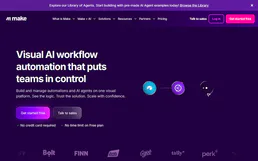
Make.com Webhook Trigger
1 toolsThis MCP does exactly one thing: it sends JSON payloads to Make.com Webhooks. That's its only function. Incredible for connecting AI agents to thousands of visual automation workflows instantly.

Together AI
7 toolsGenerate code, evaluate embeddings, and deploy open-source LLMs instantly from your local agent via Together AI's infrastructure.