
Bring Audience Sync
to AutoGen
Create your Vinkius account to connect Mailchimp to AutoGen and start using all 10 AI tools in minutes. Fully managed, enterprise secure, and ready to use without writing a single line of code. No hosting, no server setup — just connect and start using.
 GDPR Free for Subscribers
Compatible with every major AI agent and IDE
 Gemini
What is the Mailchimp MCP Server?
Equip any AI agent with robust Mailchimp marketing capabilities. Integrate your mailing operations transparently to control large audiences, tweak contact statuses dynamically, and trigger organizational insights across your campaigns via conversational prompts.
What you can do
- Audience (Lists) Syncing — Target specific segments, pull overall audience IDs, and grasp performance baselines simply
- Member Administration — Unsubscribe, fetch, or permanently store subscriber metadata and profile details without web interfaces
- Campaign Insights — Map existing drafted or sent emails across campaigns to keep tabs on global performance metrics programmatically
How it works
- Enable the MCP connection under your local profile
- Input an application-level API token specifically derived from your account
- Engage directly with LLM shells managing flows through raw texts and pure language operations
Who is this for?
- Growth Engineers — pull massive batches of churned lists instantly for re-validation internally directly avoiding manual filtering
- Content Marketers — trace campaign statuses quickly when jumping between different platforms constantly
Built-in capabilities (10)
Pass status (subscribed, unsubscribed, cleaned, pending, transactional). Add a new contact to a Mailchimp audience
Create a new Mailchimp campaign. Returns campaign ID
Only use this when you need detailed statistics or configuration. Get details of a Mailchimp audience. Returns name, member count, open/click rates, and merge fields configuration
Get full details of a Mailchimp campaign
Get Mailchimp campaign performance report
List all Mailchimp audiences (lists). Returns audience IDs, names, member counts, and stats
Can be used to find a campaign ID. List Mailchimp campaigns. Returns campaign IDs, types, subjects, send times, and open/click stats
Requires an audience ID. List members (contacts) in a Mailchimp audience. Returns email addresses, status, and tags
Search Mailchimp contacts across all audiences by name or email
This action is irreversible. Triggers live email send. Send a Mailchimp campaign immediately
Why AutoGen?
AutoGen enables multi-agent conversations where agents negotiate, delegate, and collaboratively use Mailchimp tools. Connect 10 tools through Vinkius and assign role-based access. a data analyst queries while a reviewer validates, with optional human-in-the-loop approval for sensitive operations.
- —
Multi-agent conversations: multiple AutoGen agents discuss, delegate, and collaboratively use Mailchimp tools to solve complex tasks
- —
Role-based architecture lets you assign Mailchimp tool access to specific agents. a data analyst queries while a reviewer validates
- —
Human-in-the-loop support: agents can pause for human approval before executing sensitive Mailchimp tool calls
- —
Code execution sandbox: AutoGen agents can write and run code that processes Mailchimp tool responses in an isolated environment
Mailchimp in AutoGen
Why run Mailchimp with Vinkius?
The Mailchimp connection runs on our fully managed, secure cloud infrastructure. We handle the hosting, maintenance, and security so you don't have to deal with servers or code. All 10 tools are ready to work instantly without any complex setup.
You stay in complete control of your data. Your AI only accesses the information you approve, keeping your sensitive passwords and private details completely safe. Plus, with automatic optimizations, your AI works faster and more efficiently.
* Every connection is hosted and maintained by Vinkius. We handle the security, updates, and infrastructure so you don't have to write code or manage servers. See our infrastructure
Over 4,000 integrations ready for AI agents
Explore a vast library of pre-built integrations, optimized and ready to deploy.
Connect securely in under 30 seconds
Generate tokens to authenticate and link external services in a single step.
Complete visibility into every agent action
Audit live requests, latency, success rates, and active security compliance policies.
Optimize spending and track token ROI
Analyze real-time token consumption and cost metrics detailed by connection.




Explore our live AI Agents Analytics dashboard to see it all working
This dashboard is included when you connect Mailchimp using Vinkius. You will never be left in the dark about what your AI agents are doing with your tools.
Mailchimp and 4,000+ other AI tools. No hosting, no code, ready to use.
Professionals who connect Mailchimp to AutoGen through Vinkius don't need to write code, manage servers, or worry about security. Everything is pre-configured, secure, and runs automatically in the background.
Raw MCP | Vinkius | |
|---|---|---|
| Ready-to-use MCPs | Find and configure each manually | 4,000+ MCPs ready to use |
| Connection Setup | Manual coding & server setup | 1-click instant connection |
| Server Hosting | You host it yourself (needs 24/7 uptime) | 100% hosted & managed by Vinkius |
| Security & Privacy | Stored in plaintext config files | Bank-grade encrypted vault |
| Activity Visibility | Blind execution (no logs or tracking) | Live dashboard with real-time logs |
| Cost Control | Runaway AI token spend risk | Automatic budget limits |
| Revoking Access | Must delete files or code to stop | 1-click disconnect button |
How Vinkius secures
Mailchimp for AutoGen
Every request between AutoGen and Mailchimp is protected by our secure gateway. We automatically keep your sensitive data private, prevent unauthorized access, and let you disconnect instantly at any time.
Frequently asked questions
Do I need the server prefix combined with my API key automatically?
Mailchimp API keys usually have a suffix (like key-us6). The system will parse everything internally. Just paste the full API key into our simplified authentication box naturally.
Can I bulk add 5,000 users directly in a single conversational prompt?
While structurally possible via API logic, context windows prohibit reading arrays of 5000 units. Adding is handled dynamically unit by unit securely or in exceptionally tiny batches to bypass hard egress caps effectively.
Does the system allow firing off actual live campaigns immediately to massive audiences?
No. The MCP server prioritizes safe state changes (subscribers). Launching massive destructive dispatches is omitted from the handler array to avoid rogue AI actions firing misconfigured commercial payload sets blindly.
How does AutoGen connect to MCP servers?
Create an MCP tool adapter and assign it to one or more agents in the group chat. AutoGen agents can then call Mailchimp tools during their conversation turns.
Can different agents have different MCP tool access?
Yes. AutoGen's role-based architecture lets you assign specific MCP tools to specific agents, so a querying agent has different capabilities than a reviewing agent.
Does AutoGen support human approval for tool calls?
Yes. Configure human-in-the-loop mode so agents pause and request approval before executing sensitive MCP tool calls.
McpWorkbench not found
Install: pip install "autogen-ext[mcp]"
Explore More MCP Servers
View all →
Neon (Serverless PostgreSQL)
10 toolsManage serverless database infrastructure via Neon — spawn zero-copy branches, audit projects, and monitor compute endpoints.
Platform.ly
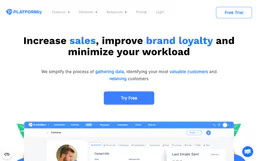
12 toolsGrow your business with marketing automation, CRM, and analytics connected in one platform that shows what drives revenue.

Mav
9 toolsLet AI text your leads automatically with human-like conversations that schedule appointments and qualify prospects by SMS.

Flickr
12 toolsBrowse, search, and manage photo collections on Flickr with access to one of the largest creative photography communities online.