
Bring Solar Forecasting
to Claude Desktop
Create your Vinkius account to connect Solcast Solar to Claude Desktop and start using all 11 AI tools in minutes. Fully managed, enterprise secure, and ready to use without writing a single line of code. No hosting, no server setup — just connect and start using.
 GDPR Free for Subscribers
Compatible with every major AI agent and IDE
 Gemini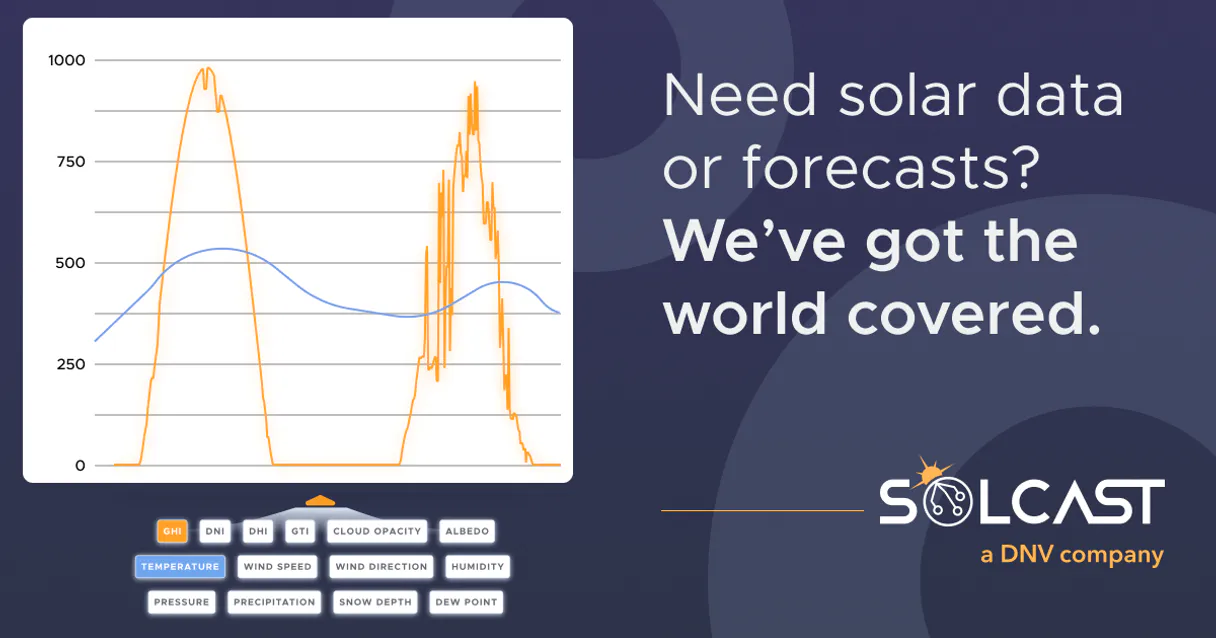
What is the Solcast Solar MCP Server?
Connect to Solcast API and bring high-resolution solar forecasting intelligence to any AI agent. Access rooftop PV power forecasts, solar irradiance data (GHI, DNI, DHI), and weather conditions derived from satellite cloud tracking worldwide.
What you can do
- Rooftop PV Forecasts — Get PV power output forecasts (kW) for any rooftop solar system from present up to 14 days ahead
- Detailed PV Modeling — Forecast with exact system parameters (tilt, azimuth, capacity, loss factor) for maximum accuracy
- Solar Irradiance — Access GHI (Global Horizontal Irradiance), DNI (Direct Normal Irradiance), and DHI (Diffuse Horizontal Irradiance)
- Historical Radiation — Retrieve historical solar irradiance data for model validation and analysis
- Weather Forecasts — Get air temperature, cloud opacity, and snow depth data affecting solar production
- Site Management — List registered rooftop sites, get forecasts, estimated actuals, and measured production
- Quick Estimates — Get fast solar forecasts with minimal parameters (lat, lon, capacity only)
- Comprehensive Solar Summary — Combine irradiance, weather, and PV data in a single overview
How it works
- Subscribe to this server
- Enter your Solcast API key (free Developer tier available with rooftop PV forecasts)
- Start querying solar forecasts from Claude, Cursor, or any MCP-compatible client
Your AI becomes a solar analyst, helping you forecast PV output, understand solar resources, and optimize energy systems.
Who is this for?
- Solar Installers — provide clients with accurate PV production estimates and forecasts for system sizing
- Homeowners with Solar — monitor expected rooftop solar output and understand system performance
- Energy Traders — integrate solar forecasts into energy trading models and dispatch planning
- Grid Operators — track distributed solar generation forecasts for grid balancing
- Researchers — access validated solar irradiance data for academic studies and model development
- EV Owners with Solar — optimize charging schedules based on expected solar generation
Built-in capabilities (11)
Use when you know your system's exact configuration for maximum forecast accuracy. USE WHEN: - User knows exact panel tilt and azimuth angles - User needs highly accurate forecasts for a specific system - User has detailed PV system specifications - User asks for precise solar output estimates PARAMETERS: - latitude (REQUIRED): Location latitude - longitude (REQUIRED): Location longitude - capacity (REQUIRED): System capacity in kW - tilt (REQUIRED): Panel tilt angle in degrees - azimuth (REQUIRED): Panel azimuth in degrees - loss_factor (OPTIONAL): System loss factor (0-1, default: 0.9) EXAMPLES: - "Detailed forecast for 6kW system, tilt 30°, azimuth 0° (north facing)" → call with latitude, longitude, capacity=6, tilt=30, azimuth=0 - "Precise PV estimate for my 8kW array at 25° tilt, 180° azimuth (south)" → call with capacity=8, tilt=25, azimuth=180 Get detailed PV power forecast with full system specifications
Requires Pro/Enterprise plan for full historical access. USE WHEN: - User asks about historical solar radiation data - User needs past solar irradiance values for analysis - User wants to validate solar models with historical data - User asks "what was the solar irradiance last week" PARAMETERS: - latitude (REQUIRED): Location latitude - longitude (REQUIRED): Location longitude - start (REQUIRED): Start date/time (ISO 8601 format) - end (OPTIONAL): End date/time (ISO 8601 format) EXAMPLES: - "Historical solar radiation for Sydney last week" → call with latitude=-33.87, longitude=151.21, start="2026-03-31" - "GHI data for my location for March 2026" → call with latitude, longitude, start="2026-03-01", end="2026-03-31" Get historical solar irradiance data for a location
Forecasts are derived from satellite cloud tracking and irradiance data. USE WHEN: - User asks about solar power generation forecasts - User needs PV output estimates for a specific location - User wants to know expected solar energy production - User asks "how much solar power will my panels generate" PARAMETERS: - latitude (REQUIRED): Location latitude (-90 to 90) - longitude (REQUIRED): Location longitude (-180 to 180) - capacity (REQUIRED): System capacity in kW (DC rating) - tilt (OPTIONAL): Panel tilt angle in degrees (0=flat, 90=vertical) - azimuth (OPTIONAL): Panel azimuth in degrees (0=north, 180=south) - hours (OPTIONAL): Number of hours to forecast (default: 48, max: 336 for 14 days) EXAMPLES: - "Solar forecast for my 5kW system in Sydney -33.87, 151.21" → call with latitude=-33.87, longitude=151.21, capacity=5 - "PV forecast for 10kW rooftop in LA 34.05, -118.24" → call with latitude=34.05, longitude=-118.24, capacity=10 - "How much solar will my 3kW system generate tomorrow?" → call with latitude, longitude, capacity=3, hours=24 Get rooftop PV power forecasts for a location
Essential for solar resource assessment. USE WHEN: - User asks about solar irradiance or solar radiation - User needs GHI, DNI, or DHI data for solar analysis - User is evaluating solar potential for a location - User asks "how much sunlight will there be" PARAMETERS: - latitude (REQUIRED): Location latitude - longitude (REQUIRED): Location longitude - hours (OPTIONAL): Number of hours to forecast (default: 48) EXAMPLES: - "Solar irradiance forecast for Sydney -33.87, 151.21" → call with latitude=-33.87, longitude=151.21 - "GHI and DNI forecast for my location 34.05, -118.24" → call with latitude=34.05, longitude=-118.24 - "How much solar radiation tomorrow?" → call with latitude, longitude, hours=24 Get solar irradiance forecasts (GHI, DNI, DHI) for a location
The API auto-estimates tilt and azimuth for reasonable default values. Perfect for quick estimates. USE WHEN: - User wants a quick solar estimate without exact system details - User doesn't know their panel tilt or azimuth - User needs a fast solar output estimate - User asks "roughly how much solar will I generate" PARAMETERS: - latitude (REQUIRED): Location latitude - longitude (REQUIRED): Location longitude - capacity (REQUIRED): System capacity in kW EXAMPLES: - "Quick solar estimate for -33.87, 151.21 with 5kW" → call with latitude=-33.87, longitude=151.21, capacity=5 - "Rough estimate for my 3kW system in LA" → call with latitude=34.05, longitude=-118.24, capacity=3 - "How much solar for a 10kW system here?" → call with latitude, longitude, capacity=10 Get quick PV power forecast with minimal parameters
Shows what your system likely produced recently. USE WHEN: - User wants to know what their solar system actually generated - User needs recent production estimates vs forecasts - User is analyzing system performance - User asks "how much did my solar panels actually produce" PARAMETERS: - site_id (REQUIRED): The site ID from your Solcast account - hours (OPTIONAL): Number of hours of historical data (default: 24) EXAMPLES: - "Estimated actuals for site abc-123 last 24 hours" → call with site_id="abc-123" - "What did my system produce yesterday?" → call with site_id="abc-123", hours=48 - "Recent solar production for my site" → call with site_id="your-site-id" Get estimated actual PV power output for a registered rooftop site
Uses the site's configured parameters (capacity, tilt, azimuth) for accurate forecasts. USE WHEN: - User asks about forecasts for a specific registered site - User has a site ID and wants forecasts for that system - User needs predictions for a known rooftop installation - User asks "what will my registered solar site generate" PARAMETERS: - site_id (REQUIRED): The site ID from your Solcast account EXAMPLES: - "Forecast for site abc-123" → call with site_id="abc-123" - "What will my registered system def-456 generate?" → call with site_id="def-456" - "Solar forecast for my home system" → call with site_id="your-site-id" Get PV power forecasts for a specific registered rooftop site
Requires the site to have real measurement integration. Shows exact production data. USE WHEN: - User has telemetry-enabled sites with real measurements - User needs exact measured production data (not estimates) - User is validating forecast accuracy - User asks "what was the exact measured output from my system" PARAMETERS: - site_id (REQUIRED): The site ID with telemetry enabled - hours (OPTIONAL): Number of hours of historical data EXAMPLES: - "Measured actuals for telemetry site xyz-789" → call with site_id="xyz-789" - "Exact production from my monitored system" → call with site_id="your-telemetry-site-id" - "Real production data last week" → call with site_id="xyz-789", hours=168 Get measured PV power output from a registered rooftop site with telemetry
Provides a complete picture of solar resources. USE WHEN: - User wants a complete solar overview for a location - User needs both irradiance and PV forecasts together - User asks for a solar resource assessment - User wants "complete solar data for my area" PARAMETERS: - latitude (REQUIRED): Location latitude - longitude (REQUIRED): Location longitude - capacity (OPTIONAL): System capacity in kW (for PV estimates) EXAMPLES: - "Complete solar summary for Sydney -33.87, 151.21" → call with latitude=-33.87, longitude=151.21 - "Solar resource assessment for my location 34.05, -118.24" → call with latitude=34.05, longitude=-118.24 - "Full solar data with 5kW system estimate" → call with latitude, longitude, capacity=5 Get a comprehensive solar summary including irradiance, weather, and PV forecasts
Useful for understanding conditions affecting solar output. USE WHEN: - User asks about weather conditions affecting solar panels - User needs temperature or cloud cover forecasts - User wants to understand weather impact on solar generation - User asks "what's the weather forecast for solar" PARAMETERS: - latitude (REQUIRED): Location latitude - longitude (REQUIRED): Location longitude - hours (OPTIONAL): Number of hours to forecast EXAMPLES: - "Weather forecast for solar panels in Sydney -33.87, 151.21" → call with latitude=-33.87, longitude=151.21 - "Cloud cover forecast for my location 34.05, -118.24" → call with latitude=34.05, longitude=-118.24 - "Temperature forecast for next week" → call with latitude, longitude, hours=168 Get weather forecasts including temperature, cloud opacity, and snow depth
Shows site IDs, capacities, and locations for managing multiple solar installations. USE WHEN: - User wants to see all their registered solar sites - User needs to find site IDs for other queries - User is managing multiple rooftop installations - User asks "what solar sites do I have configured" EXAMPLES: - "List all my solar sites" → call with no params - "Show my registered rooftop PV systems" → call with no params - "What sites do I have in Solcast?" → call with no params List all configured rooftop PV sites in your Solcast account
Why Claude Desktop?
Claude Desktop is the definitive way to connect Solcast Solar to your AI workflow. Add Vinkius Edge URL to your config, restart the app, and Claude immediately exposes all 11 tools in the chat interface. ask a question, Claude calls the right tool, and you see the answer. Zero code, zero context switching.
- —
Claude Desktop is the reference MCP client. it was designed alongside the protocol itself, ensuring the most complete and stable MCP implementation available
- —
Zero-code configuration: add a server URL to a JSON file and Claude instantly discovers and exposes all available tools in the chat interface
- —
Claude's extended thinking capability lets it reason through multi-step tool usage, chaining multiple API calls to answer complex questions
- —
Enterprise-grade security with local config storage. your tokens never leave your machine, and connections go directly to Vinkius Edge network
Solcast Solar in Claude Desktop
Why run Solcast Solar with Vinkius?
The Solcast Solar connection runs on our fully managed, secure cloud infrastructure. We handle the hosting, maintenance, and security so you don't have to deal with servers or code. All 11 tools are ready to work instantly without any complex setup.
You stay in complete control of your data. Your AI only accesses the information you approve, keeping your sensitive passwords and private details completely safe. Plus, with automatic optimizations, your AI works faster and more efficiently.
* Every connection is hosted and maintained by Vinkius. We handle the security, updates, and infrastructure so you don't have to write code or manage servers. See our infrastructure
Over 4,000 integrations ready for AI agents
Explore a vast library of pre-built integrations, optimized and ready to deploy.
Connect securely in under 30 seconds
Generate tokens to authenticate and link external services in a single step.
Complete visibility into every agent action
Audit live requests, latency, success rates, and active security compliance policies.
Optimize spending and track token ROI
Analyze real-time token consumption and cost metrics detailed by connection.




Explore our live AI Agents Analytics dashboard to see it all working
This dashboard is included when you connect Solcast Solar using Vinkius. You will never be left in the dark about what your AI agents are doing with your tools.
Solcast Solar and 4,000+ other AI tools. No hosting, no code, ready to use.
Professionals who connect Solcast Solar to Claude Desktop through Vinkius don't need to write code, manage servers, or worry about security. Everything is pre-configured, secure, and runs automatically in the background.
Raw MCP | Vinkius | |
|---|---|---|
| Ready-to-use MCPs | Find and configure each manually | 4,000+ MCPs ready to use |
| Connection Setup | Manual coding & server setup | 1-click instant connection |
| Server Hosting | You host it yourself (needs 24/7 uptime) | 100% hosted & managed by Vinkius |
| Security & Privacy | Stored in plaintext config files | Bank-grade encrypted vault |
| Activity Visibility | Blind execution (no logs or tracking) | Live dashboard with real-time logs |
| Cost Control | Runaway AI token spend risk | Automatic budget limits |
| Revoking Access | Must delete files or code to stop | 1-click disconnect button |
How Vinkius secures
Solcast Solar for Claude Desktop
Every request between Claude Desktop and Solcast Solar is protected by our secure gateway. We automatically keep your sensitive data private, prevent unauthorized access, and let you disconnect instantly at any time.
Frequently asked questions
What parameters do I need to get a rooftop PV forecast?
At minimum, you need: latitude, longitude, and system capacity (kW). For more accurate forecasts, also provide tilt (panel angle 0-90°), azimuth (panel direction 0°=north, 180°=south), and loss_factor (system efficiency 0-1, default ~0.9). If you don't know tilt/azimuth, Solcast will auto-estimate reasonable defaults based on your location.
How far ahead can Solcast forecast solar power?
Solcast provides forecasts from the present time up to 14 days ahead (336 hours). Short-term forecasts (next 24-48 hours) are the most accurate, with accuracy gradually decreasing for longer horizons. Forecast data is available in 5-minute, 10-minute, 15-minute, 30-minute, or 60-minute intervals depending on your plan tier.
How do I get a Solcast API key and what does the free tier include?
Visit https://solcast.com/ and sign up for a free Developer API account. The free tier includes rooftop PV power forecasts with limited daily API calls. For production use with higher call volumes, historical data access, and advanced features, upgrade to Pro or Enterprise plans. Register at https://solcast.com/ to get your API key instantly.
What is the difference between GHI, DNI, and DHI?
GHI (Global Horizontal Irradiance) is the total solar radiation received on a horizontal surface. DNI (Direct Normal Irradiance) is the direct beam radiation received on a surface perpendicular to the sun. DHI (Diffuse Horizontal Irradiance) is the scattered radiation from the sky (not direct sunlight). GHI = DNI × cos(zenith angle) + DHI. For flat panels, GHI is most relevant. For tracking systems, DNI matters more. Cloudy conditions increase DHI proportion.
How does Claude Desktop discover MCP tools?
When Claude Desktop starts, it reads the claude_desktop_config.json file and connects to each configured MCP server. It calls the tools/list endpoint to fetch the schema for every available tool, then surfaces them as clickable options in the chat interface via the 🔌 icon.
What happens if the MCP server is temporarily unavailable?
Claude Desktop handles disconnections gracefully. if the server is unreachable at startup, the tools simply won't appear. Once the server becomes available again, restarting Claude Desktop will re-establish the connection. There is no timeout penalty or error loop.
Can I connect multiple MCP servers simultaneously?
Yes. You can add as many servers as you need in the mcpServers section of the config file. Each server appears as a separate tool provider, and Claude can use tools from multiple servers in a single conversation turn.
Is there a limit on the number of tools per server?
Claude Desktop can handle hundreds of tools per server. However, for optimal LLM performance, Vinkius servers are designed to expose focused, well-documented tool sets rather than overwhelming the model with too many options.
Does Claude Desktop support Streamable HTTP transport?
Yes. Claude Desktop supports both SSE (Server-Sent Events) and the newer Streamable HTTP transport that Vinkius uses. Simply provide the server URL. Claude auto-negotiates the transport protocol.
Server not appearing after restart
Ensure the JSON is valid (no trailing commas). Check the file path: ~/Library/Application Support/Claude/claude_desktop_config.json (macOS) or %APPDATA%\\Claude\\ (Windows).
Authentication error
Verify your Vinkius token is correct. Go to cloud.vinkius.com to regenerate it if needed.
Tools not showing in chat
Click the 🔌 icon at the bottom of the chat input. If it shows 0 tools, the server may still be connecting. wait a few seconds.
Explore More MCP Servers
View all →
Fortnite Player Stats & News Intelligence
11 toolsThe definitive server for Fortnite player scouting — track wins, K/D ratios, and official game news via AI.

UKG Ready
4 toolsManage employee lifecycle, HCM, payroll, and time via UKG Ready.

SignalWire
8 toolsManage your cloud communications — send messages and audit calls via AI.

CourtListener
10 toolsManage your legal research — search court opinions, dockets, and citations via AI.