
Bring Particle Physics
to Cursor
Learn how to connect CERN Open Data to Cursor and start using 16 AI agent tools in minutes. Fully managed, enterprise secure, and ready to use without writing a single line of code.
 GDPR Free for Subscribers
Compatible with every major AI agent and IDE
 Gemini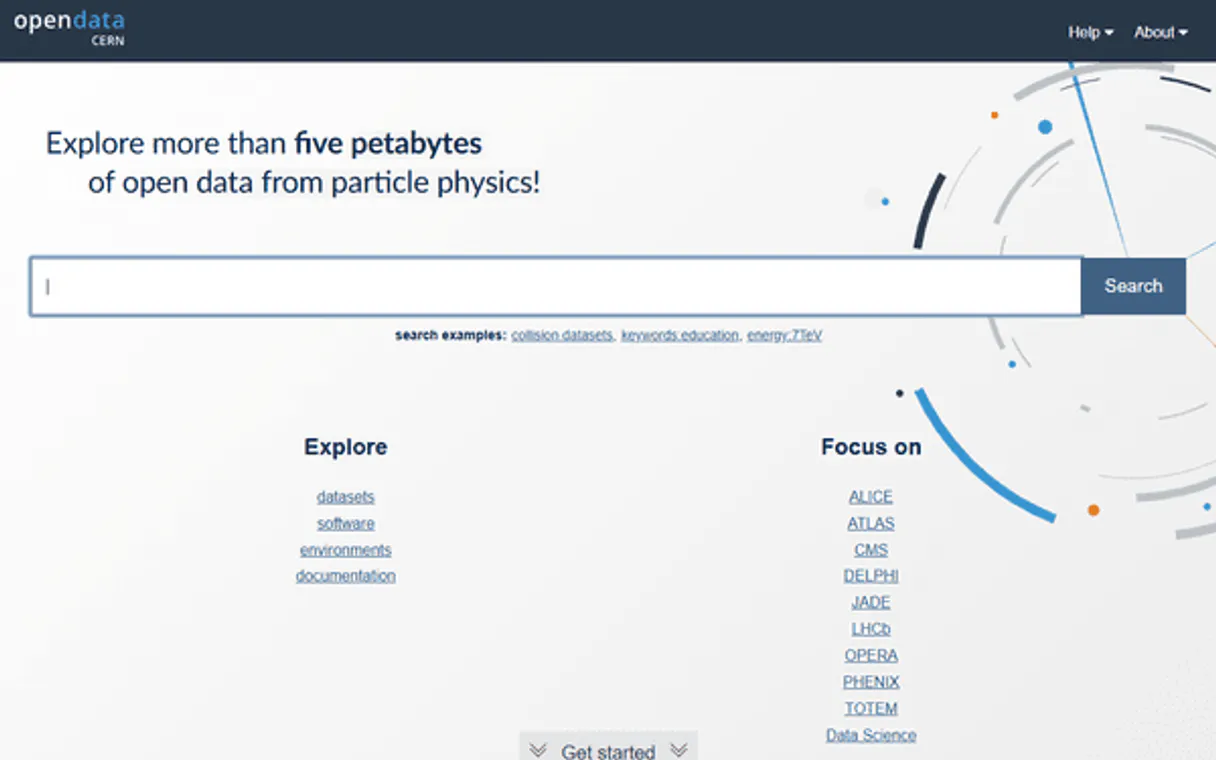
What is the CERN Open Data MCP Server?
Connect to the CERN Open Data Portal and access the world's largest repository of open particle physics data — over 66,000 datasets from the Large Hadron Collider and LEP experiments.
What you can do
- Dataset Discovery — Search across 66,000+ records with powerful filters for experiment (CMS, ATLAS, ALICE, LHCb, DELPHI, OPERA), collision type (pp, e+e−, Pb-Pb), collision energy (7–13.6 TeV), and physics category
- Physics Categories — Browse datasets by research topic including Higgs boson, Exotica (Dark Matter, Gravitons, Extra Dimensions, Leptoquarks), B physics, heavy-ion collisions, and more
- Record Intelligence — Retrieve complete metadata for any record: abstracts, authors with ORCID, DOI, event counts, file listings with ROOT/EOS URIs, and processing configurations
- Portal Analytics — Get comprehensive statistics across all facets: experiments, collision types, energies, file formats, years, and event count distributions
- Physics Glossary — Search 1,000+ glossary entries for definitions of particle physics terms, detector components, and analysis techniques
- Software & Documentation — Find analysis frameworks, reconstruction software, guides, and supplementary materials needed to reproduce published results
How it works
- Subscribe to this server
- No API key required — the CERN Open Data Portal is a fully public service
- Start querying particle physics data from Claude, Cursor, or any MCP-compatible client
Your AI agent becomes a particle physics research assistant with direct access to LHC collision data. All data is sourced from the official CERN Open Data Portal powered by InvenioRDM.
Who is this for?
- Particle Physicists — discover and access collision datasets, reconstruction configurations, and analysis software without navigating complex web interfaces
- Data Scientists & ML Researchers — find labeled physics datasets for machine learning applications in particle identification, anomaly detection, and event classification
- Educators & Students — access curated educational datasets and physics glossary entries for teaching and learning particle physics
- Science Communicators — retrieve real data from Higgs boson discoveries, Dark Matter searches, and other landmark physics results for accurate reporting
Built-in capabilities (16)
Use this to verify the integration is working correctly before performing data queries. The API uses the InvenioRDM REST framework. Verify CERN Open Data API connectivity and portal status
Returns term names, definitions, and associated experiments. Covers fundamental particles, detector components, analysis techniques, and physics phenomena. Use this to explain technical physics terms like "luminosity", "transverse momentum", "pseudorapidity", "b-tagging", or "muon spectrometer". Invaluable for science communication and educational contexts. Search the CERN particle physics glossary for term definitions
), record types (Dataset, Documentation, Software, Glossary, Supplementaries), data-taking years, keywords, availability status, and event count distributions. This is the single most informative endpoint for understanding the scope and composition of available CERN data. Get comprehensive CERN Open Data portal statistics and facets
Returns the full title, abstract, experiment, authors with ORCID identifiers, collision parameters, publication dates, DOI, file distribution summary (number of files, events, size), usage instructions, and a direct link. Use this after finding a record via search to obtain complete details. Example: recid "1" returns the CMS BTau primary dataset. Get detailed metadata for a specific CERN Open Data record
Returns the resolved record ID, title, experiment, type, and direct link if found. Useful when you have a DOI from a publication or reference and need to find the corresponding open dataset. DOIs follow the format "10.7483/OPENDATA.CMS.XXX". Returns a "not found" result if the DOI does not match any record. Resolve a DOI to a CERN Open Data record
Returns category names and dataset counts. Categories span the full range of particle physics research: Higgs boson searches, exotic particles (Dark Matter, Extra Dimensions, Gravitons), B physics, heavy-ion collisions, and more. Subcategories within Exotica and Higgs Physics provide finer granularity. List all physics categories and subcategories with dataset counts
Currently includes CMS (the largest contributor with ~52,000 datasets), DELPHI (LEP era), ATLAS, ALICE, LHCb, OPERA (neutrino physics), TOTEM, JADE, and PHENIX. Use this as a starting point to understand what data is available before drilling into specific experiments. List all available CERN experiments and their dataset counts
Returns filename, size in bytes, checksum, ROOT/EOS URI for direct data access, and file format. Useful for understanding what data is available in a dataset before downloading. Large datasets may contain hundreds of ROOT files. Example: record 1 contains AOD format files from CMS BTau data. List all data files in a CERN Open Data record
Major categories include: Exotica (~13,000 datasets, including Dark Matter, Extra Dimensions, Gravitons, Heavy Fermions, Leptoquarks), Higgs Physics (~10,400, Standard Model and Beyond Standard Model), Higgs (~10,700), Beyond 2 Generations (~1,600), 2 Fermion (~1,200), B physics and Quarkonia (~500), 4 Fermion (~380), Heavy-Ion Physics (~220). Some categories have subcategories — use the subcategory parameter for more precise filtering. Search datasets filtered by physics category
Available energies include: 13TeV (~50,500 datasets, LHC Run 2), 181-210 GeV (~11,700, LEP2), 7TeV (~1,100, LHC Run 1), 8TeV (~900, LHC Run 1), 5.02TeV (~310, heavy-ion), 2.76TeV (~120, heavy-ion), 130-140 GeV (~120, LEP), 13.6TeV (LHC Run 3). The vast majority of data comes from 13 TeV proton-proton collisions at the LHC. Search datasets filtered by collision energy
Available collision types: pp (proton-proton, ~52,000 datasets), e+e- (electron-positron, ~12,700), Pb-Pb (lead-lead, ~140), pPb (proton-lead, ~140). Proton-proton collisions from the LHC dominate the dataset. Electron-positron data comes primarily from the LEP era (DELPHI). Use this to focus on a specific collision topology. Search datasets filtered by particle collision type
Available experiments include CMS (~52,000 datasets), DELPHI (~12,700), ATLAS (~160), ALICE (~150), LHCb (~108), OPERA (~900), and TOTEM. Combine with a text query for targeted searches within an experiment. This is the fastest way to scope results to a single collaboration. Search datasets filtered by a specific LHC experiment
Supports full-text queries combined with filters for experiment, collision type, collision energy, physics category, file type, and year. Returns paginated results with metadata including record ID, title, abstract, event counts, file sizes, and direct links. Use this as the primary discovery tool for finding specific physics data. Example queries: "Higgs boson", "dark matter", "top quark pair production". Search CERN Open Data datasets with full-text query and filters
Returns document titles, abstracts, subtypes (Guide, Policy, About, Activities, Authors, Report, Help, Stripping), and direct links. Use this to find instructions on how to use specific datasets, understand detector configurations, or learn about data processing workflows. Search CERN guides, policies, and documentation
Returns software title, description, associated experiment, and subtypes (Analysis, Framework, Tool, Validation, Workflow). Use this to find reconstruction software, analysis frameworks like CMSSW, or specific analysis code associated with published physics results. Search CERN analysis software, frameworks, and tools
These ~5,900 records provide the technical context needed to reproduce physics analyses. Filter by subtype to find specific configuration types. Essential for researchers reproducing or extending published analyses. Search CERN supplementary materials and configurations
Why Cursor?
Cursor's Agent mode turns CERN Open Data into an in-editor superpower. Ask Cursor to generate code using live data from CERN Open Data and it fetches, processes, and writes. all in a single agentic loop. 16 tools appear alongside file editing and terminal access, creating a unified development environment grounded in real-time information.
- —
Agent mode turns Cursor into an autonomous coding assistant that can read files, run commands, and call MCP tools without switching context
- —
Cursor's Composer feature can generate entire files using real-time data fetched through MCP. no copy-pasting from external dashboards
- —
MCP tools appear alongside built-in tools like file reading and terminal access, creating a unified agentic environment
- —
VS Code extension compatibility means your existing workflow, keybindings, and extensions all work alongside MCP tools
CERN Open Data in Cursor
CERN Open Data and 4,000+ other MCP servers. One platform. One governance layer.
Teams that connect CERN Open Data to Cursor through Vinkius don't need to source, host, or maintain individual MCP servers. Every tool call runs inside a hardened runtime with credential isolation, DLP, and a signed audit chain.
Raw MCP | Vinkius | |
|---|---|---|
| Server catalog | Find and host yourself | 4,000+ managed |
| Infrastructure | Self-hosted | Sandboxed V8 isolates |
| Credential handling | Plaintext in config | Vault + runtime injection |
| Data loss prevention | None | Configurable DLP policies |
| Kill switch | None | Global instant shutdown |
| Financial circuit breakers | None | Per-server limits + alerts |
| Audit trail | None | Ed25519 signed logs |
| SIEM log streaming | None | Splunk, Datadog, Webhook |
| Honeytokens | None | Canary alerts on leak |
| Custom domains | Not applicable | DNS challenge verified |
| GDPR compliance | Manual effort | Automated purge + export |
Why teams choose Vinkius for CERN Open Data in Cursor
The CERN Open Data MCP Server runs on Vinkius-managed infrastructure inside AWS — a purpose-built runtime with per-request V8 isolates, Ed25519 signed audit chains, and sub-40ms cold starts. All 16 tools execute in hardened sandboxes optimized for native MCP execution.
Your AI agents in Cursor only access the data you authorize, with DLP that blocks sensitive information from ever reaching the model, kill switch for instant shutdown, and up to 60% token savings. Enterprise-grade infrastructure, zero maintenance.
* Every MCP server runs on Vinkius-managed infrastructure inside AWS - a purpose-built runtime with per-request V8 isolates, Ed25519 signed audit chains, and sub-40ms cold starts optimized for native MCP execution. See our infrastructure
How Vinkius secures
CERN Open Data for Cursor
Every tool call from Cursor to the CERN Open Data MCP Server is protected by DLP redaction, cryptographic audit chains, V8 sandbox isolation, kill switch, and financial circuit breakers.
Frequently asked questions
Do I need an API key to use this server?
No. The CERN Open Data Portal API is completely public and requires no authentication. Simply subscribe to this server and enter any placeholder value in the API key field to start querying particle physics datasets immediately.
What kind of data can I access from CERN?
You can access over 66,000 datasets from major LHC experiments (CMS, ATLAS, ALICE, LHCb) and legacy experiments (DELPHI, OPERA). This includes real collision data, Monte Carlo simulations, derived datasets, analysis software, physics glossary entries, and detailed documentation. Data covers Higgs boson searches, Dark Matter studies, exotic particle searches, heavy-ion physics, and more.
Can I use CERN data for machine learning projects?
Absolutely. CERN provides labeled datasets specifically designed for ML applications, including particle identification, jet classification, event reconstruction, and anomaly detection. Use the search tools with queries like 'machine learning' or filter by file type 'csv' or 'nanoaodsim' to find ML-ready formats. The CMS experiment alone has published thousands of simulated datasets with known physics labels.
What is Agent mode and why does it matter for MCP?
Agent mode is Cursor's autonomous execution mode where the AI can perform multi-step tasks: reading files, editing code, running terminal commands, and calling MCP tools. Without Agent mode, Cursor operates in a simpler ask-and-answer mode that doesn't support tool calling. Always ensure you're in Agent mode when working with MCP servers.
Where does Cursor store MCP configuration?
Cursor looks for MCP server configurations in a mcp.json file. You can configure servers at the project level (.cursor/mcp.json in your project root) or globally (~/.cursor/mcp.json). Project-level configs take precedence.
Can Cursor use MCP tools in inline edits?
No. MCP tools are only available in Agent mode through the chat panel. Inline completions and Tab suggestions do not trigger MCP tool calls. This is by design. tool calls require user visibility and approval.
How do I verify MCP tools are loaded?
Open Settings → Features → MCP and look for your server name. A green indicator means the server is connected. You can also check Agent mode's available tools by clicking the tools dropdown in the chat panel.
Tools not appearing in Cursor
Ensure you are in Agent mode (not Ask mode). MCP tools only work in Agent mode.
Server shows as disconnected
Check Settings → Features → MCP and verify the server status. Try clicking the refresh button.
Explore More MCP Servers
View all →
Strapi
9 toolsConnect your AI to Strapi. Fully orchestrate your headless CMS — create entries, manage content types, and upload media assets naturally.

Siteimprove
9 toolsMonitor and improve your website quality — track accessibility, SEO, content QA, and broken links across your domains with AI agents.

Inoreader
10 toolsFollow hundreds of news sources and blogs with a powerful RSS reader that filters, organizes, and prioritizes content for you.

DocuSeal
12 toolsAutomate document signing workflows via DocuSeal — manage templates, send signature requests, and track signers directly from any AI agent.