
Integrate Afterpay with Claude, Cursor, Chatbots & AI Agents MCP Server
 GDPR Free for Subscribers
Compatible with every major AI agent and IDE
 Gemini
Create checkout on Afterpay
The amount must fall within the configured limits. Initiate a secure Afterpay BNPL payment session token for a customer transaction
Get afterpay config on Afterpay
Retrieve the minimum and maximum order transaction limits enforced by your Afterpay merchant account
Get payment details on Afterpay
Retrieve detailed financial status, settlement info, and logs for a specific Afterpay order ID
List payments on Afterpay
Retrieve historical BNPL transactions and authorizations securely from your Afterpay account
Refund payment on Afterpay
Always verify the remaining balance before refunding. Initiate a full or partial refund to immediately credit a consumer against a previously captured Afterpay order
Security & Code Integrity Audit
Every tool in the Afterpay MCP Server is continuously audited by the Vinkius Security Engine. We guarantee zero-trust payload isolation, strict data boundaries, and deterministic execution for enterprise-grade AI agents.
How Vinkius protects your data
Can I set different limits for each virtual assistant on my team?
Absolutely. You have full control in our command center. You can create an AI agent that only "reads" data so the support team can answer questions, and another superpowered agent that can "edit" and "create" information exclusively for your operations team. Each AI gets exactly the level of access you allow.
Can I audit what my AI agents are doing with this integration?
Yes, Vinkius provides an immutable, HMAC-chained audit log. Every tool execution, payload, and response is tracked in real-time on your dashboard, giving you complete visibility into your agent's actions.
How does the AI access my passwords and credentials?
It simply doesn't. On Vinkius, your passwords, API keys, and login details are kept in a secure vault. The AI (like ChatGPT or Claude) merely "asks" Vinkius to perform the task. Vinkius opens the door, does the work, and hands the result back to the AI. Your credentials are never seen, read, or learned by the artificial intelligence.
Can I process a partial refund via the agent?
Yes! Use the refund_payment tool and provide the orderId and the specific amount. Your agent will submit the partial refund request to Afterpay for processing.
What can AI Agents do with Afterpay?
Build automated workflows with Cursor and Claude Code by connecting to the Afterpay MCP server.
Connecting buy now pay later with Cursor
The Afterpay toolkit provides structured tools for buy now pay later. It enables conversational interfaces like Claude Code to query and modify data within your money moves infrastructure.
AI Semantic Routing for checkout sessions
Connect your AI agent to Afterpay for comprehensive checkout sessions coverage. The integration features standard schemas for reliable money moves tool execution.
Afterpay. Runs on everything.
From IDE to framework. Every connection governed by Vinkius.
Anthropic's native desktop app for Claude with built-in MCP support.
AI-first code editor with integrated LLM-powered coding assistance.
GitHub Copilot in VS Code with Agent mode and MCP support.
Purpose-built IDE for agentic AI coding workflows.
Autonomous AI coding agent that runs inside VS Code.
Anthropic's agentic CLI for terminal-first development.
Python SDK for building production-grade OpenAI agent workflows.
Google's framework for building production AI agents.
Type-safe agent development for Python with first-class MCP support.
TypeScript toolkit for building AI-powered web applications.
TypeScript-native agent framework for modern web stacks.
Python framework for orchestrating collaborative AI agent crews.
Leading Python framework for composable LLM applications.
Data-aware AI agent framework for structured and unstructured sources.
Microsoft's framework for multi-agent collaborative conversations.
Explore More MCP Servers
View all →
Tomorrow.io Alternative
10 toolsAccess hyperlocal weather intelligence — real-time conditions, forecasts, historical archives, severe alerts and route weather from the Tomorrow.io API.
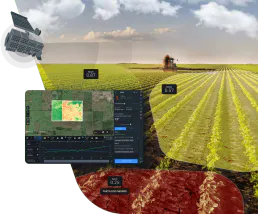
EOSDA Agriculture Satellite Data
6 toolsPrecision agriculture satellite intelligence — access NDVI, soil moisture, and crop health via AI.

Cerebras Inference
15 toolsAccess lightning-fast AI inference via Cerebras Wafer-Scale Engine — generate chat completions, manage models, and run batch jobs at record speeds.

Linear
12 toolsStreamline issue tracking and project management via Linear — list teams, query issues, create comments and inspect cycles directly from any AI agent.