
Integrate Docker Hub with Claude, Cursor, Chatbots & AI Agents MCP Server
 GDPR Free for Subscribers
Compatible with every major AI agent and IDE
 Gemini
Create repository on Docker Hub
Requires the namespace (your username or org) and repository name. Optionally set a description and visibility (public/private). Returns the created repository. Create a new Docker Hub repository
Delete repository on Docker Hub
Provide the namespace and repository name. WARNING: this action is irreversible. Delete a Docker Hub repository
Get repository on Docker Hub
Provide the namespace (username/org) and repository name. Get details for a specific Docker Hub repository
Get tag on Docker Hub
Provide the namespace, repository name and tag name (e.g. "latest", "v1.2.3"). Get details for a specific image tag
Get user on Docker Hub
Returns username, email, full name, location, company and account type. Use this to verify your access token is working correctly. Get the authenticated Docker Hub user info
List organizations on Docker Hub
Each organization includes its name, full name, type and creation date. List organizations the user belongs to
List repositories on Docker Hub
Each repository shows its name, namespace, description, star count, pull count, visibility (public/private) and last updated date. Optionally set pagination parameters. List Docker Hub repositories (images)
List tags on Docker Hub
Each tag shows the tag name, image size, last pushed date and digest. Useful for discovering available image versions. List tags for a Docker Hub repository
Search repositories on Docker Hub
Returns matching repos with their namespace, name, star count, pull count and description. Useful for discovering community images. Search for Docker Hub repositories
Update repository on Docker Hub
Provide the namespace, repository name and a JSON object with fields to update (e.g. {"description": "New description", "is_private": true}). Only provided fields will be modified. Update a Docker Hub repository
Security & Code Integrity Audit
Every tool in the Docker Hub MCP Server is continuously audited by the Vinkius Security Engine. We guarantee zero-trust payload isolation, strict data boundaries, and deterministic execution for enterprise-grade AI agents.
How Vinkius protects your data
Can I set different limits for each virtual assistant on my team?
Absolutely. You have full control in our command center. You can create an AI agent that only "reads" data so the support team can answer questions, and another superpowered agent that can "edit" and "create" information exclusively for your operations team. Each AI gets exactly the level of access you allow.
Is there a risk of the AI "going crazy" and deleting important company data?
No. With Vinkius, the AI operates on "rails". It can only make the exact moves you authorized in the tool's settings. It cannot invent routes, access other networks in your company, or decide to delete random files. If the action isn't in the approved catalog, the attempt is blocked instantly.
What if the AI ends up reading customer data or confidential information?
We have a built-in digital "bodyguard" called DLP (Data Loss Prevention). If a tool fetches data and the response contains social security numbers, credit cards, or personal customer info, Vinkius magically blocks and erases that information before it is delivered to the AI. The AI works only with what is strictly necessary, and your sensitive data never leaks.
Can I create private repositories?
Yes! Use create_repository with is_private set to "true". Note that free Docker Hub accounts have a limited number of private repositories. Check your account plan for private repo limits.
How Chatbots Interact with Docker Hub
Enable conversational interfaces like ChatGPT and Claude to execute programmatic commands against the Docker Hub infrastructure.
Scaling containerization via MCP
Connect your AI agent to Docker Hub for comprehensive containerization coverage. The integration features standard schemas for reliable loved by devs tool execution.
Execute registry Commands with AI
The Docker Hub toolkit translates Claude's commands into registry operations. The MCP server ensures accurate delivery within the loved by devs ecosystem.
Docker Hub. Runs on everything.
From IDE to framework. Every connection governed by Vinkius.
Anthropic's native desktop app for Claude with built-in MCP support.
AI-first code editor with integrated LLM-powered coding assistance.
GitHub Copilot in VS Code with Agent mode and MCP support.
Purpose-built IDE for agentic AI coding workflows.
Autonomous AI coding agent that runs inside VS Code.
Anthropic's agentic CLI for terminal-first development.
Python SDK for building production-grade OpenAI agent workflows.
Google's framework for building production AI agents.
Type-safe agent development for Python with first-class MCP support.
TypeScript toolkit for building AI-powered web applications.
TypeScript-native agent framework for modern web stacks.
Python framework for orchestrating collaborative AI agent crews.
Leading Python framework for composable LLM applications.
Data-aware AI agent framework for structured and unstructured sources.
Microsoft's framework for multi-agent collaborative conversations.
Explore More MCP Servers
View all →
PharmWare
12 toolsAutomate cannabis laboratory testing via PharmWare — manage samples, track test results, issue Certificates of Analysis, and monitor lab workflows from any AI agent.
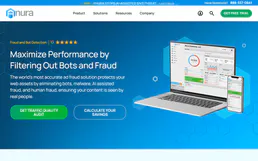
Anura
1 toolsAd fraud detection MCP server. Validate visitors in real-time and manage fraud reports via Anura.io.

ReferralCandy
16 toolsConnect your AI agents to ReferralCandy to manage referral programs, track advocates, register purchases, and analyze campaign performance.

EPA Envirofacts (Environmental Data)
6 toolsAccess US environmental data including UV forecasts, facility information, and toxic release inventories directly from the EPA.