
Integrate FileStack with Claude, Cursor, Chatbots & AI Agents MCP Server
 GDPR Free for Subscribers
Compatible with every major AI agent and IDE
 Gemini
Generate transform url on FileStack
g., resize=width:400). Does not execute the request, just returns the URL. Generate a Filestack transformation URL
Get image tags on FileStack
Detect objects and features in an image
Get metadata on FileStack
Get metadata for a Filestack file
Get ocr on FileStack
Extract printed or handwritten text (OCR)
Get sfw status on FileStack
Detect unsafe content (Safe for Work)
Get video status on FileStack
Poll status of a video transcoding job
Start video transcode on FileStack
Returns a UUID that must be used to poll for status. Start asynchronous video/audio transcoding
Upload from url on FileStack
Upload a file to Filestack from a public URL
Security & Code Integrity Audit
Every tool in the FileStack MCP Server is continuously audited by the Vinkius Security Engine. We guarantee zero-trust payload isolation, strict data boundaries, and deterministic execution for enterprise-grade AI agents.
How Vinkius protects your data
Is there a risk of the AI "going crazy" and deleting important company data?
No. With Vinkius, the AI operates on "rails". It can only make the exact moves you authorized in the tool's settings. It cannot invent routes, access other networks in your company, or decide to delete random files. If the action isn't in the approved catalog, the attempt is blocked instantly.
Can I set different limits for each virtual assistant on my team?
Absolutely. You have full control in our command center. You can create an AI agent that only "reads" data so the support team can answer questions, and another superpowered agent that can "edit" and "create" information exclusively for your operations team. Each AI gets exactly the level of access you allow.
How can I extract text from a scanned document or image?
Use the get_ocr tool with the file handle. The AI will perform Optical Character Recognition and return the extracted text along with its coordinates.
How does the AI access my passwords and credentials?
It simply doesn't. On Vinkius, your passwords, API keys, and login details are kept in a secure vault. The AI (like ChatGPT or Claude) merely "asks" Vinkius to perform the task. Vinkius opens the door, does the work, and hands the result back to the AI. Your credentials are never seen, read, or learned by the artificial intelligence.
What can AI Agents do with FileStack?
We map standard API endpoints to agent-compatible instructions. Connect FileStack to execute these core functional operations.
Intelligent file upload Management
Integrate FileStack to access native file upload capabilities. This allows LLMs to perform secure, deterministic execution of image video tasks without hard-coded API scripts.
Autonomous image processing via AI
The FileStack MCP manages API routing for image processing. This enables AI agents like Claude Code to execute structured image video queries.
FileStack. Runs on everything.
From IDE to framework. Every connection governed by Vinkius.
Anthropic's native desktop app for Claude with built-in MCP support.
AI-first code editor with integrated LLM-powered coding assistance.
GitHub Copilot in VS Code with Agent mode and MCP support.
Purpose-built IDE for agentic AI coding workflows.
Autonomous AI coding agent that runs inside VS Code.
Anthropic's agentic CLI for terminal-first development.
Python SDK for building production-grade OpenAI agent workflows.
Google's framework for building production AI agents.
Type-safe agent development for Python with first-class MCP support.
TypeScript toolkit for building AI-powered web applications.
TypeScript-native agent framework for modern web stacks.
Python framework for orchestrating collaborative AI agent crews.
Leading Python framework for composable LLM applications.
Data-aware AI agent framework for structured and unstructured sources.
Microsoft's framework for multi-agent collaborative conversations.
Explore More MCP Servers
View all →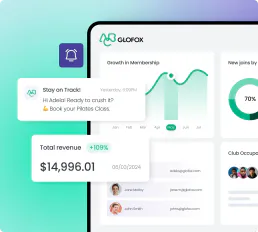
Glofox
8 toolsManage members, classes, trainers, bookings, and purchases for your Glofox-powered gym or fitness studio through natural conversation.

Kitetags
12 toolsGenerate optimized hashtags for Instagram and TikTok posts with AI that analyzes trending tags and maximizes reach.
Thesaurus API
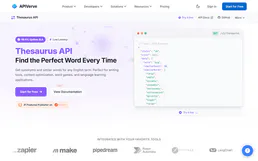
2 toolsSearch synonyms and antonyms — audit linguistics via AI.

oboloo
12 toolsManage procurement and supplier relationships with contract tracking, spend analysis, and compliance monitoring for buying teams.