
Integrate HubSpot CRM with Claude, Cursor, Chatbots & AI Agents MCP Server
 GDPR Free for Subscribers
Compatible with every major AI agent and IDE
 Gemini
Hs create company on HubSpot CRM
The name is required. Providing the website domain (e.g., "acme.com") helps HubSpot auto-enrich the company with public data. Industry should match HubSpot industry categories. Returns the created company with its new HubSpot ID. Create a new company record in HubSpot CRM with name, domain, industry, and phone
Hs create contact on HubSpot CRM
Email is the primary deduplication key — if a contact with the same email already exists, the API will return an error. Provide first name, last name, phone, company name, and lifecycle stage to fully populate the record. Returns the created contact with its new HubSpot ID. Create a new contact in HubSpot CRM with email as the unique identifier, plus name, phone, and company
Hs create note on HubSpot CRM
The body supports HTML. Notes appear in the timeline of associated records — essential for keeping CRM activity history. Provide contact, company, or deal IDs to link the note. Use to log meeting notes, call summaries, or internal context. Create an engagement note in HubSpot attached to a contact, company, or deal for activity logging
Hs create task on HubSpot CRM
Tasks appear in the tasks queue and can be assigned to owners. Set priority to HIGH, MEDIUM, or LOW. Due date should be ISO format. Associate with a contact by providing their ID. Use when the user wants to schedule follow-ups, create reminders, or assign action items. Create a follow-up task in HubSpot with subject, due date, priority, and optional contact association
Hs get associations on HubSpot CRM
For example: objectType="companies", objectId="123", toObjectType="contacts" returns all contacts associated with company 123. Common patterns: company→contacts, contact→deals, deal→contacts, contact→tickets. Use when the user asks "which contacts are at this company?" or "what deals does this contact have?" Get associations between HubSpot CRM objects — e.g., find all contacts linked to a company, or deals linked to a contact
Hs get contact on HubSpot CRM
Returns full contact data including name, email, phone, company, lifecycle stage, lead status, last activity date, and all custom properties. Use after searching contacts to drill into a specific person for full details. Get the complete details of a specific HubSpot contact by their record ID
Hs search companies on HubSpot CRM
Returns company name, website domain, industry, annual revenue, employee count, and assigned owner. Use when the user wants to find a specific company, look up organizational details, or check company-level CRM data. Search HubSpot CRM companies by name, domain, or industry to find organizations
Hs search contacts on HubSpot CRM
Returns first name, last name, email, phone, associated company, lifecycle stage (subscriber/lead/MQL/SQL/opportunity/customer/evangelist), and assigned HubSpot owner. Use when the user wants to find a specific person, check contact details, verify lifecycle stage, or look up who is at a particular company. Search HubSpot CRM contacts by name, email, phone, or company to find people in your database
Hs update company on HubSpot CRM
Only specified fields are updated. Use when the user wants to update company details, correct industry classification, or change the domain. Update properties of an existing HubSpot company by their record ID
Hs update contact on HubSpot CRM
Only the fields you provide will be updated — other fields remain unchanged. Use when the user wants to correct contact info, update a phone number, change lifecycle stage, or reassign a contact. Update properties of an existing HubSpot contact by their record ID
Security & Code Integrity Audit
Every tool in the HubSpot CRM MCP Server is continuously audited by the Vinkius Security Engine. We guarantee zero-trust payload isolation, strict data boundaries, and deterministic execution for enterprise-grade AI agents.
How Vinkius protects your data
Can I set different limits for each virtual assistant on my team?
Absolutely. You have full control in our command center. You can create an AI agent that only "reads" data so the support team can answer questions, and another superpowered agent that can "edit" and "create" information exclusively for your operations team. Each AI gets exactly the level of access you allow.
Is there a risk of the AI "going crazy" and deleting important company data?
No. With Vinkius, the AI operates on "rails". It can only make the exact moves you authorized in the tool's settings. It cannot invent routes, access other networks in your company, or decide to delete random files. If the action isn't in the approved catalog, the attempt is blocked instantly.
Can I create and update records?
Yes! Create contacts, deals, tickets, and notes. All through natural conversation.
Does the AI train on my tools or API data?
No. Vinkius enforces a strict Zero-Retention policy. Your data simply passes through our secure servers to complete the requested action and is instantly forgotten. Nothing you do here is ever stored, logged, or used to train any artificial intelligence.
Supported Use Cases for HubSpot CRM
The HubSpot CRM integration provides comprehensive execution endpoints, allowing AI models to orchestrate tasks reliably.
Managing contact management inside Claude
The HubSpot CRM server exposes documented endpoints for contact management. This allows ChatGPT and Cursor to interact with industry titans APIs seamlessly.
Seamless lead tracking Integration
Integrate lead tracking features into your LLM framework using HubSpot CRM. The MCP server ensures precise command execution across your industry titans stack.
HubSpot CRM. Runs on everything.
From IDE to framework. Every connection governed by Vinkius.
Anthropic's native desktop app for Claude with built-in MCP support.
AI-first code editor with integrated LLM-powered coding assistance.
GitHub Copilot in VS Code with Agent mode and MCP support.
Purpose-built IDE for agentic AI coding workflows.
Autonomous AI coding agent that runs inside VS Code.
Anthropic's agentic CLI for terminal-first development.
Python SDK for building production-grade OpenAI agent workflows.
Google's framework for building production AI agents.
Type-safe agent development for Python with first-class MCP support.
TypeScript toolkit for building AI-powered web applications.
TypeScript-native agent framework for modern web stacks.
Python framework for orchestrating collaborative AI agent crews.
Leading Python framework for composable LLM applications.
Data-aware AI agent framework for structured and unstructured sources.
Microsoft's framework for multi-agent collaborative conversations.
Explore More MCP Servers
View all →
Weights & Biases
6 toolsTrack experiments, monitor ML runs, and manage artifacts on WandB — the developer platform for AI.
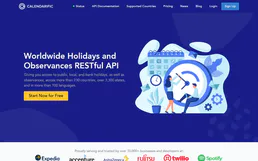
Calendarific
6 toolsAccess global holiday data via Calendarific — track public, religious, and local holidays across 230+ countries directly from any AI agent.
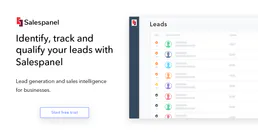
Salespanel
11 toolsAutomate lead tracking and visitor intelligence via Salespanel — manage contacts, website visitors, and engagement directly from any AI agent.

Planhat
10 toolsManage customer success via Planhat — list companies, track end users, and monitor tasks directly from any AI agent.