
Integrate LinkedIn Ads with Claude, Cursor, Chatbots & AI Agents MCP Server
 GDPR Free for Subscribers
Compatible with every major AI agent and IDE
 Gemini
Get ad analytics on LinkedIn Ads
Requires pivot and dateRange parameters. Query performance metrics (impressions, clicks, spend)
List ad accounts on LinkedIn Ads
List all accessible LinkedIn Ad Accounts
List ad campaigns on LinkedIn Ads
List all campaigns for an ad account
List ad creatives on LinkedIn Ads
List all ad creatives for an ad account
List campaign groups on LinkedIn Ads
List campaign groups for an ad account
List conversion rules on LinkedIn Ads
List conversion tracking rules for an account
Security & Code Integrity Audit
Every tool in the LinkedIn Ads MCP Server is continuously audited by the Vinkius Security Engine. We guarantee zero-trust payload isolation, strict data boundaries, and deterministic execution for enterprise-grade AI agents.
How Vinkius protects your data
Can I audit what my AI agents are doing with this integration?
Yes, Vinkius provides an immutable, HMAC-chained audit log. Every tool execution, payload, and response is tracked in real-time on your dashboard, giving you complete visibility into your agent's actions.
What happens if the underlying API rate limits my agent?
Our edge infrastructure automatically handles backoffs, queueing, and throttling. If an AI agent sends too many erratic requests, Vinkius manages the rate limits gracefully, ensuring your backend doesn't crash.
How does the AI access my passwords and credentials?
It simply doesn't. On Vinkius, your passwords, API keys, and login details are kept in a secure vault. The AI (like ChatGPT or Claude) merely "asks" Vinkius to perform the task. Vinkius opens the door, does the work, and hands the result back to the AI. Your credentials are never seen, read, or learned by the artificial intelligence.
How do I specify the time range for analytics?
You must provide a Restli-formatted string in the params field, including dateRange=(start:(day:X,month:Y,year:Z)). Refer to LinkedIn API documentation for exact syntax.
Triggering LinkedIn Ads via Natural Language
Use LinkedIn Ads with any AI agent framework to process, analyze, and mutate data securely via the Model Context Protocol.
Next-Gen ad campaigns Automation
The LinkedIn Ads toolkit provides structured tools for ad campaigns. It enables conversational interfaces like Claude Code to query and modify data within your industry titans infrastructure.
Autonomous performance reporting Strategies
Connect LinkedIn Ads to your AI agents (Claude, ChatGPT, Cursor) to manage performance reporting operations. The MCP server processes the underlying API requests and schema formatting for the industry titans domain.
LinkedIn Ads. Runs on everything.
From IDE to framework. Every connection governed by Vinkius.
Anthropic's native desktop app for Claude with built-in MCP support.
AI-first code editor with integrated LLM-powered coding assistance.
GitHub Copilot in VS Code with Agent mode and MCP support.
Purpose-built IDE for agentic AI coding workflows.
Autonomous AI coding agent that runs inside VS Code.
Anthropic's agentic CLI for terminal-first development.
Python SDK for building production-grade OpenAI agent workflows.
Google's framework for building production AI agents.
Type-safe agent development for Python with first-class MCP support.
TypeScript toolkit for building AI-powered web applications.
TypeScript-native agent framework for modern web stacks.
Python framework for orchestrating collaborative AI agent crews.
Leading Python framework for composable LLM applications.
Data-aware AI agent framework for structured and unstructured sources.
Microsoft's framework for multi-agent collaborative conversations.
Explore More MCP Servers
View all →
CORE (Open Access Research)
10 toolsAccess millions of open access research papers, journals, and repositories directly from your AI agent using the CORE API.
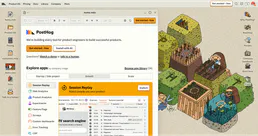
PostHog
10 toolsAnalyze product data via PostHog — list insights, track persons, inspect feature flags, and monitor experiments directly from any AI agent.
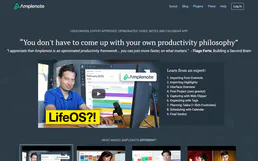
Amplenote
12 toolsConnect your Amplenote workspace to your AI agent — search notes, manage tasks, and organize ideas via natural language.

Harvard WHO Health
16 toolsAccess WHO global health indicators, disease statistics, and population health data for evidence-based research and policy analysis.