

Linkwarden MCP Server with 32 Tools for Claude, Cursor, and AI Agents
 GDPR Free for Subscribers
Manage your bookmarks and web archives with Linkwarden — organize collections, preserve pages, and manage links directly from your AI agent. Vinkius routes your AI agents directly to Linkwarden through a governed connection. 32 tools ready to use with Claude, ChatGPT, Cursor, or any AI agent — no hosting, no setup, connect in 30 seconds.
Ask AI about this server
Compatible with every major AI agent and IDE
 Gemini
* Every MCP server runs on Vinkius-managed infrastructure inside AWS - a purpose-built runtime with per-request V8 isolates, Ed25519 signed audit chains, and sub-40ms cold starts optimized for native MCP execution. See our infrastructure
What is the Linkwarden MCP Server?
The Linkwarden MCP Server routes AI agents like Claude, ChatGPT, and Cursor directly to Linkwarden via 32 tools. Manage your bookmarks and web archives with Linkwarden — organize collections, preserve pages, and manage links directly from your AI agent. Powered by Vinkius — your credentials stay on your side of the connection, every request is auditable. Connect in under 2 minutes.
Built-in capabilities (32)
Tools for your AI Agents to operate Linkwarden
Ask your AI agent "List all my Linkwarden collections." and get the answer without opening a single dashboard. With 32 tools connected to real Linkwarden data, your agents reason over live information, cross-reference it with other MCP servers, and deliver insights you would spend hours assembling manually.
Works with Claude, ChatGPT, Cursor, and any MCP-compatible client. Powered by Vinkius — your credentials never touch the AI model, every request is auditable. Connect in under two minutes.
Why teams choose Vinkius
One subscription gives you the infrastructure to connect your AI agents to thousands of MCP servers — and deploy your own to the Vinkius Edge. Your credentials stay yours. Your data flows directly between your agent and the API. DLP blocks sensitive information from ever reaching the model, kill switch for instant shutdown, and up to 60% token savings. Enterprise-grade routing and governance, zero maintenance.
Build your own MCP Server with our secure development framework →The Linkwarden App Connector works with every AI agent you already use
…and any MCP-compatible client









Use all 32 Linkwarden tools with your AI agents right now
Vinkius routes your AI agents to Linkwarden through a governed proxy. Beyond a simple connection, you get full visibility into every action your agents perform, with enterprise-grade security and up to 60% savings on AI costs.
Archive link on Linkwarden
Archive a link (triggers an update of the link's archive files)
Auth forgot password on Linkwarden
Send password reset email
Auth reset password on Linkwarden
Reset password with token
Auth verify email on Linkwarden
Verify email address
Bulk update links on Linkwarden
Bulk update links (tags/collections)
Create collection on Linkwarden
Create a new collection
Create highlight on Linkwarden
Create or update a highlight
Create link on Linkwarden
Create a new link
Delete collection on Linkwarden
Delete a collection
Delete highlight on Linkwarden
Delete a highlight
Get archive on Linkwarden
Retrieve an archive file by link ID
Get avatar on Linkwarden
Retrieve user avatar
Get collection on Linkwarden
Get collection by ID
Get config on Linkwarden
Retrieve public runtime configuration
Get dashboard v1 on Linkwarden
Get dashboard data (v1)
Get dashboard v2 on Linkwarden
Get dashboard data (v2)
Get link on Linkwarden
Get a link by ID
Get link highlights on Linkwarden
Get highlights for a link
Get logins on Linkwarden
Get login configuration
Get migration on Linkwarden
Retrieve migration data (user info, collections, links for export)
Get preserved token on Linkwarden
Create short-lived preserved format URL token
Get public collection links on Linkwarden
Retrieve links from a specific collection (public)
Get public collection tags on Linkwarden
Get tags for a collection (public)
Import migration on Linkwarden
Import data for migration
List collections on Linkwarden
Get all collections
List rss on Linkwarden
List RSS subscriptions
Stream preserved view on Linkwarden
Stream archived format
Update collection on Linkwarden
Update a collection
Update dashboard v2 on Linkwarden
Update dashboard layout (v2)
Update link on Linkwarden
Update a link
Upload archive for link on Linkwarden
Upload or replace a client-side archive file for a specific link
Upload standalone archive on Linkwarden
Upload an archive file, create a new link, and store it in the default collection
What the Linkwarden MCP Server unlocks
Connect your Linkwarden instance to any AI agent and take full control of your personal knowledge base through natural conversation. Linkwarden is a self-hosted collaborative bookmark manager to collect, organize, and preserve webpages.
What you can do
- Collection Management — List all your collections, create new ones, and organize your bookmarks into logical folders.
- Web Archiving — Retrieve preserved archive files for your links to ensure you never lose access to important information, even if the original site goes down.
- Dashboard Insights — Access your dashboard data (v1 and v2) to get a high-level overview of your saved content and activity.
- Link Operations — Create, update, and manage links and their associated metadata or highlights directly from the chat.
- System Configuration — Quickly retrieve public runtime configurations and user profile information.
How it works
1. Subscribe to this server
2. Enter your Linkwarden Instance URL and Personal Access Token
3. Start managing your web archives from Claude, Cursor, or any MCP-compatible client
Who is this for?
- Researchers — instantly organize sources and retrieve archived versions of papers or articles without leaving your research flow
- Developers — manage technical documentation links and code snippets directly from your IDE
- Knowledge Workers — maintain a clean, organized library of web resources using natural language commands
Frequently asked questions about the Linkwarden MCP Server
How can I see a list of all my bookmark folders?
You can use the list_collections tool. It will retrieve all your existing collections, allowing the AI to show you how your bookmarks are organized.
Is it possible to retrieve an archived version of a saved link?
Yes! Use the get_archive tool with the specific Link ID. This will fetch the preserved archive file associated with that link.
Can I create a new collection directly through the AI?
Absolutely. Use the create_collection tool by providing a unique ID and the collection details in the payload.
More in this category
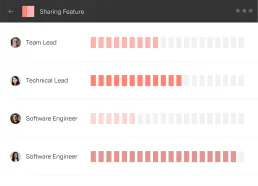
LiquidPlanner Classic
10 toolsPlan projects with intelligent scheduling that automatically adjusts timelines based on team capacity and task dependencies.
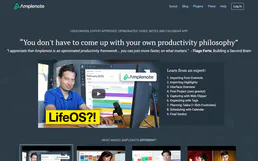
Amplenote
12 toolsConnect your Amplenote workspace to your AI agent — search notes, manage tasks, and organize ideas via natural language.

Browser Bookmarks Parser
1 toolsTurn messy Chrome, Safari, and Firefox bookmark HTML exports into clean, structured JSON data. Instantly allow your AI to organize your digital life and remove duplicate links.

Deterministic EdTech Quiz Scorer
1 toolsTransform your AI into a ruthless, high-precision EdTech examiner. Automatically cross-reference quiz answers against weighted keys to generate granular performance metrics instantly.
You might also like

EMT Madrid (Open Data)
4 toolsAccess real-time Madrid public transport data: bus arrivals, BiciMAD bike status, and route planning via EMT Open Data.
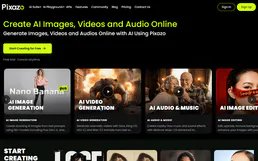
Pixazo 3D
12 toolsGenerate production-quality 3D models via Pixazo — convert images and text to 3D assets with Hunyuan, Hyper3D, Tripo, and Trellis from any AI agent.
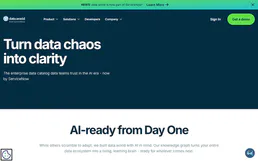
data.world
10 toolsEquip your AI agent to discover and manage data assets, projects, and queries directly via the data.world API.
Zapier Webhook Trigger
1 toolsThis MCP does exactly one thing: it sends JSON payloads to Zapier Webhooks. That's its only function. Incredible for connecting AI agents to thousands of visual automation workflows instantly.
We built the connector to Linkwarden. Now put your agents to work. Fully governed.
Vinkius is the AI Gateway with managed hosting. Stop building connectors. Every connection runs inside eight layers of security.
Hosted, sandboxed, and live on AWS. You don't provision anything. You don't maintain anything. You connect.
Every tool call, every token, every response. Logged and auditable. Data flows direct from Linkwarden to your agent. Nothing is stored on our side. Ever.
Eight governance layers on every request. Sensitive data redacted before it reaches the model. Kill switch if anything goes sideways. Always on.