

Resemble AI MCP Server with 16 Tools for Claude, Cursor, and AI Agents
 GDPR Free for Subscribers
Generate high-quality AI voices, manage projects, and transform speech with Resemble AI's powerful voice cloning and synthesis tools. Vinkius routes your AI agents directly to Resemble AI through a governed connection. 16 tools ready to use with Claude, ChatGPT, Cursor, or any AI agent — no hosting, no setup, connect in 30 seconds.
Ask AI about this server
Compatible with every major AI agent and IDE
 Gemini
* Every MCP server runs on Vinkius-managed infrastructure inside AWS - a purpose-built runtime with per-request V8 isolates, Ed25519 signed audit chains, and sub-40ms cold starts optimized for native MCP execution. See our infrastructure
What is the Resemble AI MCP Server?
The Resemble AI MCP Server routes AI agents like Claude, ChatGPT, and Cursor directly to Resemble AI via 16 tools. Generate high-quality AI voices, manage projects, and transform speech with Resemble AI's powerful voice cloning and synthesis tools. Powered by Vinkius — your credentials stay on your side of the connection, every request is auditable. Connect in under 2 minutes.
Built-in capabilities (16)
Tools for your AI Agents to operate Resemble AI
Ask your AI agent "List all my Resemble AI projects and their UUIDs." and get the answer without opening a single dashboard. With 16 tools connected to real Resemble AI data, your agents reason over live information, cross-reference it with other MCP servers, and deliver insights you would spend hours assembling manually.
Works with Claude, ChatGPT, Cursor, and any MCP-compatible client. Powered by Vinkius — your credentials never touch the AI model, every request is auditable. Connect in under two minutes.
Why teams choose Vinkius
One subscription gives you the infrastructure to connect your AI agents to thousands of MCP servers — and deploy your own to the Vinkius Edge. Your credentials stay yours. Your data flows directly between your agent and the API. DLP blocks sensitive information from ever reaching the model, kill switch for instant shutdown, and up to 60% token savings. Enterprise-grade routing and governance, zero maintenance.
Build your own MCP Server with our secure development framework →The Resemble AI App Connector works with every AI agent you already use
…and any MCP-compatible client









Use all 16 Resemble AI tools with your AI agents right now
Vinkius routes your AI agents to Resemble AI through a governed proxy. Beyond a simple connection, you get full visibility into every action your agents perform, with enterprise-grade security and up to 60% savings on AI costs.
Add watermark on Resemble AI
Apply an imperceptible watermark to an audio file
Create clip on Resemble AI
Supports SSML. Create a new clip (Text-to-Speech)
Create project on Resemble AI
Create a new project
Create recording on Resemble AI
Upload an audio recording to train a voice
Create voice on Resemble AI
Create a new custom voice
Delete voice on Resemble AI
Delete a custom voice
Detect deepfake on Resemble AI
Verify if an audio clip is real or AI-generated
Get clip on Resemble AI
Get a specific clip
Get voice on Resemble AI
Get details of a specific voice
List clips on Resemble AI
List clips in a project
List projects on Resemble AI
List all projects
List recordings on Resemble AI
List recordings for a voice
List voices on Resemble AI
List all custom and system voices
Speech to speech on Resemble AI
Transform an input audio file into a target voice (STS)
Update clip on Resemble AI
Update an existing clip
Verify watermark on Resemble AI
Verify a watermark in an audio file
What the Resemble AI MCP Server unlocks
Connect your Resemble AI account to any AI agent to generate, manage, and protect high-fidelity synthetic speech through natural conversation.
What you can do
- Voice Synthesis — Create high-quality audio clips from text using custom or system voices with full SSML support.
- Speech-to-Speech — Transform source audio into a target voice while preserving the original emotion, intonation, and timing.
- Project Organization — List, create, and manage projects to keep your audio assets and clips organized.
- Voice Management — List available voices, create new custom voice profiles, and manage training recordings.
- AI Safety & Security — Detect deepfakes in audio files and apply or verify digital watermarks to ensure content authenticity.
How it works
1. Subscribe to this server
2. Enter your Resemble AI API Token
3. Start generating and managing AI voices from Claude, Cursor, or any MCP-compatible client
Who is this for?
- Content Creators — Generate voiceovers and localized content instantly without leaving your workflow.
- Developers — Integrate advanced voice synthesis and deepfake detection directly into your development environment.
- Security Teams — Verify the authenticity of audio files and detect synthetic manipulations using built-in safety tools.
Frequently asked questions about the Resemble AI MCP Server
Can I use SSML tags when creating an audio clip?
Yes! The create_clip tool fully supports SSML in the body field, allowing you to control pitch, rate, and emphasis for more natural-sounding speech.
How can I transform an existing audio file into a different voice?
Use the speech_to_speech tool. Provide the target voice_uuid and a Base64 encoded audio sample or URL, and the AI will re-voice the content while keeping the original performance characteristics.
Is there a way to check if an audio file is a deepfake?
Absolutely. The detect_deepfake tool allows you to submit an audio URL to Resemble's security engine to analyze whether the speech was generated by AI.
More in this category

Adobe Firefly
10 toolsGenerate images and vectors via Adobe Firefly — perform generative fill and expand, create text effects, and remove backgrounds directly from any AI agent.

Stability AI
10 toolsConnect your AI to Stability AI's powerful image generation models. Create, upscale, and edit high-quality images directly and efficiently.

Gumlet
12 toolsOptimize images and stream video with automatic format conversion, lazy loading, and CDN delivery that loads pages faster.
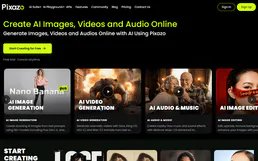
Pixazo 3D
12 toolsGenerate production-quality 3D models via Pixazo — convert images and text to 3D assets with Hunyuan, Hyper3D, Tripo, and Trellis from any AI agent.
You might also like

ClickUp
8 toolsManage tasks and projects via ClickUp — track work, monitor spaces, and manage team productivity directly from any AI agent.
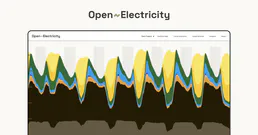
AEMO Australian Energy
12 toolsAccess Australian electricity market data — spot prices, demand, generation by fuel type, emissions, and renewable energy proportions via OpenElectricity API.
Zoho Bookings
7 toolsAutomate appointment scheduling via Zoho Bookings — manage appointments, services, and staff with AI.

Photoroom
8 toolsRemove backgrounds, retouch product photos, and generate studio-quality images with AI editing tools built for e-commerce.
We built the connector to Resemble AI. Now put your agents to work. Fully governed.
Vinkius is the AI Gateway with managed hosting. Stop building connectors. Every connection runs inside eight layers of security.
Hosted, sandboxed, and live on AWS. You don't provision anything. You don't maintain anything. You connect.
Every tool call, every token, every response. Logged and auditable. Data flows direct from Resemble AI to your agent. Nothing is stored on our side. Ever.
Eight governance layers on every request. Sensitive data redacted before it reaches the model. Kill switch if anything goes sideways. Always on.