
Integrate Robolytix with Claude, Cursor, Chatbots & AI Agents MCP Server
 GDPR Free for Subscribers
Compatible with every major AI agent and IDE
 Gemini
Get process on Robolytix
Get details for a specific process
Get run on Robolytix
Get details for a specific process run
Get run messages on Robolytix
Get all messages from a process run
Get stats on Robolytix
Get overall automation statistics
List rpa processes on Robolytix
List all RPA processes
List runs on Robolytix
List all process runs
Sonar checkpoint on Robolytix
Send a "common" sonar message
Sonar end on Robolytix
Send an "end" sonar message
Sonar error on Robolytix
Send an "error" sonar message
Sonar start on Robolytix
Send a "start" sonar message
Security & Code Integrity Audit
Every tool in the Robolytix MCP Server is continuously audited by the Vinkius Security Engine. We guarantee zero-trust payload isolation, strict data boundaries, and deterministic execution for enterprise-grade AI agents.
How Vinkius protects your data
Can I set different limits for each virtual assistant on my team?
Absolutely. You have full control in our command center. You can create an AI agent that only "reads" data so the support team can answer questions, and another superpowered agent that can "edit" and "create" information exclusively for your operations team. Each AI gets exactly the level of access you allow.
Can I audit what my AI agents are doing with this integration?
Yes, Vinkius provides an immutable, HMAC-chained audit log. Every tool execution, payload, and response is tracked in real-time on your dashboard, giving you complete visibility into your agent's actions.
How do I find a processid for my automation?
Log in to the Robolytix dashboard, go to Settings > Processes, select your process, and the unique GUID will be displayed in the General tab.
What if the AI ends up reading customer data or confidential information?
We have a built-in digital "bodyguard" called DLP (Data Loss Prevention). If a tool fetches data and the response contains social security numbers, credit cards, or personal customer info, Vinkius magically blocks and erases that information before it is delivered to the AI. The AI works only with what is strictly necessary, and your sensitive data never leaks.
What can AI Agents do with Robolytix?
We map standard API endpoints to agent-compatible instructions. Connect Robolytix to execute these core functional operations.
Claude Code Integration for rpa monitoring
Connect Robolytix to your AI agents (Claude, ChatGPT, Cursor) to manage rpa monitoring operations. The MCP server processes the underlying API requests and schema formatting for the industry titans domain.
Autonomous process automation via AI
Connect Robolytix to your AI agents (Claude, ChatGPT, Cursor) to manage process automation operations. The MCP server processes the underlying API requests and schema formatting for the industry titans domain.
Robolytix. Runs on everything.
From IDE to framework. Every connection governed by Vinkius.
Anthropic's native desktop app for Claude with built-in MCP support.
AI-first code editor with integrated LLM-powered coding assistance.
GitHub Copilot in VS Code with Agent mode and MCP support.
Purpose-built IDE for agentic AI coding workflows.
Autonomous AI coding agent that runs inside VS Code.
Anthropic's agentic CLI for terminal-first development.
Python SDK for building production-grade OpenAI agent workflows.
Google's framework for building production AI agents.
Type-safe agent development for Python with first-class MCP support.
TypeScript toolkit for building AI-powered web applications.
TypeScript-native agent framework for modern web stacks.
Python framework for orchestrating collaborative AI agent crews.
Leading Python framework for composable LLM applications.
Data-aware AI agent framework for structured and unstructured sources.
Microsoft's framework for multi-agent collaborative conversations.
Explore More MCP Servers
View all →
Evolio
14 toolsTransform your coaching practice with client tracking, session management, and progress analytics that help people grow.

Retell AI
10 toolsEmpower your conversational AI to orchestrate, analyze, and automate phone calls or web-based voice agent interactions via Retell.
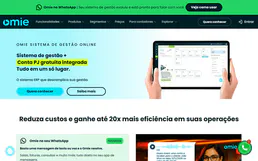
Omie ERP
16 toolsManage your Omie ERP data via API — list clients, products, sales orders, financial accounts, and inventory directly from any AI agent.

NVIDIA API Catalog
8 toolsCloud Engine proxy running native foundational completions natively utilizing active Nemotron and Llama3 architectures.