
Integrate Taboola with Claude, Cursor, Chatbots & AI Agents MCP Server
 GDPR Free for Subscribers
Compatible with every major AI agent and IDE
 Gemini
Create campaign on Taboola
Create a new Taboola campaign
Create campaign item on Taboola
Create a new campaign item (ad)
Get campaign on Taboola
Get details for a specific campaign
Get campaign summary report on Taboola
Get campaign summary report
Get current user on Taboola
Get current Taboola user details
Get top campaign content report on Taboola
Get top campaign content report
List allowed accounts on Taboola
List allowed Taboola accounts
List campaign items on Taboola
List items (ads) in a campaign
List campaigns on Taboola
List campaigns for an account
Update campaign on Taboola
Update an existing Taboola campaign
Security & Code Integrity Audit
Every tool in the Taboola MCP Server is continuously audited by the Vinkius Security Engine. We guarantee zero-trust payload isolation, strict data boundaries, and deterministic execution for enterprise-grade AI agents.
How Vinkius protects your data
Is there a risk of the AI "going crazy" and deleting important company data?
No. With Vinkius, the AI operates on "rails". It can only make the exact moves you authorized in the tool's settings. It cannot invent routes, access other networks in your company, or decide to delete random files. If the action isn't in the approved catalog, the attempt is blocked instantly.
How do I add a new ad to an existing campaign?
Simply use the create_campaign_item action. Provide the account_id, campaign_id, and the url of the content you want to promote. You can also optionally include a custom title and thumbnail URL.
Can I audit what my AI agents are doing with this integration?
Yes, Vinkius provides an immutable, HMAC-chained audit log. Every tool execution, payload, and response is tracked in real-time on your dashboard, giving you complete visibility into your agent's actions.
Does the AI train on my tools or API data?
No. Vinkius enforces a strict Zero-Retention policy. Your data simply passes through our secure servers to complete the requested action and is instantly forgotten. Nothing you do here is ever stored, logged, or used to train any artificial intelligence.
How Chatbots Interact with Taboola
The Taboola integration provides structured, LLM-friendly schemas for reliable tool execution within your agentic workflows.
The Future of native advertising
The Taboola connection gives ChatGPT direct access to native advertising tools. The integration handles the logic required for continuous growth engine operations.
Scaling campaign management via MCP
Use the Taboola MCP to manage campaign management requests. Models like Claude Code utilize this connection to perform reliable growth engine updates.
Taboola. Runs on everything.
From IDE to framework. Every connection governed by Vinkius.
Anthropic's native desktop app for Claude with built-in MCP support.
AI-first code editor with integrated LLM-powered coding assistance.
GitHub Copilot in VS Code with Agent mode and MCP support.
Purpose-built IDE for agentic AI coding workflows.
Autonomous AI coding agent that runs inside VS Code.
Anthropic's agentic CLI for terminal-first development.
Python SDK for building production-grade OpenAI agent workflows.
Google's framework for building production AI agents.
Type-safe agent development for Python with first-class MCP support.
TypeScript toolkit for building AI-powered web applications.
TypeScript-native agent framework for modern web stacks.
Python framework for orchestrating collaborative AI agent crews.
Leading Python framework for composable LLM applications.
Data-aware AI agent framework for structured and unstructured sources.
Microsoft's framework for multi-agent collaborative conversations.
Explore More MCP Servers
View all →
Oracle Vector DB
7 toolsRun vector similarity searches on Oracle 23ai — execute VECTOR_DISTANCE queries, inspect schemas, list vector indexes, and query tables from any AI agent.
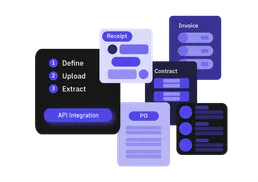
Extracta
10 toolsAutomate data extraction via Extracta — process documents into structured JSON, handle AI classification, and audit extraction history directly from any AI agent.

Sauce Labs
11 toolsMonitor and manage UI/E2E test automation at scale via AI — stop failing jobs, inspect video logs, and check pipeline concurrency metrics.

DevSkiller
10 toolsEquip your AI agent to manage technical assessments, track candidates, and monitor test results via the DevSkiller API.