
Integrate Vidyard with Claude, Cursor, Chatbots & AI Agents MCP Server
 GDPR Free for Subscribers
Compatible with every major AI agent and IDE
 Gemini
Attach video to player on Vidyard
Requires both player ID and video ID. Adds a video asset into a specific player container
Create empty player on Vidyard
Creates a new, empty video player container
Delete video asset on Vidyard
This action is irreversible. Permanently deletes a video asset from Vidyard
Delete video player on Vidyard
Note that the original video assets are not deleted. Permanently deletes a video player
Get player details on Vidyard
Retrieves details for a specific video player
Get video details on Vidyard
Retrieves technical metadata for a specific video asset
Get video source files on Vidyard
Retrieves direct stream URLs for various video qualities (480p, 720p, etc.)
List video players on Vidyard
Lists all configured video players (facades) in the account
List videos on Vidyard
Lists all video assets stored in the Vidyard dashboard
Update player name on Vidyard
Updates the display name or title of an existing player
Security & Code Integrity Audit
Every tool in the Vidyard MCP Server is continuously audited by the Vinkius Security Engine. We guarantee zero-trust payload isolation, strict data boundaries, and deterministic execution for enterprise-grade AI agents.
How Vinkius protects your data
Is there a risk of the AI "going crazy" and deleting important company data?
No. With Vinkius, the AI operates on "rails". It can only make the exact moves you authorized in the tool's settings. It cannot invent routes, access other networks in your company, or decide to delete random files. If the action isn't in the approved catalog, the attempt is blocked instantly.
How does the AI access my passwords and credentials?
It simply doesn't. On Vinkius, your passwords, API keys, and login details are kept in a secure vault. The AI (like ChatGPT or Claude) merely "asks" Vinkius to perform the task. Vinkius opens the door, does the work, and hands the result back to the AI. Your credentials are never seen, read, or learned by the artificial intelligence.
What if the AI ends up reading customer data or confidential information?
We have a built-in digital "bodyguard" called DLP (Data Loss Prevention). If a tool fetches data and the response contains social security numbers, credit cards, or personal customer info, Vinkius magically blocks and erases that information before it is delivered to the AI. The AI works only with what is strictly necessary, and your sensitive data never leaks.
How do I add a video to a specific player?
Use the attach_video_to_player tool. You'll need to provide the player_id and the video_id. Your agent can help you find these IDs by listing your players and videos first.
Triggering Vidyard via Natural Language
The Vidyard MCP server handles authentication and payload formatting, allowing your LLM to perform deterministic actions.
Autonomous video hosting Strategies
The Vidyard integration exposes LLM-friendly schemas for video hosting. Tools like Cursor can map natural language directly into executable marketing automation commands.
Next-Gen video messaging Automation
The Vidyard MCP integration translates natural language prompts into structured video messaging queries. This allows agents to fetch and update marketing automation records securely.
Vidyard. Runs on everything.
From IDE to framework. Every connection governed by Vinkius.
Anthropic's native desktop app for Claude with built-in MCP support.
AI-first code editor with integrated LLM-powered coding assistance.
GitHub Copilot in VS Code with Agent mode and MCP support.
Purpose-built IDE for agentic AI coding workflows.
Autonomous AI coding agent that runs inside VS Code.
Anthropic's agentic CLI for terminal-first development.
Python SDK for building production-grade OpenAI agent workflows.
Google's framework for building production AI agents.
Type-safe agent development for Python with first-class MCP support.
TypeScript toolkit for building AI-powered web applications.
TypeScript-native agent framework for modern web stacks.
Python framework for orchestrating collaborative AI agent crews.
Leading Python framework for composable LLM applications.
Data-aware AI agent framework for structured and unstructured sources.
Microsoft's framework for multi-agent collaborative conversations.
Explore More MCP Servers
View all →
Deliveroo
5 toolsManage Deliveroo restaurant orders — accept deliveries, track preparation stages, and sync POS status directly from your AI agent.

eBay Shopper
10 toolsConnect eBay Shopper to any AI agent via MCP.
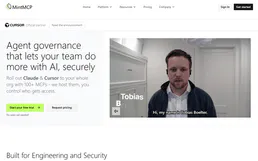
MintMCP
8 toolsEnterprise MCP Gateway: manage authentication, monitoring, and security guardrails via centralized virtual servers.

Moloni (Cloud Invoicing & Fiscal Management)
20 toolsManage certified invoicing via Moloni — track customers by VAT/NIF, audit invoices, and monitor stock levels.