
Integrate Zoho Inventory with Claude, Cursor, Chatbots & AI Agents MCP Server
 GDPR Free for Subscribers
Compatible with every major AI agent and IDE
 Gemini
Create item on Zoho Inventory
Requires the item name and sales rate. Optional description can be provided. Create a new inventory item
Get item details on Zoho Inventory
Get details for a specific inventory item
List contacts on Zoho Inventory
Essential for identifying IDs for orders and invoices. List customers and vendors
List invoices on Zoho Inventory
Useful for tracking billing and payment status. List all inventory invoices
List items on Zoho Inventory
Includes basic metadata and item IDs. List all inventory items
List organizations on Zoho Inventory
This is necessary to obtain the organization ID required for other inventory tools. List associated Zoho organizations
List purchase orders on Zoho Inventory
List all purchase orders
List sales orders on Zoho Inventory
List all sales orders
Security & Code Integrity Audit
Every tool in the Zoho Inventory MCP Server is continuously audited by the Vinkius Security Engine. We guarantee zero-trust payload isolation, strict data boundaries, and deterministic execution for enterprise-grade AI agents.
How Vinkius protects your data
Is there a risk of the AI "going crazy" and deleting important company data?
No. With Vinkius, the AI operates on "rails". It can only make the exact moves you authorized in the tool's settings. It cannot invent routes, access other networks in your company, or decide to delete random files. If the action isn't in the approved catalog, the attempt is blocked instantly.
How do I find my Zoho Organization ID?
Your Organization ID is visible in the top right corner of your Zoho Inventory dashboard or under 'Settings' > 'Organization Profile'.
What if the AI ends up reading customer data or confidential information?
We have a built-in digital "bodyguard" called DLP (Data Loss Prevention). If a tool fetches data and the response contains social security numbers, credit cards, or personal customer info, Vinkius magically blocks and erases that information before it is delivered to the AI. The AI works only with what is strictly necessary, and your sensitive data never leaks.
Does the AI train on my tools or API data?
No. Vinkius enforces a strict Zero-Retention policy. Your data simply passes through our secure servers to complete the requested action and is instantly forgotten. Nothing you do here is ever stored, logged, or used to train any artificial intelligence.
Automated Workflows using Zoho Inventory
The Zoho Inventory MCP server handles authentication and payload formatting, allowing your LLM to perform deterministic actions.
The Future of stock tracking
The Zoho Inventory toolkit translates Claude's commands into stock tracking operations. The MCP server ensures accurate delivery within the industry titans ecosystem.
Mastering supply chain with Agents
The Zoho Inventory server exposes documented endpoints for supply chain. This allows ChatGPT and Cursor to interact with industry titans APIs seamlessly.
Zoho Inventory. Runs on everything.
From IDE to framework. Every connection governed by Vinkius.
Anthropic's native desktop app for Claude with built-in MCP support.
AI-first code editor with integrated LLM-powered coding assistance.
GitHub Copilot in VS Code with Agent mode and MCP support.
Purpose-built IDE for agentic AI coding workflows.
Autonomous AI coding agent that runs inside VS Code.
Anthropic's agentic CLI for terminal-first development.
Python SDK for building production-grade OpenAI agent workflows.
Google's framework for building production AI agents.
Type-safe agent development for Python with first-class MCP support.
TypeScript toolkit for building AI-powered web applications.
TypeScript-native agent framework for modern web stacks.
Python framework for orchestrating collaborative AI agent crews.
Leading Python framework for composable LLM applications.
Data-aware AI agent framework for structured and unstructured sources.
Microsoft's framework for multi-agent collaborative conversations.
Explore More MCP Servers
View all →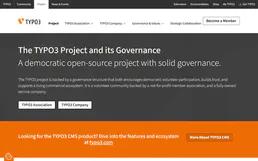
TYPO3 CMS
10 toolsAutomate content management via TYPO3 CMS — retrieve page structures, create Extbase entities, update fields, and audit configurations seamlessly.
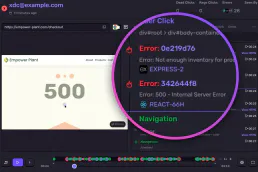
Sentry Alternative
15 toolsMonitor errors and application health via Sentry — query issues, inspect events, audit releases and check alert rules directly from any AI agent.

Unkey API Management
8 toolsManage and verify your user API keys via Unkey — create, revoke, and track usage directly from any AI agent.

HubSpot Service Hub
6 toolsManage support tickets, track pipelines, and view customer feedback through natural conversation.