
Bring Regex
to AutoGen
Learn how to connect Regex Toolkit to AutoGen and start using 3 AI agent tools in minutes. Fully managed, enterprise secure, and ready to use without writing a single line of code.
 GDPR Free for Subscribers
Compatible with every major AI agent and IDE
 Gemini
What is the Regex Toolkit MCP Server?
Parsing unstructured text to find contact information is a classic LLM vulnerability. AI models often "guess" email boundaries or invent fake phone numbers when summarizing text. The Regex Toolkit MCP enforces strict mathematical patterns to guarantee 100% extraction and validation accuracy.
The Superpowers
- Flawless Extraction: Pull every single valid Email, URL, or Phone number from a giant block of text instantly into a clean JSON array.
- Zero-Trust Validation: Ensure that user inputs are structurally perfect before passing them to external databases or CRMs.
- PII Redaction Engine: Instantly mask sensitive client data (
[EMAIL_REDACTED]) before generating public reports or passing context to unsecure layers. - Privacy First (Local): Your data never leaves your infrastructure. The regex engine compiles and executes entirely locally.
Built-in capabilities (3)
Extracts all unique emails, URLs, or phone numbers from a large body of text
Redacts sensitive PII (emails, phones, URLs) from a text blob by replacing them with [REDACTED] tags
Validates if a single string perfectly matches an email, URL, or phone format
Why AutoGen?
AutoGen enables multi-agent conversations where agents negotiate, delegate, and collaboratively use Regex Toolkit tools. Connect 3 tools through Vinkius and assign role-based access. a data analyst queries while a reviewer validates, with optional human-in-the-loop approval for sensitive operations.
- —
Multi-agent conversations: multiple AutoGen agents discuss, delegate, and collaboratively use Regex Toolkit tools to solve complex tasks
- —
Role-based architecture lets you assign Regex Toolkit tool access to specific agents. a data analyst queries while a reviewer validates
- —
Human-in-the-loop support: agents can pause for human approval before executing sensitive Regex Toolkit tool calls
- —
Code execution sandbox: AutoGen agents can write and run code that processes Regex Toolkit tool responses in an isolated environment
Regex Toolkit in AutoGen
Regex Toolkit and 4,000+ other MCP servers. One platform. One governance layer.
Teams that connect Regex Toolkit to AutoGen through Vinkius don't need to source, host, or maintain individual MCP servers. Every tool call runs inside a hardened runtime with credential isolation, DLP, and a signed audit chain.
Raw MCP | Vinkius | |
|---|---|---|
| Server catalog | Find and host yourself | 4,000+ managed |
| Infrastructure | Self-hosted | Sandboxed V8 isolates |
| Credential handling | Plaintext in config | Vault + runtime injection |
| Data loss prevention | None | Configurable DLP policies |
| Kill switch | None | Global instant shutdown |
| Financial circuit breakers | None | Per-server limits + alerts |
| Audit trail | None | Ed25519 signed logs |
| SIEM log streaming | None | Splunk, Datadog, Webhook |
| Honeytokens | None | Canary alerts on leak |
| Custom domains | Not applicable | DNS challenge verified |
| GDPR compliance | Manual effort | Automated purge + export |
Why teams choose Vinkius for Regex Toolkit in AutoGen
The Regex Toolkit MCP Server runs on Vinkius-managed infrastructure inside AWS — a purpose-built runtime with per-request V8 isolates, Ed25519 signed audit chains, and sub-40ms cold starts. All 3 tools execute in hardened sandboxes optimized for native MCP execution.
Your AI agents in AutoGen only access the data you authorize, with DLP that blocks sensitive information from ever reaching the model, kill switch for instant shutdown, and up to 60% token savings. Enterprise-grade infrastructure, zero maintenance.
* Every MCP server runs on Vinkius-managed infrastructure inside AWS - a purpose-built runtime with per-request V8 isolates, Ed25519 signed audit chains, and sub-40ms cold starts optimized for native MCP execution. See our infrastructure
How Vinkius secures
Regex Toolkit for AutoGen
Every tool call from AutoGen to the Regex Toolkit MCP Server is protected by DLP redaction, cryptographic audit chains, V8 sandbox isolation, kill switch, and financial circuit breakers.
Frequently asked questions
Why use this instead of asking the AI to find the emails?
Because LLMs predict text probabilistically. They might miss emails embedded in weird characters (like contact@company.com. with a trailing dot) or hallucinate non-existent addresses. Regex provides mathematical certainty.
Does the PII masking send data to the cloud?
Never. The mask_sensitive_data tool runs exclusively on your local Javascript engine (V8). It acts as a local firewall, ensuring sensitive strings are redacted before any external processing happens.
What format of phone numbers are supported?
The regex captures international formats with country codes (e.g., +1, +55), optional parentheses for area codes, and spacing/hyphens commonly used globally.
How does AutoGen connect to MCP servers?
Create an MCP tool adapter and assign it to one or more agents in the group chat. AutoGen agents can then call Regex Toolkit tools during their conversation turns.
Can different agents have different MCP tool access?
Yes. AutoGen's role-based architecture lets you assign specific MCP tools to specific agents, so a querying agent has different capabilities than a reviewing agent.
Does AutoGen support human approval for tool calls?
Yes. Configure human-in-the-loop mode so agents pause and request approval before executing sensitive MCP tool calls.
McpWorkbench not found
Install: pip install "autogen-ext[mcp]"
Explore More MCP Servers
View all →
GUIDEcx
10 toolsAutomate customer onboarding via GUIDEcx — manage projects, tasks, and time tracking directly from any AI agent.
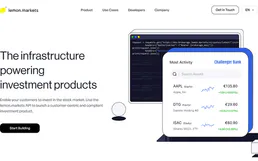
lemon.markets
8 toolsTrade European stocks and ETFs and access real-time market data via lemon.markets.

Route4Me
10 toolsConnect your AI assistant to Route4Me to orchestrate complex fleet logistics, solve multi-stop route optimizations, and track real-time vehicle GPS directly via chat.
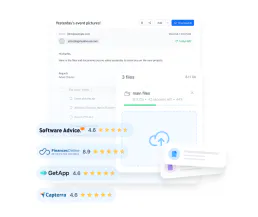
Filemail
10 toolsTransfer large files up to terabytes securely with password protection, download tracking, and branded transfer pages.