
Bring Blogging
to AutoGen
Learn how to connect WordPress Post Drafter to AutoGen and start using 1 AI agent tools in minutes. Fully managed, enterprise secure, and ready to use without writing a single line of code.
 GDPR Free for Subscribers
Compatible with every major AI agent and IDE
 Gemini
What is the WordPress Post Drafter MCP Server?
We refused to build a bloated WordPress integration that gives an AI agent terrifying access to delete your pages, read your entire database, or install plugins. Instead, this MCP server provides a surgical, zero-trust bridge: just creating Drafts.
Your AI agent gains the immediate ability to act as a ghostwriter. You can brainstorm ideas, ask it to write a 2,000-word SEO-optimized blog post, and then just say "Save it to my blog". It instantly appears in your WordPress panel, ready for your human review.
The Superpowers
- Zero-Friction Publishing: End the 'copy-paste' nightmare. The AI formats the HTML and drops it right into your CMS.
- Zero-Bloat Integration: No custom plugins required. It uses the native WordPress REST API
/wp-json/wp/v2/posts. You only need an Application Password (a native WordPress feature). - Absolute Containment: Because the code is strictly hardcoded to
status: 'draft', the agent is physically incapable of publishing content live to your audience. You maintain 100% editorial control. It is a completely secure, one-way funnel.
Built-in capabilities (1)
Provide the title and the content (can be HTML or plain text). The post will strictly be saved as a Draft, never published live. Creates a new Draft post in WordPress with the provided content
Why AutoGen?
AutoGen enables multi-agent conversations where agents negotiate, delegate, and collaboratively use WordPress Post Drafter tools. Connect 1 tools through Vinkius and assign role-based access. a data analyst queries while a reviewer validates, with optional human-in-the-loop approval for sensitive operations.
- —
Multi-agent conversations: multiple AutoGen agents discuss, delegate, and collaboratively use WordPress Post Drafter tools to solve complex tasks
- —
Role-based architecture lets you assign WordPress Post Drafter tool access to specific agents. a data analyst queries while a reviewer validates
- —
Human-in-the-loop support: agents can pause for human approval before executing sensitive WordPress Post Drafter tool calls
- —
Code execution sandbox: AutoGen agents can write and run code that processes WordPress Post Drafter tool responses in an isolated environment
WordPress Post Drafter in AutoGen
WordPress Post Drafter and 4,000+ other MCP servers. One platform. One governance layer.
Teams that connect WordPress Post Drafter to AutoGen through Vinkius don't need to source, host, or maintain individual MCP servers. Every tool call runs inside a hardened runtime with credential isolation, DLP, and a signed audit chain.
Raw MCP | Vinkius | |
|---|---|---|
| Server catalog | Find and host yourself | 4,000+ managed |
| Infrastructure | Self-hosted | Sandboxed V8 isolates |
| Credential handling | Plaintext in config | Vault + runtime injection |
| Data loss prevention | None | Configurable DLP policies |
| Kill switch | None | Global instant shutdown |
| Financial circuit breakers | None | Per-server limits + alerts |
| Audit trail | None | Ed25519 signed logs |
| SIEM log streaming | None | Splunk, Datadog, Webhook |
| Honeytokens | None | Canary alerts on leak |
| Custom domains | Not applicable | DNS challenge verified |
| GDPR compliance | Manual effort | Automated purge + export |
Why teams choose Vinkius for WordPress Post Drafter in AutoGen
The WordPress Post Drafter MCP Server runs on Vinkius-managed infrastructure inside AWS — a purpose-built runtime with per-request V8 isolates, Ed25519 signed audit chains, and sub-40ms cold starts. All 1 tools execute in hardened sandboxes optimized for native MCP execution.
Your AI agents in AutoGen only access the data you authorize, with DLP that blocks sensitive information from ever reaching the model, kill switch for instant shutdown, and up to 60% token savings. Enterprise-grade infrastructure, zero maintenance.
* Every MCP server runs on Vinkius-managed infrastructure inside AWS - a purpose-built runtime with per-request V8 isolates, Ed25519 signed audit chains, and sub-40ms cold starts optimized for native MCP execution. See our infrastructure
How Vinkius secures
WordPress Post Drafter for AutoGen
Every tool call from AutoGen to the WordPress Post Drafter MCP Server is protected by DLP redaction, cryptographic audit chains, V8 sandbox isolation, kill switch, and financial circuit breakers.
Frequently asked questions
Can the AI publish the post directly without my approval?
No! This is the most important feature. The MCP code has a hardcoded status: 'draft' payload. Even if the AI tries to publish it, the server will force it into a Draft. You must click 'Publish' in your WordPress admin panel.
Do I need to install a plugin on my WordPress?
No. We use the official, native WordPress REST API. You only need to generate an Application Password, which is a built-in feature in WordPress since version 5.6.
How does AutoGen connect to MCP servers?
Create an MCP tool adapter and assign it to one or more agents in the group chat. AutoGen agents can then call WordPress Post Drafter tools during their conversation turns.
Can different agents have different MCP tool access?
Yes. AutoGen's role-based architecture lets you assign specific MCP tools to specific agents, so a querying agent has different capabilities than a reviewing agent.
Does AutoGen support human approval for tool calls?
Yes. Configure human-in-the-loop mode so agents pause and request approval before executing sensitive MCP tool calls.
McpWorkbench not found
Install: pip install "autogen-ext[mcp]"
Explore More MCP Servers
View all →
Open Trivia Database
6 toolsAccess 13,000+ community-curated trivia questions from OpenTDB � filter by category, difficulty, and type with session-based deduplication.

CoinGecko
8 toolsEnable your AI agent to query crypto prices, market rankings, and global market stats via the CoinGecko API.

Flowise
7 toolsManage low-code AI workflows via Flowise — run predictions, track chatflows and agentflows, handle tools, and audit execution history directly from any AI agent.
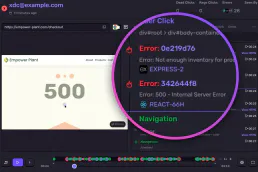
Sentry Alternative
15 toolsMonitor errors and application health via Sentry — query issues, inspect events, audit releases and check alert rules directly from any AI agent.