
Bring Movie Metadata
to Claude Code
Create your Vinkius account to connect OMDb API to Claude Code and start using all 12 AI tools in minutes. Fully managed, enterprise secure, and ready to use without writing a single line of code. No hosting, no server setup — just connect and start using.
 GDPR Free for Subscribers
Compatible with every major AI agent and IDE
 Gemini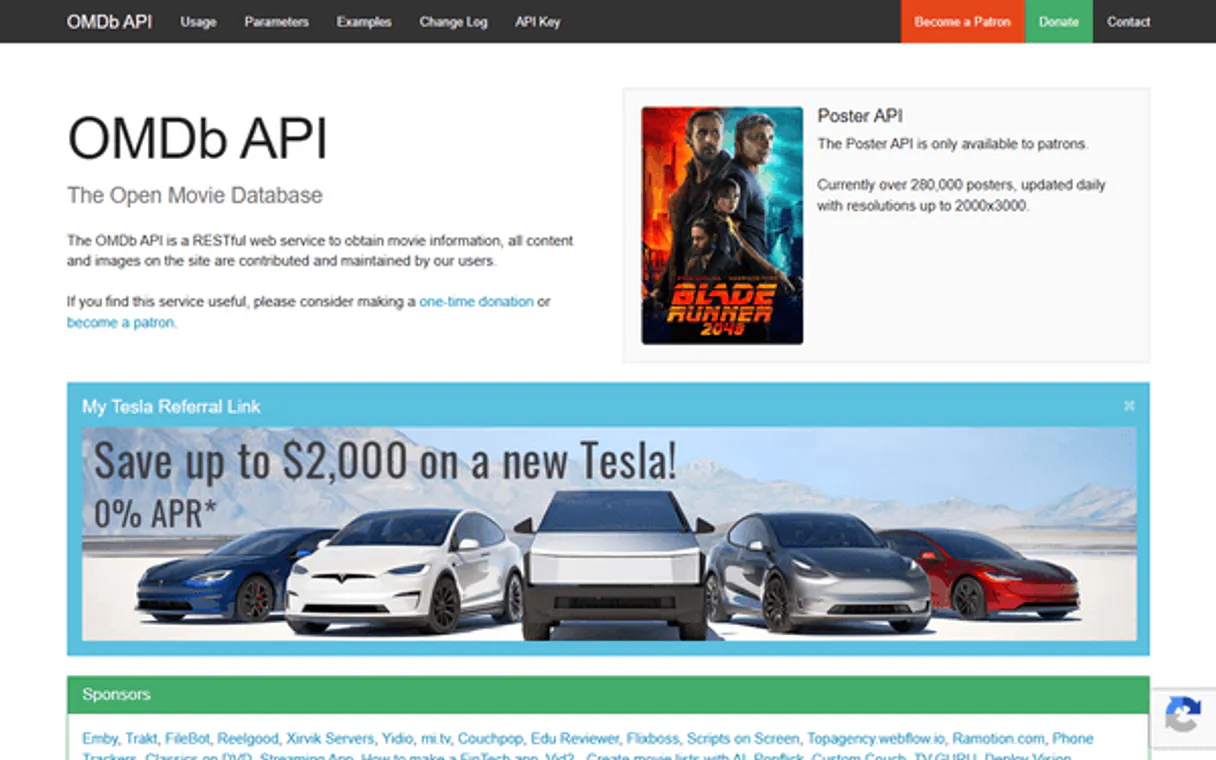
What is the OMDb API MCP Server?
Connect the OMDb API (Open Movie Database) to any AI agent and access comprehensive movie and TV show data including IMDb ratings, Rotten Tomatoes scores, full cast & crew, plot summaries, box office figures, and awards through natural conversation.
What you can do
- Search Movies & Series — Find any movie or TV show by title keyword with results showing IMDb ID, type, year, and poster references
- Get by IMDb ID — Retrieve complete details for any title using its unique IMDb ID (most accurate method, no title ambiguity)
- Get by Title — Look up any movie or series by its exact title with optional filters for type and release year
- Full Plot Synopses — Access both short and full-length plot summaries for deep understanding of any film or series
- Multi-Source Ratings — Get ratings from IMDb, Rotten Tomatoes, and Metacritic all in one call to compare critical consensus
- Search by Type — Filter searches specifically for movies, TV series, or episodes to narrow results precisely
- Episode Details — Get information about specific TV episodes including air date, synopsis, director, and writer
- Batch Lookup — Retrieve details for multiple titles at once using comma-separated IMDb IDs — perfect for franchise comparisons
- Box Office Data — Access theatrical box office gross figures for movies
- Production & Awards — Get studio information, award details, and content ratings (PG, PG-13, R, etc.)
How it works
- Subscribe to this server
- Enter your OMDb API Key (free, 1,000 requests/day)
- Start searching movies, getting ratings, and exploring film data from Claude, Cursor, or any MCP-compatible client
The OMDb API is a simple, lightweight alternative to larger databases — perfect for quick lookups, rating checks, and IMDb cross-referencing without complex setup.
Who is this for?
- Movie Enthusiasts — quickly look up ratings, plot summaries, and cast details without switching between IMDb, Rotten Tomatoes, and Wikipedia
- TV Show Fans — search for series, find episode information, and track show metadata across seasons
- Content Creators & Reviewers — access ratings from multiple sources (IMDb, RT, Metacritic) in one call to create comparison content
- Data Analysts — batch-process multiple IMDb IDs at once for franchise analysis or comparative studies
Built-in capabilities (12)
g., "tt0468569" for The Dark Knight). Returns: Title, Year, Rated (content rating), Released (date), Runtime, Genre, Director, Writer, Actors, Plot, Language, Country, Awards, Ratings (IMDb, Rotten Tomatoes, Metacritic), Metascore, imdbRating, imdbVotes, imdbID, Type (movie/series/episode), DVD release date, BoxOffice gross, Production studio, and Website. Use this when you have an IMDb ID and need complete movie/series information. This is the most accurate method — IMDb IDs are unique and unambiguous. Optional plot parameter: "short" (brief synopsis) or "full" (complete plot summary). Get complete details for a movie or TV series using its IMDb ID
Returns the same fields as get_by_imdb_id: Title, Year, Rated, Runtime, Genre, Director, Writer, Actors, Plot, Ratings (IMDb, Rotten Tomatoes, Metacritic), BoxOffice, Production studio, etc. Use this when you know the title but not the IMDb ID. IMPORTANT: If multiple items share the same title, the API may return the first match or an error. To narrow results, use the optional type filter (movie/series/episode) and year filter. For more precise matching, prefer get_by_imdb_id when available. Get details for a movie or TV series by its exact title
Returns: Title (episode name), Year (air year), Released (air date), Runtime, Genre, Director, Writer, Actors, Plot (episode synopsis), Language, Country, Ratings, imdbRating, imdbVotes, imdbID, and Type (episode). Use this after finding an episode via search_episodes to get its full details. The IMDb ID is required — get it from search results or from a TV series season/episode listing. Get details for a specific TV episode using its IMDb ID
This is the same as get_by_imdb_id but always uses plot="full" for the most comprehensive synopsis. Returns: Title, Year, Rated, Released, Runtime, Genre, Director, Writer, Actors, full Plot, Language, Country, Awards, Ratings (IMDb, Rotten Tomatoes, Metacritic), Metascore, imdbRating, imdbVotes, imdbID, Type, DVD release date, BoxOffice gross, Production studio, and Website. Using IMDb ID is the most accurate method — IDs are unique and unambiguous unlike titles which can have duplicates. The full plot provides deeper synopsis detail compared to the short version. Get the most detailed information for a movie or series using its IMDb ID
This is the same as get_by_title but always uses plot="full" for the most comprehensive synopsis. Returns: Title, Year, Rated, Released, Runtime, Genre, Director, Writer, Actors, full Plot, Language, Country, Awards, Ratings (IMDb, Rotten Tomatoes, Metacritic), Metascore, imdbRating, imdbVotes, imdbID, Type, DVD release date, BoxOffice gross, Production studio, and Website. Use this when users want the complete plot summary and all metadata for a specific title. The full plot can be significantly longer than the short version, providing deeper synopsis detail. Get the most detailed information for a movie or series by title
Each ID is fetched individually and results are combined into one response. If any ID fails, it will be returned with an error message while others still succeed. Use this when comparing multiple films, getting info for a franchise, or batch-processing a list of IMDb IDs. Format: comma-separated IMDb IDs without spaces (e.g., "tt0468569,tt1375666,tt0816692"). Each result includes: Title, Year, Rated, Runtime, Genre, Director, Actors, Plot (short), Ratings, imdbRating, imdbVotes, Type, BoxOffice, Production, and more. Get details for multiple movies/series at once using their IMDb IDs
Also returns: Title, Year, Type, imdbRating, imdbVotes, and Metascore as individual fields. Use this when users ask "what is the rating of...", "how is X rated?", or want to compare scores across platforms. You can search by title (first parameter) or by IMDb ID (set use_imdb_id=true for the second parameter). Note: Not all titles have ratings from all three sources — some may be missing. Get all available ratings (IMDb, Rotten Tomatoes, Metacritic) for a movie or series
The short plot provides a concise synopsis — ideal for quick identification or brief descriptions. Returns: Title, Year, Rated, Runtime, Genre, Director, Actors, short Plot, Ratings, and other metadata. Use this when users want a quick summary without the lengthy full plot. For the complete synopsis, use get_full_by_title or get_full_by_imdb_id instead. Get a brief plot summary for a movie or series by title
Returns a paginated list of matching titles. Each result includes: Title, Year, IMDb ID, Type (movie/series/episode), and Poster URL. Results are paginated (10 per page); use the page parameter to get more results (pages 1-100). Use this when users ask to "find movies about..." or "search for..." a topic. Optional filters: type (movie/series/episode) and year (YYYY format). Note: Search results are brief — use get_by_imdb_id or get_by_title with the returned IMDb ID for full details. Search for movies, TV series, or episodes by title keyword
Returns a paginated list of matching episode titles. Each result includes: Title, Year, IMDb ID, Type (always "episode"), and Poster URL. Use this when users want to find specific TV episodes by title or keyword. Episode titles often include the series name followed by the episode name. Results are paginated (10 per page); use the page parameter to navigate results. Search for TV episodes only (excludes movies and full series)
Returns a paginated list of matching movie titles. Each result includes: Title, Year, IMDb ID, Type (always "movie"), and Poster URL. Use this when users specifically want to find movies (not TV shows) by keyword. Results are paginated (10 per page); use the page parameter to navigate results. Optional year filter narrows results to a specific release year. Search for movies only (excludes TV series and episodes)
Returns a paginated list of matching series titles. Each result includes: Title, Year (or year range like "2008-2013"), IMDb ID, Type (always "series"), and Poster URL. Use this when users specifically want to find TV shows (not movies) by keyword. Results are paginated (10 per page); use the page parameter to navigate results. Optional year filter narrows results to series that started in a specific year. Search for TV series only (excludes movies and episodes)
Why Claude Code?
Claude Code registers OMDb API as an MCP server in a single terminal command. Once connected, Claude Code discovers all 12 tools at runtime and can call them headlessly. ideal for CI/CD pipelines, cron jobs, and automated workflows where OMDb API data drives decisions without human intervention.
- —
Single-command setup:
claude mcp addregisters the server instantly. no config files to edit or applications to restart - —
Terminal-native workflow means MCP tools integrate seamlessly into shell scripts, CI/CD pipelines, and automated DevOps tasks
- —
Claude Code runs headlessly, enabling unattended batch processing using OMDb API tools in cron jobs or deployment scripts
- —
Built by the same team that created the MCP protocol, ensuring first-class compatibility and the fastest adoption of new protocol features
OMDb API in Claude Code
Why run OMDb API with Vinkius?
The OMDb API connection runs on our fully managed, secure cloud infrastructure. We handle the hosting, maintenance, and security so you don't have to deal with servers or code. All 12 tools are ready to work instantly without any complex setup.
You stay in complete control of your data. Your AI only accesses the information you approve, keeping your sensitive passwords and private details completely safe. Plus, with automatic optimizations, your AI works faster and more efficiently.
* Every connection is hosted and maintained by Vinkius. We handle the security, updates, and infrastructure so you don't have to write code or manage servers. See our infrastructure
Over 4,000 integrations ready for AI agents
Explore a vast library of pre-built integrations, optimized and ready to deploy.
Connect securely in under 30 seconds
Generate tokens to authenticate and link external services in a single step.
Complete visibility into every agent action
Audit live requests, latency, success rates, and active security compliance policies.
Optimize spending and track token ROI
Analyze real-time token consumption and cost metrics detailed by connection.




Explore our live AI Agents Analytics dashboard to see it all working
This dashboard is included when you connect OMDb API using Vinkius. You will never be left in the dark about what your AI agents are doing with your tools.
OMDb API and 4,000+ other AI tools. No hosting, no code, ready to use.
Professionals who connect OMDb API to Claude Code through Vinkius don't need to write code, manage servers, or worry about security. Everything is pre-configured, secure, and runs automatically in the background.
Raw MCP | Vinkius | |
|---|---|---|
| Ready-to-use MCPs | Find and configure each manually | 4,000+ MCPs ready to use |
| Connection Setup | Manual coding & server setup | 1-click instant connection |
| Server Hosting | You host it yourself (needs 24/7 uptime) | 100% hosted & managed by Vinkius |
| Security & Privacy | Stored in plaintext config files | Bank-grade encrypted vault |
| Activity Visibility | Blind execution (no logs or tracking) | Live dashboard with real-time logs |
| Cost Control | Runaway AI token spend risk | Automatic budget limits |
| Revoking Access | Must delete files or code to stop | 1-click disconnect button |
How Vinkius secures
OMDb API for Claude Code
Every request between Claude Code and OMDb API is protected by our secure gateway. We automatically keep your sensitive data private, prevent unauthorized access, and let you disconnect instantly at any time.
Frequently asked questions
What's the difference between searching by title vs. using an IMDb ID?
Using an IMDb ID (e.g., tt0468569) is the most accurate method because IDs are unique — there's never ambiguity between different films with the same name. Searching by title can return errors if multiple films share the same title (e.g., "King Kong" has multiple versions). If you know the IMDb ID from a link or another source, always prefer get_by_imdb_id. Use get_by_title when you only know the film name.
Can I get ratings from multiple sources (IMDb, Rotten Tomatoes, Metacritic) at once?
Yes! Use the get_ratings tool with either a movie title or IMDb ID. It returns all available ratings from IMDb (out of 10), Rotten Tomatoes (percentage), and Metacritic (out of 100) in a single call. Not all titles have all three ratings — newer or less popular films may only have IMDb data. The tool also returns the IMDb vote count and Metascore as separate fields.
Can I look up details for multiple movies at the same time?
Yes! Use the get_multiple_by_id tool with comma-separated IMDb IDs (e.g., tt0468569,tt1375666,tt0816692 for the Dark Knight trilogy). It fetches details for each ID and returns them combined in one response. If any ID fails, it shows an error for that specific ID while still returning results for the others. This is ideal for franchise comparisons or batch analysis.
What's the difference between short and full plot summaries?
The short plot provides a concise 1-2 paragraph summary — ideal for quick identification or brief descriptions. The full plot offers a much more detailed synopsis with deeper plot points, character arcs, and story resolution. Use short for quick lookups (get_by_title, get_short_plot) and full when users want comprehensive understanding (get_full_by_title, get_full_by_imdb_id).
How do I add an MCP server to Claude Code?
Run claude mcp add <name> --transport http "<url>" in your terminal. Claude Code registers the server and discovers all tools immediately.
Can Claude Code run MCP tools in headless mode?
Yes. Claude Code supports non-interactive execution, making it ideal for scripts, cron jobs, and CI/CD pipelines that need MCP tool access.
How do I list all connected MCP servers?
Run claude mcp in your terminal to see all registered servers and their status, or type /mcp inside an active Claude Code session.
Command not found: claude
Ensure Claude Code is installed globally: npm install -g @anthropic-ai/claude-code
Connection timeout
Check your internet connection and verify the Edge URL is reachable
Explore More MCP Servers
View all →
Epic Online Services & Social Analytics
8 toolsThe definitive server for Epic Games social intelligence — track player profiles, friends, and achievements via AI.

Gipuzkoa Irekia
9 toolsAccess open data from Gipuzkoa (Spain) — search datasets, explore resources, and query organizations or thematic groups directly from any AI agent.

MailerCheck
5 toolsVerify and validate email addresses in real-time or batch via the MailerCheck REST API.

Everflow Partner Marketing
10 toolsEquip your AI agent to manage marketing offers, track affiliates, and monitor network performance via the Everflow API.