
Bring Html To Image
to Google ADK
Learn how to connect HTMLCSSToImage to Google ADK and start using 10 AI agent tools in minutes. Fully managed, enterprise secure, and ready to use without writing a single line of code.
 GDPR Free for Subscribers
Compatible with every major AI agent and IDE
 Gemini
What is the HTMLCSSToImage MCP Server?
Connect HTMLCSSToImage to your AI agent to automate visual content creation. Convert code snippets or live websites into PNG, JPG, WebP, or PDF files using a simple and powerful API.
What you can do
- HTML to Image — Render custom HTML and CSS snippets into pixel-perfect images instantly.
- URL Screenshots — Capture full-page or element-specific screenshots from any public URL with browser-grade precision.
- Template Management — Create, edit, and use reusable templates to generate dynamic images with variable data.
- Batch Processing — Generate or delete up to 25 images in a single request for high-volume automated workflows.
- Advanced Customization — Control viewports, device scaling, Google Fonts, dark mode, and specific CSS selectors for cropping.
How it works
- Subscribe to this server
- Enter your HCTI User ID and API Key
- Start generating visuals from Claude, Cursor, or any MCP-compatible client
Who is this for?
- Developers — Automate the creation of social sharing images (Open Graph), dynamic reports, or UI mockups.
- Marketers — Generate personalized banners, email visuals, and promotional content at scale.
- Content Creators — Turn code snippets or web data into shareable visual assets without leaving your chat interface.
Built-in capabilities (10)
Create up to 25 images in one request
Delete multiple images at once
Either html or url is required. Create an image from HTML/CSS or a URL
Create an image from a template
Create a reusable image template
Permanently remove an image
Edit an existing image template
Can apply cropping and resizing via query parameters. Retrieve a generated image file or its metadata
Check account usage
List generated images
Why Google ADK?
Google ADK natively supports HTMLCSSToImage as an MCP tool provider. declare Vinkius Edge URL and the framework handles discovery, validation, and execution automatically. Combine 10 tools with Gemini's long-context reasoning for complex multi-tool workflows, with production-ready session management and evaluation built in.
- —
Google ADK natively supports MCP tool servers. declare a tool provider and the framework handles discovery, validation, and execution
- —
Built on Gemini models, ADK provides long-context reasoning ideal for complex multi-tool workflows with HTMLCSSToImage
- —
Production-ready features like session management, evaluation, and deployment come built-in. not bolted on
- —
Seamless integration with Google Cloud services means you can combine HTMLCSSToImage tools with BigQuery, Vertex AI, and Cloud Functions
HTMLCSSToImage in Google ADK
HTMLCSSToImage and 4,000+ other MCP servers. One platform. One governance layer.
Teams that connect HTMLCSSToImage to Google ADK through Vinkius don't need to source, host, or maintain individual MCP servers. Every tool call runs inside a hardened runtime with credential isolation, DLP, and a signed audit chain.
Raw MCP | Vinkius | |
|---|---|---|
| Server catalog | Find and host yourself | 4,000+ managed |
| Infrastructure | Self-hosted | Sandboxed V8 isolates |
| Credential handling | Plaintext in config | Vault + runtime injection |
| Data loss prevention | None | Configurable DLP policies |
| Kill switch | None | Global instant shutdown |
| Financial circuit breakers | None | Per-server limits + alerts |
| Audit trail | None | Ed25519 signed logs |
| SIEM log streaming | None | Splunk, Datadog, Webhook |
| Honeytokens | None | Canary alerts on leak |
| Custom domains | Not applicable | DNS challenge verified |
| GDPR compliance | Manual effort | Automated purge + export |
Why teams choose Vinkius for HTMLCSSToImage in Google ADK
The HTMLCSSToImage MCP Server runs on Vinkius-managed infrastructure inside AWS — a purpose-built runtime with per-request V8 isolates, Ed25519 signed audit chains, and sub-40ms cold starts. All 10 tools execute in hardened sandboxes optimized for native MCP execution.
Your AI agents in Google ADK only access the data you authorize, with DLP that blocks sensitive information from ever reaching the model, kill switch for instant shutdown, and up to 60% token savings. Enterprise-grade infrastructure, zero maintenance.
* Every MCP server runs on Vinkius-managed infrastructure inside AWS - a purpose-built runtime with per-request V8 isolates, Ed25519 signed audit chains, and sub-40ms cold starts optimized for native MCP execution. See our infrastructure
How Vinkius secures
HTMLCSSToImage for Google ADK
Every tool call from Google ADK to the HTMLCSSToImage MCP Server is protected by DLP redaction, cryptographic audit chains, V8 sandbox isolation, kill switch, and financial circuit breakers.
Frequently asked questions
Can I capture just a specific element of a webpage instead of the whole page?
Yes! Use the create_image tool and provide a CSS selector. The API will find that specific element and crop the resulting image to its dimensions.
How do I generate multiple images at once for a bulk project?
You can use the batch_create_images tool. It allows you to send an array of variations and optional default settings to generate up to 25 images in a single API call.
How can I check my remaining API credits and usage?
Simply run the get_usage tool. It will return your current account statistics, including total images generated and your remaining balance.
How does Google ADK connect to MCP servers?
Import the MCP toolset class and pass the server URL. ADK discovers and registers all tools automatically, making them available to your agent's tool-use loop.
Can ADK agents use multiple MCP servers?
Yes. Declare multiple MCP tool providers in your agent configuration. ADK merges all tool schemas and the agent can call tools from any server in a single turn.
Which Gemini models work best with MCP tools?
Gemini 2.0 Flash and Pro models both support function calling required for MCP tools. Flash is recommended for latency-sensitive use cases, Pro for complex reasoning.
McpToolset not found
Update: pip install --upgrade google-adk
Explore More MCP Servers
View all →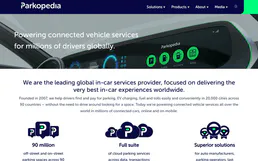
Parkopedia
10 toolsGlobal parking search, EV charging, and restrictions data via Parkopedia API.
ArcXP
10 toolsAutomate newsroom publishing via ArcXP — manage, search, and update articles, photos, and videos directly from any AI agent.
Prisma Cloud
7 toolsConnect Prisma Cloud to any AI agent via MCP.
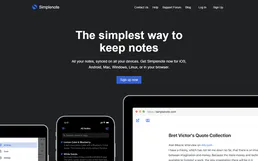
Simplenote
8 toolsManage your Simplenote notes directly from your AI assistant. Create, search, edit, and organize plain-text notes without leaving the conversation.