
Bring Timeline Planning
to LangChain
Create your Vinkius account to connect Toggl Plan to LangChain and start using all 10 AI tools in minutes. Fully managed, enterprise secure, and ready to use without writing a single line of code. No hosting, no server setup — just connect and start using.
 GDPR Free for Subscribers
Compatible with every major AI agent and IDE
 Gemini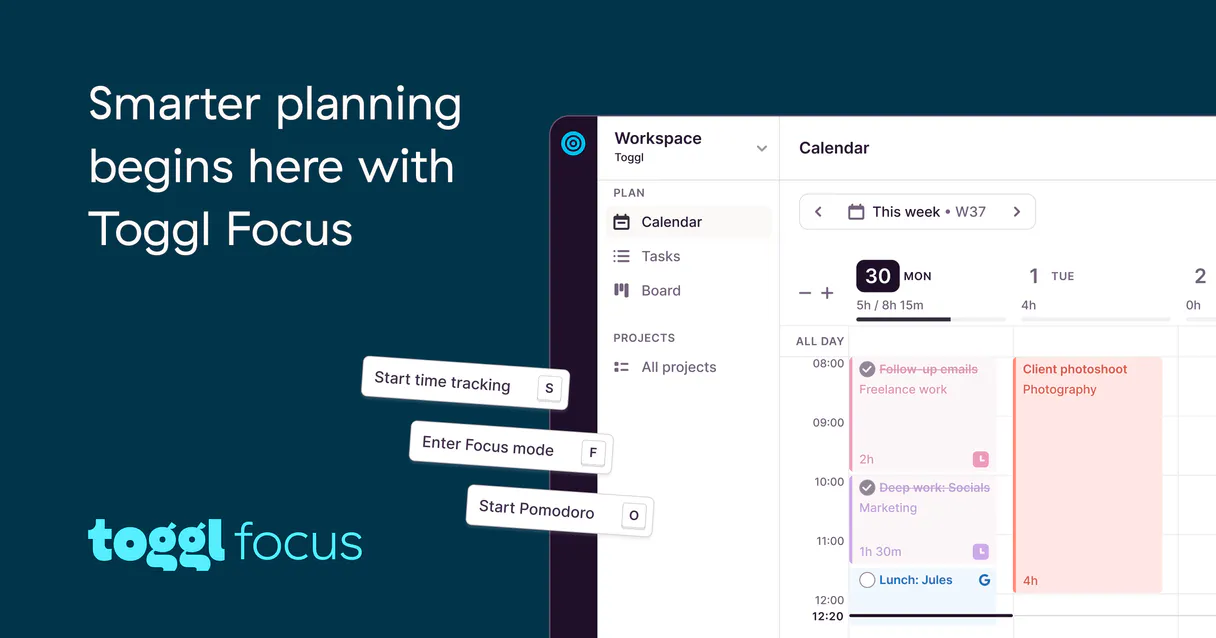
What is the Toggl Plan MCP Server?
Connect your Toggl Plan workspaces to an AI agent entirely bypassing the complex graphical interfaces. Allow your project managers and team leads to directly read, create, and organize workload data, milestones, and daily tasks inside a conversational or command-driven environment.
What you can do
- Timeline Oversight — Search workspaces to list, read, or inspect the metadata details of specific timeline tasks and milestones
- Project Construction — Easily list all the active project segments directly on your terminal to know what your team is facing today
- Task Execution — Complete the full cycle of task management: Create new nodes on the timeline, update existing entries, or delete deprecated ones through simple instructions
- Fleet Operations — Manage human resources by securely listing all registered workspace users to assign workloads correctly
- Taxonomy Organization — Check and retrieve current tagging structures to ensure standardized labels
How it works
- Subscribe your AI to this component
- Introduce your specific Toggl Plan authorization credentials (API Token)
- Query your timeline data or instruct the machine to log hours or schedule new routines fluently
Who is this for?
- Project Managers — Handle timelines, insert tasks, and inspect due dates directly in chat without breaking their daily workflow
- Resource Planners — Access user directories and measure scheduled items against operational milestones continuously
- Software Engineers — Synchronize technical updates straight to the Toggl timeline without clicking through the official frontend
Built-in capabilities (10)
Creates a new milestone diamond on the timeline
Provide name, start_date, and end_date (YYYY-MM-DD). Creates a new task/segment on the Toggl Plan timeline
This action is irreversible. Permanently deletes a task from the timeline
Retrieves details for a specific timeline task
Provide since and until dates (YYYY-MM-DD). Get the visual timeline view from Toggl Plan within a date range
Lists all milestones markers on the timeline
Lists all team members in the workspace
Lists all projects in the workspace
Lists all tags used for task categorization
Provide updates as a JSON object. Updates an existing timeline task
Why LangChain?
LangChain's ecosystem of 500+ components combines seamlessly with Toggl Plan through native MCP adapters. Connect 10 tools via Vinkius and use ReAct agents, Plan-and-Execute strategies, or custom agent architectures. with LangSmith tracing giving full visibility into every tool call, latency, and token cost.
- —
The largest ecosystem of integrations, chains, and agents. combine Toggl Plan MCP tools with 500+ LangChain components
- —
Agent architecture supports ReAct, Plan-and-Execute, and custom strategies with full MCP tool access at every step
- —
LangSmith tracing gives you complete visibility into tool calls, latencies, and token usage for production debugging
- —
Memory and conversation persistence let agents maintain context across Toggl Plan queries for multi-turn workflows
Toggl Plan in LangChain
Why run Toggl Plan with Vinkius?
The Toggl Plan connection runs on our fully managed, secure cloud infrastructure. We handle the hosting, maintenance, and security so you don't have to deal with servers or code. All 10 tools are ready to work instantly without any complex setup.
You stay in complete control of your data. Your AI only accesses the information you approve, keeping your sensitive passwords and private details completely safe. Plus, with automatic optimizations, your AI works faster and more efficiently.
* Every connection is hosted and maintained by Vinkius. We handle the security, updates, and infrastructure so you don't have to write code or manage servers. See our infrastructure
Over 4,000 integrations ready for AI agents
Explore a vast library of pre-built integrations, optimized and ready to deploy.
Connect securely in under 30 seconds
Generate tokens to authenticate and link external services in a single step.
Complete visibility into every agent action
Audit live requests, latency, success rates, and active security compliance policies.
Optimize spending and track token ROI
Analyze real-time token consumption and cost metrics detailed by connection.




Explore our live AI Agents Analytics dashboard to see it all working
This dashboard is included when you connect Toggl Plan using Vinkius. You will never be left in the dark about what your AI agents are doing with your tools.
Toggl Plan and 4,000+ other AI tools. No hosting, no code, ready to use.
Professionals who connect Toggl Plan to LangChain through Vinkius don't need to write code, manage servers, or worry about security. Everything is pre-configured, secure, and runs automatically in the background.
Raw MCP | Vinkius | |
|---|---|---|
| Ready-to-use MCPs | Find and configure each manually | 4,000+ MCPs ready to use |
| Connection Setup | Manual coding & server setup | 1-click instant connection |
| Server Hosting | You host it yourself (needs 24/7 uptime) | 100% hosted & managed by Vinkius |
| Security & Privacy | Stored in plaintext config files | Bank-grade encrypted vault |
| Activity Visibility | Blind execution (no logs or tracking) | Live dashboard with real-time logs |
| Cost Control | Runaway AI token spend risk | Automatic budget limits |
| Revoking Access | Must delete files or code to stop | 1-click disconnect button |
How Vinkius secures
Toggl Plan for LangChain
Every request between LangChain and Toggl Plan is protected by our secure gateway. We automatically keep your sensitive data private, prevent unauthorized access, and let you disconnect instantly at any time.
Frequently asked questions
Where do I obtain my Toggl Plan Access Token?
Navigate to the Toggl Plan web panel, head over to your Profile settings, and locate the Developer/API Integrations segment. You will need a valid Access Token (often labeled API or OAuth Bearer token in your administrative view). Create it permanently and keep the exposed hash secure.
Does the system support permanent deletion of elements?
Yes. This connector features a delete_timeline_task handler. If specifically instructed by you, the AI agent is capable of making a permanent removal request which cannot be un-done. You should instruct the AI cautiously when using mutations.
Are there any data sync delays when updating timelines with the agent?
No. Toggl Plan's API ensures immediate reflection of all timeline and milestone changes. When the agent updates a task or resource allocation, it instantly appears in the web interface for all workspace users without any caching delays.
How does LangChain connect to MCP servers?
Use langchain-mcp-adapters to create an MCP client. LangChain discovers all tools and wraps them as native LangChain tools compatible with any agent type.
Which LangChain agent types work with MCP?
All agent types including ReAct, OpenAI Functions, and custom agents work with MCP tools. The tools appear as standard LangChain tools after the adapter wraps them.
Can I trace MCP tool calls in LangSmith?
Yes. All MCP tool invocations appear as traced steps in LangSmith, showing input parameters, response payloads, latency, and token usage.
MultiServerMCPClient not found
Install: pip install langchain-mcp-adapters
Explore More MCP Servers
View all →
Heyzine
12 toolsTransform PDFs into interactive flipbooks with page-turn animations, embedded media, and sharing analytics for digital publishing.

Netease Yunxin / 网易云信
10 toolsMassive scale RTC and IM platform — manage user accounts, chat groups, and messaging via AI.
Perenual Plant API
5 toolsManage plant data — audit species, care, and diseases via AI.

Fuzzy Match Search
1 toolsPerform lightning-fast fuzzy string matching across large datasets. Find the closest matches instantly using Levenshtein distance.