
Bring File Conversion
to Mastra AI
Create your Vinkius account to connect Convertio to Mastra AI and start using all 8 AI tools in minutes. Fully managed, enterprise secure, and ready to use without writing a single line of code. No hosting, no server setup — just connect and start using.
 GDPR Free for Subscribers
Compatible with every major AI agent and IDE
 Gemini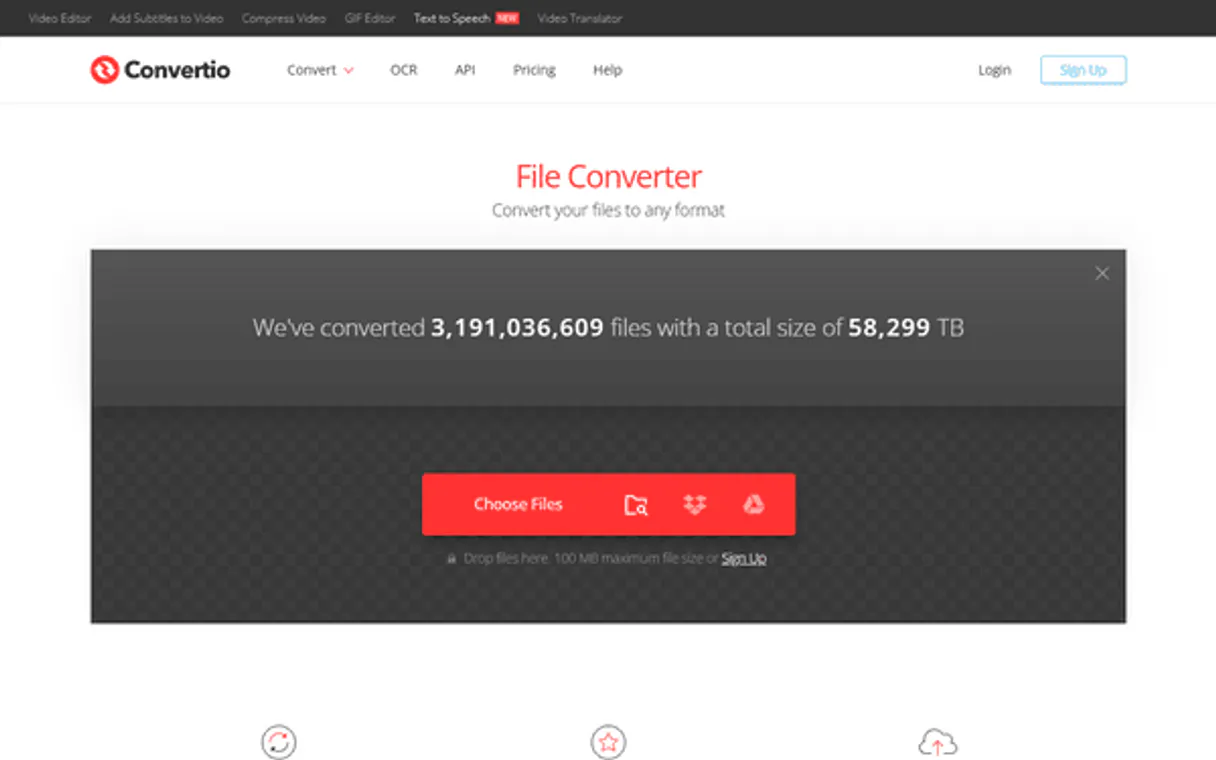
What is the Convertio MCP Server?
Connect your AI agent to Convertio, the versatile file conversion platform supporting over 300 formats.
What you can do
- Document Conversion — Convert Word documents to PDF, markdown to HTML, or any text format instantly.
- Media Encoding — Compress audio files or convert images from SVG to PNG/JPG.
- Status Tracking — Query conversion progress and retrieve the download link when ready.
How it works
- Add the Convertio integration to your AI toolset.
- Provide your Convertio API Key.
- Ask your agent to convert files by URL and it handles the rest.
Who is this for?
- Media Managers — Quickly adapt assets into web-friendly formats without heavy editing suites.
- Developers — Automate file normalization pipelines for user uploads.
- Content Creators — Convert proprietary media formats into universal extensions via chat.
Built-in capabilities (8)
Start a new file conversion job
Remove a job and its file from Convertio servers
Check your Convertio API credit balance
Check the status of a conversion job
List your current active conversion jobs
List common supported formats for conversion
Quickly convert any image URL to JPG
Quickly convert any document URL to PDF
Why Mastra AI?
Mastra's agent abstraction provides a clean separation between LLM logic and Convertio tool infrastructure. Connect 8 tools through Vinkius and use Mastra's built-in workflow engine to chain tool calls with conditional logic, retries, and parallel execution. deployable to any Node.js host in one command.
- —
Mastra's agent abstraction provides a clean separation between LLM logic and tool infrastructure. add Convertio without touching business code
- —
Built-in workflow engine chains MCP tool calls with conditional logic, retries, and parallel execution for complex automation
- —
TypeScript-native: full type inference for every Convertio tool response with IDE autocomplete and compile-time checks
- —
One-command deployment to any Node.js host. Vercel, Railway, Fly.io, or your own infrastructure
Convertio in Mastra AI
Why run Convertio with Vinkius?
The Convertio connection runs on our fully managed, secure cloud infrastructure. We handle the hosting, maintenance, and security so you don't have to deal with servers or code. All 8 tools are ready to work instantly without any complex setup.
You stay in complete control of your data. Your AI only accesses the information you approve, keeping your sensitive passwords and private details completely safe. Plus, with automatic optimizations, your AI works faster and more efficiently.
* Every connection is hosted and maintained by Vinkius. We handle the security, updates, and infrastructure so you don't have to write code or manage servers. See our infrastructure
Over 4,000 integrations ready for AI agents
Explore a vast library of pre-built integrations, optimized and ready to deploy.
Connect securely in under 30 seconds
Generate tokens to authenticate and link external services in a single step.
Complete visibility into every agent action
Audit live requests, latency, success rates, and active security compliance policies.
Optimize spending and track token ROI
Analyze real-time token consumption and cost metrics detailed by connection.




Explore our live AI Agents Analytics dashboard to see it all working
This dashboard is included when you connect Convertio using Vinkius. You will never be left in the dark about what your AI agents are doing with your tools.
Convertio and 4,000+ other AI tools. No hosting, no code, ready to use.
Professionals who connect Convertio to Mastra AI through Vinkius don't need to write code, manage servers, or worry about security. Everything is pre-configured, secure, and runs automatically in the background.
Raw MCP | Vinkius | |
|---|---|---|
| Ready-to-use MCPs | Find and configure each manually | 4,000+ MCPs ready to use |
| Connection Setup | Manual coding & server setup | 1-click instant connection |
| Server Hosting | You host it yourself (needs 24/7 uptime) | 100% hosted & managed by Vinkius |
| Security & Privacy | Stored in plaintext config files | Bank-grade encrypted vault |
| Activity Visibility | Blind execution (no logs or tracking) | Live dashboard with real-time logs |
| Cost Control | Runaway AI token spend risk | Automatic budget limits |
| Revoking Access | Must delete files or code to stop | 1-click disconnect button |
How Vinkius secures
Convertio for Mastra AI
Every request between Mastra AI and Convertio is protected by our secure gateway. We automatically keep your sensitive data private, prevent unauthorized access, and let you disconnect instantly at any time.
Frequently asked questions
Where do I find my Convertio API Key?
Log in to the Convertio developer dashboard at developers.convertio.co. Go to 'API Keys' in the account menu, click 'Generate', copy the key, and paste it below.
Are there file size limitations?
Yes. Limits depend on your Convertio billing plan. Free tiers have strict file size limits and usage quotas. The integration passes files through the API transparently — your plan determines the max capacity.
Does the agent download the converted file automatically?
No. For security, the agent provides you with the download URL once the conversion finishes. You decide when and where to save the file.
How does Mastra AI connect to MCP servers?
Create an MCPClient with the server URL and pass it to your agent. Mastra discovers all tools and makes them available with full TypeScript types.
Can Mastra agents use tools from multiple servers?
Yes. Pass multiple MCP clients to the agent constructor. Mastra merges all tool schemas and the agent can call any tool from any server.
Does Mastra support workflow orchestration?
Yes. Mastra has a built-in workflow engine that lets you chain MCP tool calls with branching logic, error handling, and parallel execution.
createMCPClient not exported
Install: npm install @mastra/mcp
Explore More MCP Servers
View all →
NASA TechPort (Technology Projects)
29 toolsExplore NASA's technology project portfolio—search projects, track funding opportunities, and analyze R&D taxonomies directly.

Runlayer
27 toolsAI enterprise control plane: manage MCP servers, skills, agents, and security policies via agents.

AssemblyAI
6 toolsTranscribe and audit audio — manage speech-to-text jobs via AI.

Stanford PubMed
16 toolsSearch biomedical literature from the world largest database of life science and medical research publications.