
Bring User Management
to Mastra AI
Create your Vinkius account to connect Pipedrive Admin & Settings to Mastra AI and start using all 8 AI tools in minutes. Fully managed, enterprise secure, and ready to use without writing a single line of code. No hosting, no server setup — just connect and start using.
 GDPR Free for Subscribers
Compatible with every major AI agent and IDE
 Gemini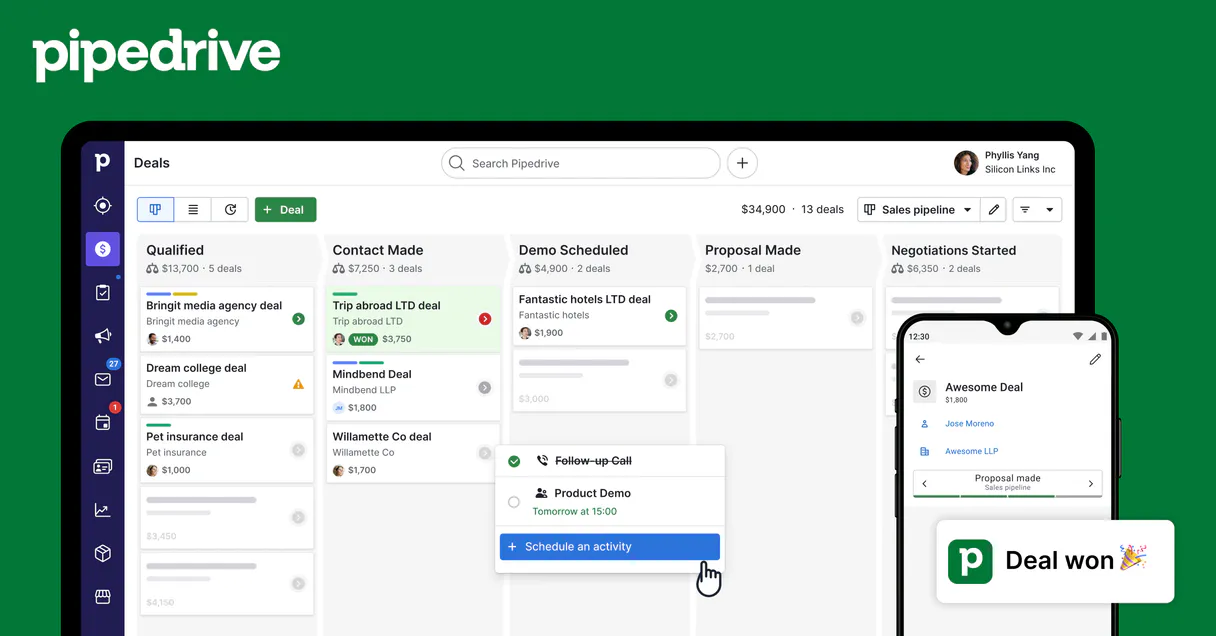
What is the Pipedrive Admin & Settings MCP Server?
Connect Pipedrive CRM to any AI agent — manage your entire sales pipeline without switching tabs.
What you can do
- Deals — Search, create, and update deals with pipeline tracking
- Contacts — Find and create persons with email, phone, and organization
- Organizations — Search companies linked to deals and contacts
- Activities — Create calls, meetings, tasks, and emails
- Notes — Attach notes to deals, persons, or organizations
- Pipelines — View all pipeline stages and deal flow
Who is this for?
- Sales Reps — Manage your pipeline without leaving your AI assistant
- SDRs — Quickly create leads, contacts, and activities
- Sales Managers — Pipeline overview and deal insights through conversation
- RevOps — Full CRM visibility and reporting
Built-in capabilities (8)
Get files attached to a deal
Get user details
List currencies
List deal custom fields
List recent files
List sales goals
List Pipedrive users
List webhooks
Why Mastra AI?
Mastra's agent abstraction provides a clean separation between LLM logic and Pipedrive Admin & Settings tool infrastructure. Connect 8 tools through Vinkius and use Mastra's built-in workflow engine to chain tool calls with conditional logic, retries, and parallel execution. deployable to any Node.js host in one command.
- —
Mastra's agent abstraction provides a clean separation between LLM logic and tool infrastructure. add Pipedrive Admin & Settings without touching business code
- —
Built-in workflow engine chains MCP tool calls with conditional logic, retries, and parallel execution for complex automation
- —
TypeScript-native: full type inference for every Pipedrive Admin & Settings tool response with IDE autocomplete and compile-time checks
- —
One-command deployment to any Node.js host. Vercel, Railway, Fly.io, or your own infrastructure
Pipedrive Admin & Settings in Mastra AI
Why run Pipedrive Admin & Settings with Vinkius?
The Pipedrive Admin & Settings connection runs on our fully managed, secure cloud infrastructure. We handle the hosting, maintenance, and security so you don't have to deal with servers or code. All 8 tools are ready to work instantly without any complex setup.
You stay in complete control of your data. Your AI only accesses the information you approve, keeping your sensitive passwords and private details completely safe. Plus, with automatic optimizations, your AI works faster and more efficiently.
* Every connection is hosted and maintained by Vinkius. We handle the security, updates, and infrastructure so you don't have to write code or manage servers. See our infrastructure
Over 4,000 integrations ready for AI agents
Explore a vast library of pre-built integrations, optimized and ready to deploy.
Connect securely in under 30 seconds
Generate tokens to authenticate and link external services in a single step.
Complete visibility into every agent action
Audit live requests, latency, success rates, and active security compliance policies.
Optimize spending and track token ROI
Analyze real-time token consumption and cost metrics detailed by connection.




Explore our live AI Agents Analytics dashboard to see it all working
This dashboard is included when you connect Pipedrive Admin & Settings using Vinkius. You will never be left in the dark about what your AI agents are doing with your tools.
Pipedrive Admin & Settings and 4,000+ other AI tools. No hosting, no code, ready to use.
Professionals who connect Pipedrive Admin & Settings to Mastra AI through Vinkius don't need to write code, manage servers, or worry about security. Everything is pre-configured, secure, and runs automatically in the background.
Raw MCP | Vinkius | |
|---|---|---|
| Ready-to-use MCPs | Find and configure each manually | 4,000+ MCPs ready to use |
| Connection Setup | Manual coding & server setup | 1-click instant connection |
| Server Hosting | You host it yourself (needs 24/7 uptime) | 100% hosted & managed by Vinkius |
| Security & Privacy | Stored in plaintext config files | Bank-grade encrypted vault |
| Activity Visibility | Blind execution (no logs or tracking) | Live dashboard with real-time logs |
| Cost Control | Runaway AI token spend risk | Automatic budget limits |
| Revoking Access | Must delete files or code to stop | 1-click disconnect button |
How Vinkius secures
Pipedrive Admin & Settings for Mastra AI
Every request between Mastra AI and Pipedrive Admin & Settings is protected by our secure gateway. We automatically keep your sensitive data private, prevent unauthorized access, and let you disconnect instantly at any time.
Frequently asked questions
What Pipedrive data can I access?
Deals, Persons, Organizations, Activities, Notes, and Pipelines. All data respects your Pipedrive permissions.
Can I create and update records?
Yes! Create and update deals, contacts, activities, and notes — all through natural conversation.
How does authentication work?
Uses your personal Pipedrive API token. Find it in Settings > Personal preferences > API. No OAuth flow needed.
How does Mastra AI connect to MCP servers?
Create an MCPClient with the server URL and pass it to your agent. Mastra discovers all tools and makes them available with full TypeScript types.
Can Mastra agents use tools from multiple servers?
Yes. Pass multiple MCP clients to the agent constructor. Mastra merges all tool schemas and the agent can call any tool from any server.
Does Mastra support workflow orchestration?
Yes. Mastra has a built-in workflow engine that lets you chain MCP tool calls with branching logic, error handling, and parallel execution.
createMCPClient not exported
Install: npm install @mastra/mcp
Explore More MCP Servers
View all →
Storm Glass Marine & Weather
3 toolsUniversal marine and weather intelligence — get global wave, tide, and bio data via AI.

Amazon Bedrock KB
6 toolsConnect your AI agent to AWS Bedrock Knowledge Bases — execute semantic searches, managed RAG, and sync vector datasources natively.

Cronitor (Cron Monitoring)
44 toolsMonitor cron jobs, heartbeats, and websites. Track performance, receive alerts, and manage uptime directly from your AI agent.

OpenAI
10 toolsUse GPT-4o, DALL-E 3, embeddings, fine-tuning, and moderation as tools inside your AI agent workflows.