
Bring Computer Vision
to Mastra AI
Learn how to connect Roboflow to Mastra AI and start using 29 AI agent tools in minutes. Fully managed, enterprise secure, and ready to use without writing a single line of code.
 GDPR Free for Subscribers
Compatible with every major AI agent and IDE
 Gemini
What is the Roboflow MCP Server?
Connect Roboflow to your AI agent to streamline your computer vision pipeline. From dataset management to model training and inference, handle your entire CV lifecycle through natural language.
What you can do
- Workspace & Project Management — List projects, create new ones, or fork from Roboflow Universe to jumpstart your development.
- Dataset Operations — Upload images (via URL or Base64), manage versions, and download datasets in various formats like COCO or YOLO.
- Model Training — Start training runs, monitor results, and retrieve precise performance metrics (mAP, precision, recall) for any version.
- Image Search — Search and filter images within your workspace to audit your data and improve model accuracy.
- Inference & Results — Run inference on images and retrieve results to verify model behavior in real-time.
How it works
- Subscribe to this server
- Enter your Roboflow Private API Key
- Start building and managing vision models from Claude, Cursor, or any MCP-compatible client
Who is this for?
- ML Engineers — monitor training progress and dataset health without leaving the terminal or IDE.
- Data Scientists — quickly query dataset versions and export data for custom training scripts.
- Product Teams — audit model performance and visualize inference results through simple conversation.
Built-in capabilities (29)
Add projects to a folder (Enterprise)
Start an auto-labeling job using foundation models
Cancel an active training job
Assign a batch of images to a labeler and reviewer
Create a project folder (Enterprise)
Create a new project in a workspace
Delete multiple images from a project
Delete a project or version (moves to Trash)
Retrieve a download link for a zipped dataset in a specific format
Fork a public project from Roboflow Universe
Track long-running operations like forking or large exports
Check dataset health (class distribution, missing annotations, etc)
Get details for a specific image
Get project details, metadata, and versions
Verify authentication and retrieve default workspace
Retrieve metrics and status for a version training run
Retrieve metadata for a specific dataset version
List project folders in a workspace (Enterprise)
List items in the workspace trash
List information about a workspace and its projects
Add, remove, or set tags on an image
Restore an item from the trash
Run inference on an image using hosted models
Search and filter images within a specific project
Search and filter images within a workspace
Start training a model on a dataset version
Early stop an active training job
Attach an annotation file to an existing image
Upload an image to a project
Why Mastra AI?
Mastra's agent abstraction provides a clean separation between LLM logic and Roboflow tool infrastructure. Connect 29 tools through Vinkius and use Mastra's built-in workflow engine to chain tool calls with conditional logic, retries, and parallel execution. deployable to any Node.js host in one command.
- —
Mastra's agent abstraction provides a clean separation between LLM logic and tool infrastructure. add Roboflow without touching business code
- —
Built-in workflow engine chains MCP tool calls with conditional logic, retries, and parallel execution for complex automation
- —
TypeScript-native: full type inference for every Roboflow tool response with IDE autocomplete and compile-time checks
- —
One-command deployment to any Node.js host. Vercel, Railway, Fly.io, or your own infrastructure
Roboflow in Mastra AI
Roboflow and 4,000+ other MCP servers. One platform. One governance layer.
Teams that connect Roboflow to Mastra AI through Vinkius don't need to source, host, or maintain individual MCP servers. Every tool call runs inside a hardened runtime with credential isolation, DLP, and a signed audit chain.
Raw MCP | Vinkius | |
|---|---|---|
| Server catalog | Find and host yourself | 4,000+ managed |
| Infrastructure | Self-hosted | Sandboxed V8 isolates |
| Credential handling | Plaintext in config | Vault + runtime injection |
| Data loss prevention | None | Configurable DLP policies |
| Kill switch | None | Global instant shutdown |
| Financial circuit breakers | None | Per-server limits + alerts |
| Audit trail | None | Ed25519 signed logs |
| SIEM log streaming | None | Splunk, Datadog, Webhook |
| Honeytokens | None | Canary alerts on leak |
| Custom domains | Not applicable | DNS challenge verified |
| GDPR compliance | Manual effort | Automated purge + export |
Why teams choose Vinkius for Roboflow in Mastra AI
The Roboflow MCP Server runs on Vinkius-managed infrastructure inside AWS — a purpose-built runtime with per-request V8 isolates, Ed25519 signed audit chains, and sub-40ms cold starts. All 29 tools execute in hardened sandboxes optimized for native MCP execution.
Your AI agents in Mastra AI only access the data you authorize, with DLP that blocks sensitive information from ever reaching the model, kill switch for instant shutdown, and up to 60% token savings. Enterprise-grade infrastructure, zero maintenance.
* Every MCP server runs on Vinkius-managed infrastructure inside AWS - a purpose-built runtime with per-request V8 isolates, Ed25519 signed audit chains, and sub-40ms cold starts optimized for native MCP execution. See our infrastructure
How Vinkius secures
Roboflow for Mastra AI
Every tool call from Mastra AI to the Roboflow MCP Server is protected by DLP redaction, cryptographic audit chains, V8 sandbox isolation, kill switch, and financial circuit breakers.
Frequently asked questions
How can I verify if my Roboflow API key is correctly configured?
You can use the get_root tool. It will attempt to authenticate with your key and return the default workspace details if successful.
Can I get the training performance metrics for a specific model version?
Yes! Use the get_training_results tool by providing the workspace, project, and version ID. It returns mAP, precision, recall, and other training metrics.
Is it possible to export my dataset to a specific format like YOLOv5?
Absolutely. Use the download_dataset tool and specify the format parameter (e.g., 'yolov5pytorch') to receive a download link for your zipped dataset.
How does Mastra AI connect to MCP servers?
Create an MCPClient with the server URL and pass it to your agent. Mastra discovers all tools and makes them available with full TypeScript types.
Can Mastra agents use tools from multiple servers?
Yes. Pass multiple MCP clients to the agent constructor. Mastra merges all tool schemas and the agent can call any tool from any server.
Does Mastra support workflow orchestration?
Yes. Mastra has a built-in workflow engine that lets you chain MCP tool calls with branching logic, error handling, and parallel execution.
createMCPClient not exported
Install: npm install @mastra/mcp
Explore More MCP Servers
View all →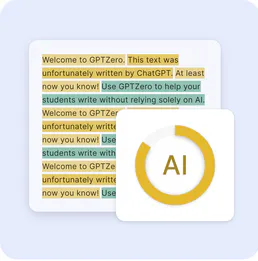
GPTZero
8 toolsDetect AI-generated text with confidence scores and highlight exactly which passages were likely written by a language model.

Pagar.me
11 toolsCreate orders, manage subscriptions, and process Pix/Boleto payments via Pagar.me API.
3D AI Studio
12 toolsGenerate and process 3D models via 3D AI Studio — text-to-3D, image-to-3D, AI texturing, remeshing, rendering, and mesh tools from any AI agent.
DevDocs
3 toolsSearch and read developer documentation via DevDocs.io — list libraries, find specific API pages, and retrieve Markdown docs directly from any AI agent.