
Bring Bookkeeping
to OpenAI Agents SDK
Learn how to connect Treinta App to OpenAI Agents SDK and start using 12 AI agent tools in minutes. Fully managed, enterprise secure, and ready to use without writing a single line of code.
 GDPR Free for Subscribers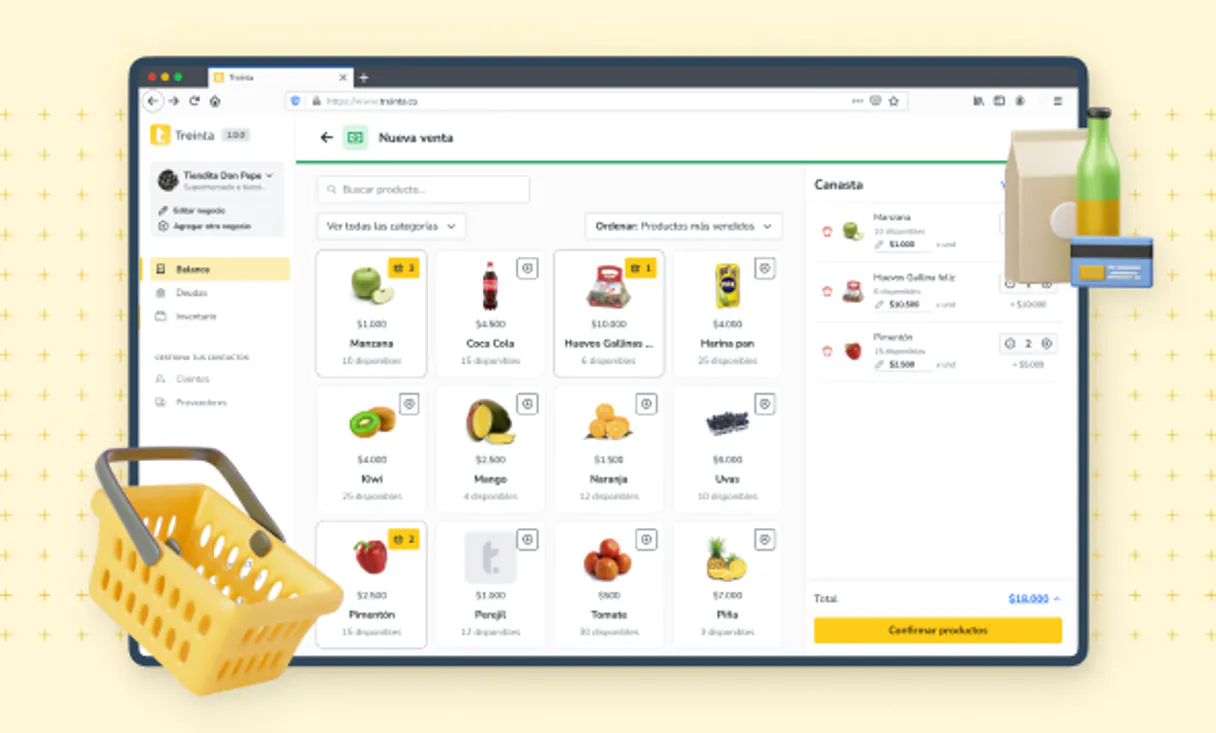
What is the Treinta App MCP Server?
Connect your Treinta SMB store operator account directly to Vurb allowing Claude to perform deep digital bookkeeping natively.
What you can do
- Write Real Transactions — Easily ask to compute ''I sold two coffees for $10'' and watch it register into your daily accounting books seamlessly.
- Check Client Tab (Fiado) — Access the registered client list and rapidly probe who currently has an unpaid debt.
- Audit Inventory — Download your digital stock catalog reading precise shelf margins instantly.
- Macro Profit & Loss — Pull your dashboard KPIs asserting if your monthly operational balances ended green.
How it works
1. Append the node
2. Integrate the official bearer Dev Token exported privately by Treinta.
3. Instruct your Agent to behave like your most proactive virtual business manager.
Who is this for?
- Micro Business Owners — Not wanting to open the mobile App while checking computer figures on Sunday nights.
- Retail Accountants — Reading multiple stores margins continuously.
- SMB Tech Enthusiasts — Bridging Latin American retail solutions with localized GPT autonomous prompts.
Built-in capabilities (12)
Register a new active client
Add a new store inventory product
Create a new business transaction
Revert an incorrect transaction
Get macro P&L operations dashboard
Fetch specific client debt profile
Fetch targeted product SKU details
List registered customers/clients
Get complete business inventory
List consolidated sales
List book flow transactions
Update physical quantity of a product
Why OpenAI Agents SDK?
The OpenAI Agents SDK auto-discovers all 12 tools from Treinta App through native MCP integration. Build agents with built-in guardrails, tracing, and handoff patterns. chain multiple agents where one queries Treinta App, another analyzes results, and a third generates reports, all orchestrated through Vinkius.
- —
Native MCP integration via
MCPServerSse, pass the URL and the SDK auto-discovers all tools with full type safety - —
Built-in guardrails, tracing, and handoff patterns let you build production-grade agents without reinventing safety infrastructure
- —
Lightweight and composable: chain multiple agents and MCP servers in a single pipeline with minimal boilerplate
- —
First-party OpenAI support ensures optimal compatibility with GPT models for tool calling and structured output
Treinta App in OpenAI Agents SDK
Treinta App and 3,400+ other MCP servers. One platform. One governance layer.
Teams that connect Treinta App to OpenAI Agents SDK through Vinkius don't need to source, host, or maintain individual MCP servers. Every tool call runs inside a hardened runtime with credential isolation, DLP, and a signed audit chain.
Raw MCP | Vinkius | |
|---|---|---|
| Server catalog | Find and host yourself | 3,400+ managed |
| Infrastructure | Self-hosted | Sandboxed V8 isolates |
| Credential handling | Plaintext in config | Vault + runtime injection |
| Data loss prevention | None | Configurable DLP policies |
| Kill switch | None | Global instant shutdown |
| Financial circuit breakers | None | Per-server limits + alerts |
| Audit trail | None | Ed25519 signed logs |
| SIEM log streaming | None | Splunk, Datadog, Webhook |
| Honeytokens | None | Canary alerts on leak |
| Custom domains | Not applicable | DNS challenge verified |
| GDPR compliance | Manual effort | Automated purge + export |
Why teams choose Vinkius for Treinta App in OpenAI Agents SDK
The Treinta App MCP Server runs on Vinkius-managed infrastructure inside AWS — a purpose-built runtime with per-request V8 isolates, Ed25519 signed audit chains, and sub-40ms cold starts. All 12 tools execute in hardened sandboxes optimized for native MCP execution.
Your AI agents in OpenAI Agents SDK only access the data you authorize, with DLP that blocks sensitive information from ever reaching the model, kill switch for instant shutdown, and up to 60% token savings. Enterprise-grade infrastructure, zero maintenance.
* Every MCP server runs on Vinkius-managed infrastructure inside AWS - a purpose-built runtime with per-request V8 isolates, Ed25519 signed audit chains, and sub-40ms cold starts optimized for native MCP execution. See our infrastructure
How Vinkius secures
Treinta App for OpenAI Agents SDK
Every tool call from OpenAI Agents SDK to the Treinta App MCP Server is protected by DLP redaction, cryptographic audit chains, V8 sandbox isolation, kill switch, and financial circuit breakers.
Frequently asked questions
Can I effectively add a transaction manually into my Treinta log via chat?
Absolutely. Target the create_transaction pipeline expressing clearly if it is 'income' or 'expense' plus the numeral amount, and the AI correctly syncs your local digital accountant book over to proper state.
Is the Treinta token key shielded visually so employees cannot read it out?
Yes. Following protocol standard, all credentials marked within the SMB Accounting group carry underlying sensitive: true parameters natively wiping the true key from console displays.
Are operations retroactive?
Yes, if you fetch the right dates.
How does the OpenAI Agents SDK connect to MCP?
Use MCPServerSse(url=...) to create a server connection. The SDK auto-discovers all tools and makes them available to your agent with full type information.
Can I use multiple MCP servers in one agent?
Yes. Pass a list of MCPServerSse instances to the agent constructor. The agent can use tools from all connected servers within a single run.
Does the SDK support streaming responses?
Yes. The SDK supports SSE and Streamable HTTP transports, both of which work natively with Vinkius.
MCPServerStreamableHttp not found
Ensure you have the latest version: pip install --upgrade openai-agents
Agent not calling tools
Make sure your prompt explicitly references the task the tools can help with.