
Bring Code Security
to Windsurf
Create your Vinkius account to connect Aikido Security to Windsurf and start using all 16 AI tools in minutes. Fully managed, enterprise secure, and ready to use without writing a single line of code. No hosting, no server setup — just connect and start using.
 GDPR Free for Subscribers
Compatible with every major AI agent and IDE
 Gemini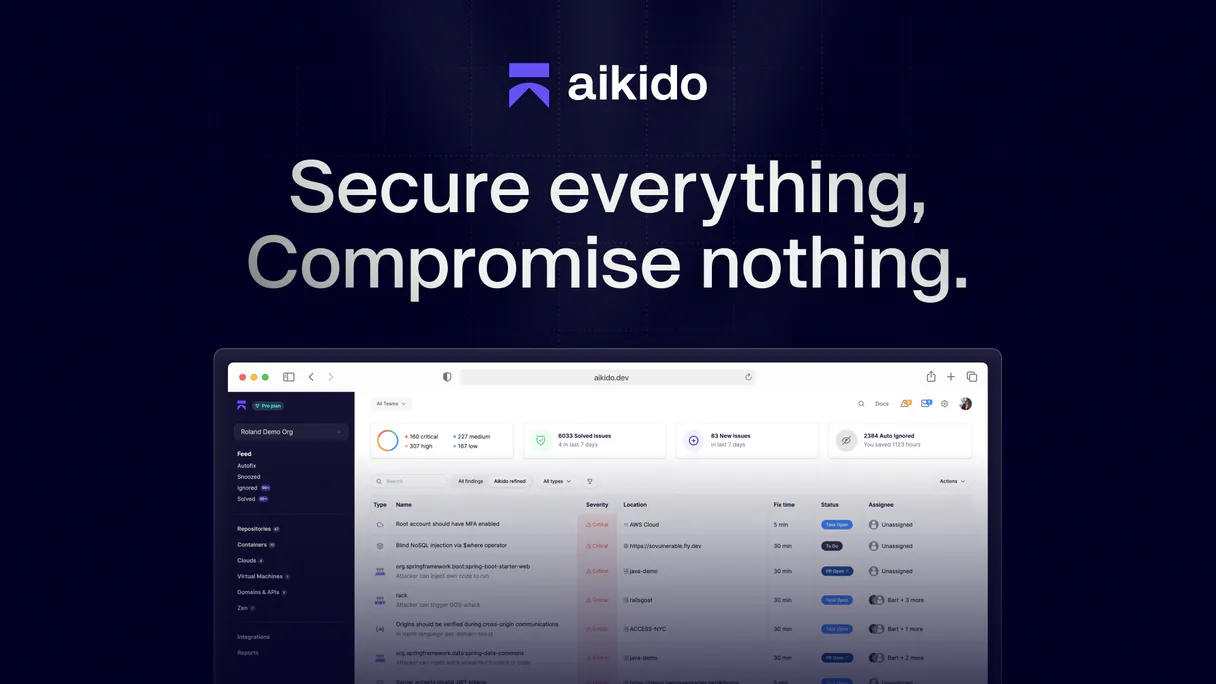
What is the Aikido Security MCP Server?
Connect your Aikido Security account to any AI agent and take full control of your security posture monitoring through natural conversation.
What you can do
- Open Issues — List all open security vulnerabilities (CVEs, leaked secrets, cloud misconfigs, SAST findings) ordered by priority
- Repository Scanning — View all connected code repositories and their scanning status across GitHub, GitLab, Bitbucket
- Cloud Asset Monitoring — List cloud infrastructure assets from AWS, GCP, and Azure being monitored for misconfigurations
- Container Security — Monitor container images and registries for known vulnerabilities
- Compliance Tracking — Get ISO 27001 and SOC2 compliance overviews for audit preparation
- Export Issues — Bulk export all security findings for reporting and analysis
- Webhook Management — List configured webhooks for Slack, Jira, and other integrations
How it works
- Subscribe to this server
- Enter your Aikido API token from User Settings > Personal Access Tokens
- Start monitoring security issues, checking compliance, and auditing your posture from Claude, Cursor, or any MCP-compatible client
No more navigating the Aikido dashboard for every security review. Your AI acts as a dedicated security analyst.
Who is this for?
- Security Engineers — instantly triage open vulnerabilities by severity and priority without opening the Aikido dashboard
- DevOps Teams — monitor cloud assets and container images for misconfigurations and known CVEs
- Compliance Officers — check ISO 27001 and SOC2 compliance status before audits
- Engineering Managers — export security reports and track remediation progress across teams
Built-in capabilities (16)
This provides a comprehensive snapshot of your organization's security posture. Use this for compliance reporting, audit preparation, or bulk analysis of vulnerabilities. Export all security issues from Aikido
Shows which controls are passing, failing, or need attention. Use this for compliance monitoring, audit preparation, and security posture reporting. This endpoint is available on all paid Aikido plans. Get ISO 27001 compliance overview for your organization
The issue group ID can be obtained from list_open_issues. Each issue group represents a category of related vulnerabilities (e.g., the same CVE across multiple repositories). Use this to deep-dive into a specific security finding before deciding on remediation steps. Get detailed information about a specific security issue group
Shows which trust service criteria are met and which need remediation. Use this for SOC2 audit preparation and compliance monitoring. This endpoint is available on all paid Aikido plans. Get SOC2 compliance overview for your organization
Use this to verify your workspace setup and check for any configuration errors. Get workspace information and configuration
Shows which apps have active protection and their configuration status. Use this to verify your web applications are properly secured against common attacks (SQL injection, XSS, etc.). List all web applications protected by Aikido firewall
You can paginate through results and optionally search by text or sort by name, asset type, region, etc. Use this to understand your cloud attack surface and identify misconfigurations or vulnerabilities. List cloud infrastructure assets monitored by Aikido
This includes repositories connected from GitHub, GitLab, Bitbucket, etc. Use this to discover which repositories are being monitored for vulnerabilities and security issues. List all active code repositories connected to Aikido
Shows which cloud environments are being monitored for security misconfigurations and vulnerabilities. Use this to verify cloud integrations are properly configured. List all cloud accounts connected to Aikido
This includes Docker images from registries like Docker Hub, ECR, GCR, etc. Use this to monitor container security and identify vulnerable base images or dependencies. List all container images and repositories scanned by Aikido
Custom rules allow you to define organization-specific security checks beyond the default scanner. Use this to audit your custom rule coverage and ensure your security policies are properly enforced. List all custom SAST scanning rules in Aikido
Issues include vulnerabilities from code scanning, container scanning, cloud security, SAST, IaC, DAST, and more. You can optionally filter by issue type (open_source, leaked_secret, cloud, sast, iac, docker_container, etc.), by team ID, or by repository. Supports pagination with page and per_page parameters. Use this to get a comprehensive view of your organization's security posture and prioritize remediation efforts. List all open security issues (vulnerabilities) in your Aikido account
Teams are used to organize repositories, assign issues, and manage security workflows. Use this to understand how your organization structures its security responsibilities. List all teams in your Aikido organization
Shows user roles, permissions, and access levels. Use this to audit user access and ensure proper security team membership. List all users in your Aikido organization
Use this to understand your VM attack surface and identify security gaps. List all virtual machines monitored by Aikido
Webhooks are used to send security event notifications to external systems (Slack, Jira, etc.). Use this to verify integrations are properly configured and troubleshoot notification delivery. List all configured webhooks in Aikido
Why Windsurf?
Windsurf's Cascade agent chains multiple Aikido Security tool calls autonomously. query data, analyze results, and generate code in a single agentic session. Paste Vinkius Edge URL, reload, and all 16 tools are immediately available. Real-time tool feedback appears inline, so you see API responses directly in your editor.
- —
Windsurf's Cascade agent autonomously chains multiple tool calls in sequence, solving complex multi-step tasks without manual intervention
- —
Purpose-built for agentic workflows. Cascade understands context across your entire codebase and integrates MCP tools natively
- —
JSON-based configuration means zero code changes: paste a URL, reload, and all 16 tools are immediately available
- —
Real-time tool feedback is displayed inline, so you see API responses directly in your editor without switching contexts
Aikido Security in Windsurf
Why run Aikido Security with Vinkius?
The Aikido Security connection runs on our fully managed, secure cloud infrastructure. We handle the hosting, maintenance, and security so you don't have to deal with servers or code. All 16 tools are ready to work instantly without any complex setup.
You stay in complete control of your data. Your AI only accesses the information you approve, keeping your sensitive passwords and private details completely safe. Plus, with automatic optimizations, your AI works faster and more efficiently.
* Every connection is hosted and maintained by Vinkius. We handle the security, updates, and infrastructure so you don't have to write code or manage servers. See our infrastructure
Over 4,000 integrations ready for AI agents
Explore a vast library of pre-built integrations, optimized and ready to deploy.
Connect securely in under 30 seconds
Generate tokens to authenticate and link external services in a single step.
Complete visibility into every agent action
Audit live requests, latency, success rates, and active security compliance policies.
Optimize spending and track token ROI
Analyze real-time token consumption and cost metrics detailed by connection.




Explore our live AI Agents Analytics dashboard to see it all working
This dashboard is included when you connect Aikido Security using Vinkius. You will never be left in the dark about what your AI agents are doing with your tools.
Aikido Security and 4,000+ other AI tools. No hosting, no code, ready to use.
Professionals who connect Aikido Security to Windsurf through Vinkius don't need to write code, manage servers, or worry about security. Everything is pre-configured, secure, and runs automatically in the background.
Raw MCP | Vinkius | |
|---|---|---|
| Ready-to-use MCPs | Find and configure each manually | 4,000+ MCPs ready to use |
| Connection Setup | Manual coding & server setup | 1-click instant connection |
| Server Hosting | You host it yourself (needs 24/7 uptime) | 100% hosted & managed by Vinkius |
| Security & Privacy | Stored in plaintext config files | Bank-grade encrypted vault |
| Activity Visibility | Blind execution (no logs or tracking) | Live dashboard with real-time logs |
| Cost Control | Runaway AI token spend risk | Automatic budget limits |
| Revoking Access | Must delete files or code to stop | 1-click disconnect button |
How Vinkius secures
Aikido Security for Windsurf
Every request between Windsurf and Aikido Security is protected by our secure gateway. We automatically keep your sensitive data private, prevent unauthorized access, and let you disconnect instantly at any time.
Frequently asked questions
How do I get an Aikido API token and where do I find it?
Log in to your Aikido dashboard, click on User Settings in the header, then navigate to Personal Access Tokens. Click to create a new token and copy it immediately — you'll only see it once. The token typically starts with aik_. Paste it into the API token field below.
What types of security issues can Aikido detect?
Aikido detects a wide range of security issues including: open source vulnerabilities (CVEs in dependencies), leaked secrets and API keys, cloud misconfigurations (AWS, GCP, Azure), SAST findings (code-level vulnerabilities), IaC issues (Terraform, CloudFormation), container vulnerabilities, DAST findings, malware detection, end-of-life dependencies, SCM security issues, and license compliance. You can filter issues by type when querying.
Can I check my compliance status for ISO 27001 and SOC2?
Yes! Use the get_iso_compliance tool for ISO 27001 and get_soc2_compliance for SOC2. These endpoints provide a complete compliance overview showing which controls or criteria are passing, failing, or need attention. Both are available on all paid Aikido plans and are perfect for audit preparation and ongoing compliance monitoring.
How does Aikido prioritize security issues?
Aikido automatically prioritizes open issue groups by priority (descending). The prioritization considers factors like severity (critical, high, medium, low), exploitability, whether the vulnerability is actively exploited in the wild, and the context of the affected resource. This means you always see the most dangerous and actionable vulnerabilities first, helping your team focus on what matters most.
How does Windsurf discover MCP tools?
Windsurf reads the mcp_config.json file on startup and connects to each configured server via Streamable HTTP. Tools are listed in the MCP panel and available to Cascade automatically.
Can Cascade chain multiple MCP tool calls?
Yes. Cascade is an agentic system. it can plan and execute multi-step workflows, calling several tools in sequence to accomplish complex tasks without manual prompting between steps.
Does Windsurf support multiple MCP servers?
Yes. Add as many servers as needed in mcp_config.json. Each server's tools appear in the MCP panel and Cascade can use tools from different servers in a single flow.
Server not connecting
Check Settings → MCP for the server status. Try toggling it off and on.
Explore More MCP Servers
View all →
Anyscale
7 toolsOrchestrate your Anyscale infrastructure — manage LLM queries, vectors, services, and cluster batch jobs directly from your AI agent.

Lob
21 toolsAutomate physical mail, postcards, checks, and address verification through Lob's print and mail API.
Black Duck (Synopsys)
10 toolsSecure your open source supply chain via Black Duck — list projects, versions, and vulnerabilities directly from any AI agent.
Markdown Utilities Engine
2 toolsEquip your AI with programmatic Markdown tools. Deterministically generate Table of Contents (TOC) with correct anchor links and format perfect Markdown tables from JSON.