
Integrate Baserow with Claude, Cursor, Chatbots & AI Agents MCP Server
 GDPR Free for Subscribers
Compatible with every major AI agent and IDE
 Gemini
Create row on Baserow
Requires the table ID and a JSON object with field_name: value pairs matching the table schema. Use list_fields to discover available field names. Returns the created row with its ID and all field values. Create a new row in a Baserow table
Delete row on Baserow
Provide the table ID and row ID. WARNING: this action is irreversible. Delete a row from a Baserow table
Get row on Baserow
Field names are returned in user-readable format. Provide the table ID and row ID. Get a specific row from a Baserow table
Get table on Baserow
Provide the table ID from list_tables. Get details for a specific Baserow table
List databases on Baserow
Each database shows its ID, name, workspace and creation date. Use this to discover available databases before querying their tables. List all Baserow databases
List fields on Baserow
Each field shows its ID, name, type (text, number, boolean, date, single_select, long_text, link_row, file, etc.), order and required status. Use this to understand the data schema before querying or creating rows. List fields (columns) of a Baserow table
List rows on Baserow
Optionally filter by field values (using user_field_names) and set page/size for pagination. Results include count, next/previous page URLs and the rows array. Use field names (not IDs) for readable results. List rows in a Baserow table
List tables on Baserow
Each table shows its ID, name, database, field count and creation date. Use this to discover the data schema before querying rows. List all tables accessible in Baserow
List views on Baserow
Each view shows its ID, name, type, filter settings and sort rules. Useful for understanding how data is organized and filtered in the UI. List views configured for a Baserow table
Update row on Baserow
Requires the table ID, row ID and a JSON object with field_name: value pairs for the fields to update. Only provided fields will be modified. Use list_fields to discover available field names. Update an existing row in a Baserow table
Security & Code Integrity Audit
Every tool in the Baserow MCP Server is continuously audited by the Vinkius Security Engine. We guarantee zero-trust payload isolation, strict data boundaries, and deterministic execution for enterprise-grade AI agents.
How Vinkius protects your data
Can I audit what my AI agents are doing with this integration?
Yes, Vinkius provides an immutable, HMAC-chained audit log. Every tool execution, payload, and response is tracked in real-time on your dashboard, giving you complete visibility into your agent's actions.
How do I get a Baserow API Token?
Log in to your Baserow workspace, go to Database Settings > API Tokens (or Workspace Settings > API Tokens), click Create Token, give it a name and set the permissions (create, read, update, delete) for specific tables. Copy the token immediately — it won't be shown again.
What happens if the underlying API rate limits my agent?
Our edge infrastructure automatically handles backoffs, queueing, and throttling. If an AI agent sends too many erratic requests, Vinkius manages the rate limits gracefully, ensuring your backend doesn't crash.
How does the AI access my passwords and credentials?
It simply doesn't. On Vinkius, your passwords, API keys, and login details are kept in a secure vault. The AI (like ChatGPT or Claude) merely "asks" Vinkius to perform the task. Vinkius opens the door, does the work, and hands the result back to the AI. Your credentials are never seen, read, or learned by the artificial intelligence.
Baserow Capabilities for AI Assistants
Add the Baserow tool to your AI Agents. The toolkit allows Claude and ChatGPT to securely fetch and update targeted data.
Cursor Copilot for no code
Integrate Baserow for AI-driven no code management. The MCP server structures the outputs required for Claude to analyze loved by devs data.
Mastering database schema with Agents
The Baserow integration exposes LLM-friendly schemas for database schema. Tools like Cursor can map natural language directly into executable loved by devs commands.
Baserow. Runs on everything.
From IDE to framework. Every connection governed by Vinkius.
Anthropic's native desktop app for Claude with built-in MCP support.
AI-first code editor with integrated LLM-powered coding assistance.
GitHub Copilot in VS Code with Agent mode and MCP support.
Purpose-built IDE for agentic AI coding workflows.
Autonomous AI coding agent that runs inside VS Code.
Anthropic's agentic CLI for terminal-first development.
Python SDK for building production-grade OpenAI agent workflows.
Google's framework for building production AI agents.
Type-safe agent development for Python with first-class MCP support.
TypeScript toolkit for building AI-powered web applications.
TypeScript-native agent framework for modern web stacks.
Python framework for orchestrating collaborative AI agent crews.
Leading Python framework for composable LLM applications.
Data-aware AI agent framework for structured and unstructured sources.
Microsoft's framework for multi-agent collaborative conversations.
Explore More MCP Servers
View all →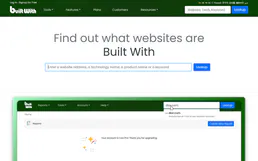
BuiltWith Tech Lookup
8 toolsUniversal website technology intelligence — detect CMS, analytics, and frameworks via AI.

eBay Shopper
10 toolsConnect eBay Shopper to any AI agent via MCP.

Apaleo
10 toolsManage hotel reservations, properties, rooms, rate plans, folios, invoices, and availability for your Apaleo PMS through natural conversation.
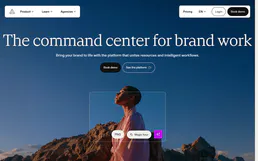
Frontify
10 toolsManage digital assets and brand guidelines via Frontify — list workspace projects and assets, handle metadata, audit brand portals, and manage users directly from any AI agent.