
Integrate BattleMetrics with Claude, Cursor, Chatbots & AI Agents MCP Server
 GDPR Free for Subscribers
Compatible with every major AI agent and IDE
 Gemini
Get ban on BattleMetrics
Returns the ban reason, banned player identifier, timestamps, expiry date, scope (server-level or organization-wide), and the administrator who issued the ban. Requires appropriate ban:read scope on the API token. Use this after identifying a ban ID from list_bans. Get details for a specific ban
Get game on BattleMetrics
Returns details such as the game name, the number of tracked servers and players, and game-specific metadata. Use this to get an overview of a game's ecosystem on BattleMetrics. Get details about a specific tracked game
Get player on BattleMetrics
Returns the player name, associated identifiers (Steam, EOS, etc.), time played statistics, linked servers, and recent activity. Use this after identifying a player ID from list_players or session history. Get detailed profile for a specific player
Get player sessions on BattleMetrics
Each session shows which server the player was on, when they joined, when they left, and the session duration. Useful for auditing player activity, tracking playtime, or verifying presence on a specific server. Get session history for a specific player
Get server on BattleMetrics
Returns the server name, IP address, port, current player count, max players, rank, game details, map, status, and detailed metadata. Use this when the user already has a server ID and wants deep information. Get detailed information about a specific game server
Get server leaderboard on BattleMetrics
Returns player names, IDs, and playtime duration. This is useful for identifying the most active or dedicated players on any tracked game server. Use page_number for pagination. Get the time-based leaderboard for a game server
Get server player count history on BattleMetrics
Useful for analyzing population trends, peak hours, and server activity patterns over a given time range. If start and stop are omitted, the API returns recent history. Use ISO 8601 timestamps for the date range. Get player count history for a game server over time
List bans on BattleMetrics
Each ban includes the ban reason, the banned player identifier, timestamps, expiry, and scope (server-level or organization-wide). Requires appropriate ban:read scope on the API token. Use page_number for pagination and optional server_id to filter bans from a specific server. List bans in your BattleMetrics organization
List games on BattleMetrics
Returns each game's ID, display name, and metadata. Useful for discovering which games are available for server and player queries, and for getting the correct game identifier to use in server filters. List all games tracked by BattleMetrics
List players on BattleMetrics
Use the search parameter to find players by name. Returns player names, IDs, and metadata. Results are paginated — use page_number to navigate. This is a powerful tool for looking up any player across all supported games. Search and list players across all tracked game servers
List servers on BattleMetrics
Use the optional search parameter to find servers by name, or filter by game and country. Returns server name, IP, port, player count, rank, and game type. Results are paginated — use page_number to navigate through results. List game servers tracked by BattleMetrics
Search servers on BattleMetrics
Unlike the basic list_servers tool, this supports granular filtering by server name, game, country, minimum/maximum player count, rank range, and more. Returns matching servers with full metadata including name, IP, port, player count, rank, game type, map, and status. Use this when you need precise filtering to find specific servers. Results are paginated — use page_number to navigate. Search game servers with advanced filters
Security & Code Integrity Audit
Every tool in the BattleMetrics MCP Server is continuously audited by the Vinkius Security Engine. We guarantee zero-trust payload isolation, strict data boundaries, and deterministic execution for enterprise-grade AI agents.
How Vinkius protects your data
Can I set different limits for each virtual assistant on my team?
Absolutely. You have full control in our command center. You can create an AI agent that only "reads" data so the support team can answer questions, and another superpowered agent that can "edit" and "create" information exclusively for your operations team. Each AI gets exactly the level of access you allow.
How does the AI access my passwords and credentials?
It simply doesn't. On Vinkius, your passwords, API keys, and login details are kept in a secure vault. The AI (like ChatGPT or Claude) merely "asks" Vinkius to perform the task. Vinkius opens the door, does the work, and hands the result back to the AI. Your credentials are never seen, read, or learned by the artificial intelligence.
Does the AI train on my tools or API data?
No. Vinkius enforces a strict Zero-Retention policy. Your data simply passes through our secure servers to complete the requested action and is instantly forgotten. Nothing you do here is ever stored, logged, or used to train any artificial intelligence.
What games does BattleMetrics support?
BattleMetrics tracks hundreds of multiplayer games including Rust, ARK, Minecraft, CS2, Valheim, DayZ, and many more. Use the list_games tool to get the complete, up-to-date catalog of all supported games with their identifiers.
Automated Workflows using BattleMetrics
The BattleMetrics MCP server handles authentication and payload formatting, allowing your LLM to perform deterministic actions.
game servers & AI Execution
Add game servers functionality to your custom chatbots. The BattleMetrics MCP handles the payload formatting required for ChatGPT and Claude to interface with data analytics endpoints.
Cursor Copilot for player analytics
Integrate the BattleMetrics server to handle player analytics requests natively. It provides the schemas required for ChatGPT and Cursor to manage data analytics data.
BattleMetrics. Runs on everything.
From IDE to framework. Every connection governed by Vinkius.
Anthropic's native desktop app for Claude with built-in MCP support.
AI-first code editor with integrated LLM-powered coding assistance.
GitHub Copilot in VS Code with Agent mode and MCP support.
Purpose-built IDE for agentic AI coding workflows.
Autonomous AI coding agent that runs inside VS Code.
Anthropic's agentic CLI for terminal-first development.
Python SDK for building production-grade OpenAI agent workflows.
Google's framework for building production AI agents.
Type-safe agent development for Python with first-class MCP support.
TypeScript toolkit for building AI-powered web applications.
TypeScript-native agent framework for modern web stacks.
Python framework for orchestrating collaborative AI agent crews.
Leading Python framework for composable LLM applications.
Data-aware AI agent framework for structured and unstructured sources.
Microsoft's framework for multi-agent collaborative conversations.
Explore More MCP Servers
View all →
MemeGen API
5 toolsGenerate meme images — audit templates and fonts via AI.
Hub Planner
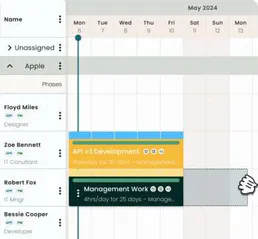
10 toolsManage resources, projects, and bookings via Hub Planner API.
ncScale
10 toolsMonitor and observe your no-code stack via ncScale — track logs, alerts, and tickets directly from your AI agent.
CarAPI
8 toolsSearch 66,000+ vehicles — find cars by year, make, model, trim with engine specs, transmission and pricing data.