
Integrate Copy.ai with Claude, Cursor, Chatbots & AI Agents MCP Server
 GDPR Free for Subscribers
Compatible with every major AI agent and IDE
 Gemini
Get run status on Copy.ai
Resolves execution progress, current state (running, completed, failed), and output payload if available. Check the status and results of a workflow execution
Get workflow details on Copy.ai
Resolves input schema requirements, including required fields, data types, and structural dependencies. Get structure and input requirements for a workflow
List brand assets on Copy.ai
Resolves identity and type for Brand Voice profiles and Info Base items used to contextually ground AI generation. List assets like Brand Voice or Info Base items
List folders on Copy.ai
Resolves folder identity properties such as IDs, names, and nesting relationships. List organizational folders in the workspace
List workflow runs on Copy.ai
Resolves run identity properties including run IDs, start times, and terminal status across the platform boundary. List past executions of a specific workflow
List workflows on Copy.ai
Resolves workflow identity properties including unique identifiers, titles, and creation metadata across the Copy.ai system boundary. List all available AI workflows in your workspace
Run workflow on Copy.ai
Resolves provided input parameters against the workflow schema and initiates the processing pipeline. Execute an AI workflow with specific inputs
Search workflows by name on Copy.ai
Resolves a subset of workflows matching the name criteria across the workspace boundary. Search for workflows by name keyword
Security & Code Integrity Audit
Every tool in the Copy.ai MCP Server is continuously audited by the Vinkius Security Engine. We guarantee zero-trust payload isolation, strict data boundaries, and deterministic execution for enterprise-grade AI agents.
How Vinkius protects your data
Can I set different limits for each virtual assistant on my team?
Absolutely. You have full control in our command center. You can create an AI agent that only "reads" data so the support team can answer questions, and another superpowered agent that can "edit" and "create" information exclusively for your operations team. Each AI gets exactly the level of access you allow.
Can the agent access my Brand Voice?
Yes, if your workflow is configured to use your Brand Voice or Info Base, the agent can trigger those processes ensuring the output aligns with your brand standards.
What if the AI ends up reading customer data or confidential information?
We have a built-in digital "bodyguard" called DLP (Data Loss Prevention). If a tool fetches data and the response contains social security numbers, credit cards, or personal customer info, Vinkius magically blocks and erases that information before it is delivered to the AI. The AI works only with what is strictly necessary, and your sensitive data never leaks.
Does the AI train on my tools or API data?
No. Vinkius enforces a strict Zero-Retention policy. Your data simply passes through our secure servers to complete the requested action and is instantly forgotten. Nothing you do here is ever stored, logged, or used to train any artificial intelligence.
Triggering Copy.ai via Natural Language
Use Copy.ai with any AI agent framework to process, analyze, and mutate data securely via the Model Context Protocol.
LLM Orchestration for content generation
Provide Claude Code and Cursor with read and write access to content generation. The Copy.ai toolkit handles all necessary routing for productivity integrations.
AI-Driven workflow automation Workflows
The Copy.ai server supports direct MCP connections for workflow automation. This provides Claude with the required permissions to execute productivity functions.
Copy.ai. Runs on everything.
From IDE to framework. Every connection governed by Vinkius.
Anthropic's native desktop app for Claude with built-in MCP support.
AI-first code editor with integrated LLM-powered coding assistance.
GitHub Copilot in VS Code with Agent mode and MCP support.
Purpose-built IDE for agentic AI coding workflows.
Autonomous AI coding agent that runs inside VS Code.
Anthropic's agentic CLI for terminal-first development.
Python SDK for building production-grade OpenAI agent workflows.
Google's framework for building production AI agents.
Type-safe agent development for Python with first-class MCP support.
TypeScript toolkit for building AI-powered web applications.
TypeScript-native agent framework for modern web stacks.
Python framework for orchestrating collaborative AI agent crews.
Leading Python framework for composable LLM applications.
Data-aware AI agent framework for structured and unstructured sources.
Microsoft's framework for multi-agent collaborative conversations.
Explore More MCP Servers
View all →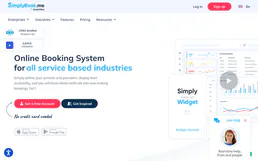
SimplyBook.me
10 toolsEnable your AI agent to manage appointments, browse staff calendars, and handle client records via the SimplyBook.me scheduling platform.
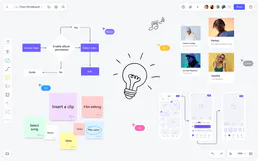
Pixso
10 toolsCollaborative design platform and UI/UX tool — manage design files, nodes, and teams via AI.

Automate visual discovery via Pinterest — manage boards, create pins, and track performance directly with AI.
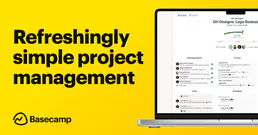
Basecamp
7 toolsManage your Basecamp projects via AI — list tasks, read message boards, track campfire logs, and orchestrate to-dos seamlessly.