
Integrate DoorLoop with Claude, Cursor, Chatbots & AI Agents MCP Server
 GDPR Free for Subscribers
Compatible with every major AI agent and IDE
 Gemini
Create work order on DoorLoop
Requires subject and unit/property IDs. Create a new maintenance work order
Get lease details on DoorLoop
Get details for a specific lease
Get property details on DoorLoop
Get details for a specific property
Get rent roll report on DoorLoop
Get the current rent roll report
Get tenant details on DoorLoop
Get details for a specific tenant
List leases on DoorLoop
List all lease agreements
List properties on DoorLoop
List all properties
List prospects on DoorLoop
List prospective tenants
List tenants on DoorLoop
List all tenants
List units on DoorLoop
Can be filtered by property ID. List all rental units
List vendors on DoorLoop
List all service vendors
List work orders on DoorLoop
List all maintenance work orders
Security & Code Integrity Audit
Every tool in the DoorLoop MCP Server is continuously audited by the Vinkius Security Engine. We guarantee zero-trust payload isolation, strict data boundaries, and deterministic execution for enterprise-grade AI agents.
How Vinkius protects your data
Can I set different limits for each virtual assistant on my team?
Absolutely. You have full control in our command center. You can create an AI agent that only "reads" data so the support team can answer questions, and another superpowered agent that can "edit" and "create" information exclusively for your operations team. Each AI gets exactly the level of access you allow.
What happens if the underlying API rate limits my agent?
Our edge infrastructure automatically handles backoffs, queueing, and throttling. If an AI agent sends too many erratic requests, Vinkius manages the rate limits gracefully, ensuring your backend doesn't crash.
How does the AI access my passwords and credentials?
It simply doesn't. On Vinkius, your passwords, API keys, and login details are kept in a secure vault. The AI (like ChatGPT or Claude) merely "asks" Vinkius to perform the task. Vinkius opens the door, does the work, and hands the result back to the AI. Your credentials are never seen, read, or learned by the artificial intelligence.
How do I find my DoorLoop API Key?
Log in to DoorLoop, navigate to Settings > Integrations, and generate a new key for the Public API.
What can AI Agents do with DoorLoop?
Build automated workflows with Cursor and Claude Code by connecting to the DoorLoop MCP server.
Scaling real estate via MCP
Connect the DoorLoop server to enable real estate workflows. The integration provides structured schemas for Claude to mutate erp operations data.
lease management & AI Execution
Connect DoorLoop to provide your chatbots with lease management capabilities. The integration manages the backend execution for erp operations workflows.
DoorLoop. Runs on everything.
From IDE to framework. Every connection governed by Vinkius.
Anthropic's native desktop app for Claude with built-in MCP support.
AI-first code editor with integrated LLM-powered coding assistance.
GitHub Copilot in VS Code with Agent mode and MCP support.
Purpose-built IDE for agentic AI coding workflows.
Autonomous AI coding agent that runs inside VS Code.
Anthropic's agentic CLI for terminal-first development.
Python SDK for building production-grade OpenAI agent workflows.
Google's framework for building production AI agents.
Type-safe agent development for Python with first-class MCP support.
TypeScript toolkit for building AI-powered web applications.
TypeScript-native agent framework for modern web stacks.
Python framework for orchestrating collaborative AI agent crews.
Leading Python framework for composable LLM applications.
Data-aware AI agent framework for structured and unstructured sources.
Microsoft's framework for multi-agent collaborative conversations.
Explore More MCP Servers
View all →
Fluxguard
12 toolsMonitor website changes, track visual differences, and receive alerts via AI agents with Fluxguard.

GUIDEcx
10 toolsAutomate customer onboarding via GUIDEcx — manage projects, tasks, and time tracking directly from any AI agent.
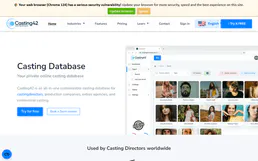
Casting42
8 toolsManage talent databases and casting projects via Casting42 — track profiles, media, and custom attributes directly from any AI agent.

Crelate Talent CRM
10 toolsEquip your AI agent to manage candidates, jobs, and client companies directly via the Crelate API.