
Integrate GitScrum Time Tracking with Claude, Cursor, Chatbots & AI Agents MCP Server
 GDPR Free for Subscribers
Compatible with every major AI agent and IDE
 Gemini
Budget alerts on GitScrum Time Tracking
Get budget threshold alerts
Budget burndown on GitScrum Time Tracking
Get budget burn-down chart data
Budget consumption on GitScrum Time Tracking
Get budget consumption breakdown
Budget events on GitScrum Time Tracking
Get budget event log
Budget overview on GitScrum Time Tracking
Get project budget overview
Completed yesterday on GitScrum Time Tracking
Get tasks completed yesterday
Contributors on GitScrum Time Tracking
Filter by period (week, month, quarter, year). Get contributor activity summary
Delete time entry on GitScrum Time Tracking
Delete a time tracking entry
Get active timer on GitScrum Time Tracking
Only one timer can be active at a time. Get the currently running timer
Get task on GitScrum Time Tracking
Use this to verify a task before starting a timer. Get task details by UUID
List tasks on GitScrum Time Tracking
Filter by status (todo, in-progress, done). List project tasks for time tracking
List time entries on GitScrum Time Tracking
List time tracking entries for a project
Log manual time on GitScrum Time Tracking
Use for retroactive time logging. Create a manual time entry
My tasks on GitScrum Time Tracking
Ideal for quickly finding what to track time on. Get tasks assigned to me across all workspaces
My today tasks on GitScrum Time Tracking
Perfect for daily time tracking workflow. Get tasks due today
Productivity report on GitScrum Time Tracking
Get productivity report
Projects at risk on GitScrum Time Tracking
Get projects at budget risk
Standup blockers on GitScrum Time Tracking
Get current blockers
Standup summary on GitScrum Time Tracking
Get daily standup summary
Start timer on GitScrum Time Tracking
Only one timer can be active at a time. Use stop_timer to end it. Start a timer on a task
Stop timer on GitScrum Time Tracking
Stop the running timer
Stuck tasks on GitScrum Time Tracking
Get stuck tasks
Team status on GitScrum Time Tracking
Get team member status
Team time report on GitScrum Time Tracking
Get team time report
Time analytics on GitScrum Time Tracking
Get time tracking analytics
Time reports on GitScrum Time Tracking
Get comprehensive time reports
Time timeline on GitScrum Time Tracking
Get time entries timeline
Weekly digest on GitScrum Time Tracking
Get weekly activity digest
Security & Code Integrity Audit
Every tool in the GitScrum Time Tracking MCP Server is continuously audited by the Vinkius Security Engine. We guarantee zero-trust payload isolation, strict data boundaries, and deterministic execution for enterprise-grade AI agents.
How Vinkius protects your data
Can the agent start and stop timers on tasks without me opening GitScrum?
Yes! Use start_timer with any task UUID to begin tracking, and stop_timer to end it. Only one timer can be active at a time. Use list_tasks or my_today_tasks first to find the task you want to track. The agent handles the complete flow in seconds.
How does the AI access my passwords and credentials?
It simply doesn't. On Vinkius, your passwords, API keys, and login details are kept in a secure vault. The AI (like ChatGPT or Claude) merely "asks" Vinkius to perform the task. Vinkius opens the door, does the work, and hands the result back to the AI. Your credentials are never seen, read, or learned by the artificial intelligence.
What happens if the underlying API rate limits my agent?
Our edge infrastructure automatically handles backoffs, queueing, and throttling. If an AI agent sends too many erratic requests, Vinkius manages the rate limits gracefully, ensuring your backend doesn't crash.
What if the AI ends up reading customer data or confidential information?
We have a built-in digital "bodyguard" called DLP (Data Loss Prevention). If a tool fetches data and the response contains social security numbers, credit cards, or personal customer info, Vinkius magically blocks and erases that information before it is delivered to the AI. The AI works only with what is strictly necessary, and your sensitive data never leaks.
Supported Use Cases for GitScrum Time Tracking
We map standard API endpoints to agent-compatible instructions. Connect GitScrum Time Tracking to execute these core functional operations.
AI Semantic Routing for time tracking
Integrate time tracking features into your LLM framework using GitScrum Time Tracking. The MCP server ensures precise command execution across your productivity stack.
Optimizing budget monitoring with Claude
Integrate budget monitoring features into your LLM framework using GitScrum Time Tracking. The MCP server ensures precise command execution across your productivity stack.
GitScrum Time Tracking. Runs on everything.
From IDE to framework. Every connection governed by Vinkius.
Anthropic's native desktop app for Claude with built-in MCP support.
AI-first code editor with integrated LLM-powered coding assistance.
GitHub Copilot in VS Code with Agent mode and MCP support.
Purpose-built IDE for agentic AI coding workflows.
Autonomous AI coding agent that runs inside VS Code.
Anthropic's agentic CLI for terminal-first development.
Python SDK for building production-grade OpenAI agent workflows.
Google's framework for building production AI agents.
Type-safe agent development for Python with first-class MCP support.
TypeScript toolkit for building AI-powered web applications.
TypeScript-native agent framework for modern web stacks.
Python framework for orchestrating collaborative AI agent crews.
Leading Python framework for composable LLM applications.
Data-aware AI agent framework for structured and unstructured sources.
Microsoft's framework for multi-agent collaborative conversations.
Explore More MCP Servers
View all →
Logseq (Knowledge Management)
10 toolsManage your knowledge base via Logseq — create pages, insert outliner blocks, and search across your local graph.
Buildkite
11 toolsAutomate CI/CD pipelines via Buildkite — manage builds, agents, and deployments directly from any AI agent.

UnionPay Open Platform
7 toolsBring UnionPay QR Codes and secure global payments to your AI workflow. Handle card verification and online checkout.
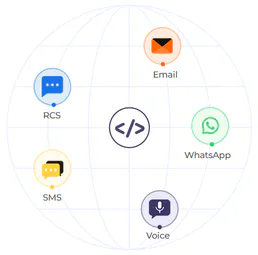
Authkey
13 toolsSend transactional SMS, voice OTPs, and WhatsApp messages through a unified communication gateway for user verification.