
Integrate LeadSquared with Claude, Cursor, Chatbots & AI Agents MCP Server
 GDPR Free for Subscribers
Compatible with every major AI agent and IDE
 Gemini
Capture lead on LeadSquared
Capture or update a lead
Create opportunity on LeadSquared
Create a new sales opportunity
Create or update lead on LeadSquared
Uses email or phone as the matching criteria. Create or update a lead profile
Create prospect activity on LeadSquared
g., call log, email sent) to a lead profile. Record a new activity for a lead
Get lead details on LeadSquared
Get details for a specific lead
List activity types on LeadSquared
g., Phone Call, Meeting) configured in LeadSquared. List all lead activity types
List lead activities on LeadSquared
List activities for a specific lead
List opportunities on LeadSquared
List sales opportunities
List opportunity activities on LeadSquared
List activities for a specific opportunity
Search leads on LeadSquared
Search for leads with criteria
Security & Code Integrity Audit
Every tool in the LeadSquared MCP Server is continuously audited by the Vinkius Security Engine. We guarantee zero-trust payload isolation, strict data boundaries, and deterministic execution for enterprise-grade AI agents.
How Vinkius protects your data
Can I set different limits for each virtual assistant on my team?
Absolutely. You have full control in our command center. You can create an AI agent that only "reads" data so the support team can answer questions, and another superpowered agent that can "edit" and "create" information exclusively for your operations team. Each AI gets exactly the level of access you allow.
Where do I find my regional API Host?
Log in to LeadSquared and go to Settings > API and Webhooks. Your regional host (e.g., api-us11.leadsquared.com) will be displayed there.
How does the AI access my passwords and credentials?
It simply doesn't. On Vinkius, your passwords, API keys, and login details are kept in a secure vault. The AI (like ChatGPT or Claude) merely "asks" Vinkius to perform the task. Vinkius opens the door, does the work, and hands the result back to the AI. Your credentials are never seen, read, or learned by the artificial intelligence.
What if the AI ends up reading customer data or confidential information?
We have a built-in digital "bodyguard" called DLP (Data Loss Prevention). If a tool fetches data and the response contains social security numbers, credit cards, or personal customer info, Vinkius magically blocks and erases that information before it is delivered to the AI. The AI works only with what is strictly necessary, and your sensitive data never leaks.
Automated Workflows using LeadSquared
Connect your AI agents and chatbots (Claude, ChatGPT, Cursor) with the LeadSquared MCP server to manage operations across the following domains.
Prompting lead capture Workflows
Use LeadSquared to manage lead capture via conversational interfaces. The integration centralizes access control for marketing automation operations performed by ChatGPT.
AI-Driven sales execution Workflows
Integrate LeadSquared to access native sales execution capabilities. This allows LLMs to perform secure, deterministic execution of marketing automation tasks without hard-coded API scripts.
LeadSquared. Runs on everything.
From IDE to framework. Every connection governed by Vinkius.
Anthropic's native desktop app for Claude with built-in MCP support.
AI-first code editor with integrated LLM-powered coding assistance.
GitHub Copilot in VS Code with Agent mode and MCP support.
Purpose-built IDE for agentic AI coding workflows.
Autonomous AI coding agent that runs inside VS Code.
Anthropic's agentic CLI for terminal-first development.
Python SDK for building production-grade OpenAI agent workflows.
Google's framework for building production AI agents.
Type-safe agent development for Python with first-class MCP support.
TypeScript toolkit for building AI-powered web applications.
TypeScript-native agent framework for modern web stacks.
Python framework for orchestrating collaborative AI agent crews.
Leading Python framework for composable LLM applications.
Data-aware AI agent framework for structured and unstructured sources.
Microsoft's framework for multi-agent collaborative conversations.
Explore More MCP Servers
View all →
Porsline
12 toolsAutomate surveys and feedback via Porsline — manage surveys, responses, and reports directly from any AI agent.
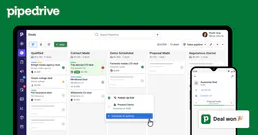
Pipedrive
12 toolsAutomate sales CRM via Pipedrive — manage deals, persons, and activities directly from any AI agent.
Jotform
10 toolsBuild powerful online forms with drag-and-drop ease, collect payments, gather signatures, and process submissions automatically.
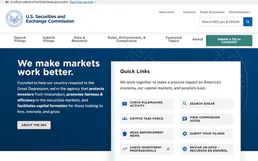
SEC EDGAR Financials — Revenue, Income, Assets, EPS & Industry Comparison
4 toolsExtract XBRL financial data from SEC filings: revenue, net income, total assets, liabilities, stockholders' equity, EPS, and cash for any U.S. public company. Compare financial metrics across all companies industry-wide using XBRL frames. Like a free mini-Bloomberg terminal.