
Integrate Markdown Utilities Engine with Claude, Cursor, Chatbots & AI Agents MCP Server
 GDPR Free for Subscribers
Compatible with every major AI agent and IDE
 Gemini
Generate table from json on Markdown Utilities Engine
It will automatically extract headers and format rows. Converts a JSON array of objects into a beautifully formatted Markdown table
Generate toc on Markdown Utilities Engine
It will return a nested list of bullet links pointing to the header slugs. Generates a perfect, linked Table of Contents (TOC) from a raw Markdown text
Security & Code Integrity Audit
Every tool in the Markdown Utilities Engine MCP Server is continuously audited by the Vinkius Security Engine. We guarantee zero-trust payload isolation, strict data boundaries, and deterministic execution for enterprise-grade AI agents.
How Vinkius protects your data
Can I set different limits for each virtual assistant on my team?
Absolutely. You have full control in our command center. You can create an AI agent that only "reads" data so the support team can answer questions, and another superpowered agent that can "edit" and "create" information exclusively for your operations team. Each AI gets exactly the level of access you allow.
Is there a risk of the AI "going crazy" and deleting important company data?
No. With Vinkius, the AI operates on "rails". It can only make the exact moves you authorized in the tool's settings. It cannot invent routes, access other networks in your company, or decide to delete random files. If the action isn't in the approved catalog, the attempt is blocked instantly.
How does the TOC generator calculate URL slugs?
It follows standard GitHub Flavored Markdown rules. It parses every Header (e.g. ### My Title), strips special characters, replaces spaces with hyphens, and outputs - [My Title](#my-title) with accurate indentation.
How does the AI access my passwords and credentials?
It simply doesn't. On Vinkius, your passwords, API keys, and login details are kept in a secure vault. The AI (like ChatGPT or Claude) merely "asks" Vinkius to perform the task. Vinkius opens the door, does the work, and hands the result back to the AI. Your credentials are never seen, read, or learned by the artificial intelligence.
Automated Workflows using Markdown Utilities Engine
Connect your AI agents and chatbots (Claude, ChatGPT, Cursor) with the Markdown Utilities Engine MCP server to manage operations across the following domains.
Secure markdown Access for Agents
Use Markdown Utilities Engine to manage markdown via conversational interfaces. The integration centralizes access control for productivity operations performed by ChatGPT.
Managing json parsing inside Claude
Connect Markdown Utilities Engine to your AI agents (Claude, ChatGPT, Cursor) to manage json parsing operations. The MCP server processes the underlying API requests and schema formatting for the productivity domain.
Markdown Utilities Engine. Runs on everything.
From IDE to framework. Every connection governed by Vinkius.
Anthropic's native desktop app for Claude with built-in MCP support.
AI-first code editor with integrated LLM-powered coding assistance.
GitHub Copilot in VS Code with Agent mode and MCP support.
Purpose-built IDE for agentic AI coding workflows.
Autonomous AI coding agent that runs inside VS Code.
Anthropic's agentic CLI for terminal-first development.
Python SDK for building production-grade OpenAI agent workflows.
Google's framework for building production AI agents.
Type-safe agent development for Python with first-class MCP support.
TypeScript toolkit for building AI-powered web applications.
TypeScript-native agent framework for modern web stacks.
Python framework for orchestrating collaborative AI agent crews.
Leading Python framework for composable LLM applications.
Data-aware AI agent framework for structured and unstructured sources.
Microsoft's framework for multi-agent collaborative conversations.
Explore More MCP Servers
View all →
Honeybadger (Error Tracking)
10 toolsMonitor app exceptions and uptime via Honeybadger — list projects, resolve faults, and track deployments.
Lever
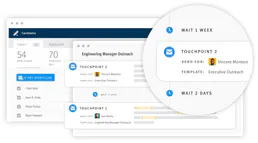
10 toolsManage recruitment postings, candidate opportunities, and hiring stages via the Lever API.

Bitso Exchange
12 toolsTrade dynamically on Mexico's biggest Crypto Exchange. Access live balances, order books, and command trades programmatically.

Swiftype
10 toolsConnect your AI to Elastic Swiftype. Query your search engines, manage documents, and retrieve deep analytical insights natively from the terminal.