
Integrate Notion Alternative with Claude, Cursor, Chatbots & AI Agents MCP Server
 GDPR Free for Subscribers
Compatible with every major AI agent and IDE
 Gemini
Append block on Notion Alternative
Requires the parent block/page ID and a JSON array of block objects. Each block must follow Notion's block schema: {"object":"block","type":"paragraph","paragraph":{"rich_text":[{"type":"text","text":{"content":"Hello"}}]}}. Common types: paragraph, heading_1, heading_2, heading_3, bulleted_list_item, numbered_list_item, to_do, toggle, code. Append blocks to a Notion page
Create comment on Notion Alternative
Requires the page ID and rich text content. Rich text follows Notion's format: [{"type":"text","text":{"content":"This looks great!"}}]. The comment will appear in the page's comment thread. Add a comment to a Notion page
Create database row on Notion Alternative
Requires the database ID and a properties JSON object matching the database schema. Use get_database to see the property types and keys. Properties must follow Notion's format: {"Name":{"title":[{"text":{"content":"My Page"}}]},"Status":{"select":{"name":"Done"}}}. Create a new row (page) in a Notion database
Get database on Notion Alternative
), parent page and creation date. Provide the database ID (32-character hex or UUID format). Get details for a specific Notion database
Get me on Notion Alternative
Returns the bot name, ID and type. Use this to verify your integration token is working correctly and to see which bot identity the API calls will appear as. Get the authenticated Notion bot user
Get page on Notion Alternative
Does NOT return block content — use get_page_blocks for that. Provide the page ID. Get details for a specific Notion page
Get page blocks on Notion Alternative
Each block has a type (paragraph, heading_1, heading_2, heading_3, bulleted_list_item, numbered_list_item, to_do, toggle, code, image, etc.) and content. Use this to read the actual text and media content of a page. Provide the page or block ID. Get blocks (content) of a Notion page
Get user on Notion Alternative
Provide the user ID from list_users. Get details for a specific Notion user
List comments on Notion Alternative
Each comment includes the rich text content, author, creation date and parent reference. Useful for reviewing discussion threads and feedback on pages. List comments on a Notion page or block
List database rows on Notion Alternative
Returns pages matching the database schema with their property values. Optionally provide a filter object to narrow results (e.g. {"property":"Status","select":{"equals":"Done"}}) and sorts to order results. Use get_database first to understand the property schema. Query rows in a Notion database
List users on Notion Alternative
Each user has an ID, name, avatar URL, email (if available) and type (person or bot). Useful for identifying who has access and who created content. List users in your Notion workspace
Search on Notion Alternative
Optionally filter by text query (matches page titles and database names). Returns pages and databases with their properties, titles and parent info. Use this to discover content before querying or editing specific pages. Search pages and databases in Notion
Update page on Notion Alternative
Requires the page ID and a properties JSON object with the fields to change. Only provided properties will be updated. Follow Notion's property format: {"Status":{"select":{"name":"Done"}},"Priority":{"select":{"name":"High"}}}. Update properties of a Notion page
Security & Code Integrity Audit
Every tool in the Notion Alternative MCP Server is continuously audited by the Vinkius Security Engine. We guarantee zero-trust payload isolation, strict data boundaries, and deterministic execution for enterprise-grade AI agents.
How Vinkius protects your data
Can I audit what my AI agents are doing with this integration?
Yes, Vinkius provides an immutable, HMAC-chained audit log. Every tool execution, payload, and response is tracked in real-time on your dashboard, giving you complete visibility into your agent's actions.
How does the AI access my passwords and credentials?
It simply doesn't. On Vinkius, your passwords, API keys, and login details are kept in a secure vault. The AI (like ChatGPT or Claude) merely "asks" Vinkius to perform the task. Vinkius opens the door, does the work, and hands the result back to the AI. Your credentials are never seen, read, or learned by the artificial intelligence.
What if the AI ends up reading customer data or confidential information?
We have a built-in digital "bodyguard" called DLP (Data Loss Prevention). If a tool fetches data and the response contains social security numbers, credit cards, or personal customer info, Vinkius magically blocks and erases that information before it is delivered to the AI. The AI works only with what is strictly necessary, and your sensitive data never leaks.
Can I read and append page content?
Yes! Use get_page_blocks with a page ID to read all block children (paragraphs, headings, lists, etc.). Use append_block to add new blocks — provide the page ID and a JSON array of block objects following Notion's block schema.
Notion Alternative Capabilities for AI Assistants
Use Notion Alternative with any AI agent framework to process, analyze, and mutate data securely via the Model Context Protocol.
Automating workspace with AI
Connect your AI agent to Notion Alternative for comprehensive workspace coverage. The integration features standard schemas for reliable loved by devs tool execution.
LLM Orchestration for database management
Connect Notion Alternative to your AI agents (Claude, ChatGPT, Cursor) to manage database management operations. The MCP server processes the underlying API requests and schema formatting for the loved by devs domain.
Notion Alternative. Runs on everything.
From IDE to framework. Every connection governed by Vinkius.
Anthropic's native desktop app for Claude with built-in MCP support.
AI-first code editor with integrated LLM-powered coding assistance.
GitHub Copilot in VS Code with Agent mode and MCP support.
Purpose-built IDE for agentic AI coding workflows.
Autonomous AI coding agent that runs inside VS Code.
Anthropic's agentic CLI for terminal-first development.
Python SDK for building production-grade OpenAI agent workflows.
Google's framework for building production AI agents.
Type-safe agent development for Python with first-class MCP support.
TypeScript toolkit for building AI-powered web applications.
TypeScript-native agent framework for modern web stacks.
Python framework for orchestrating collaborative AI agent crews.
Leading Python framework for composable LLM applications.
Data-aware AI agent framework for structured and unstructured sources.
Microsoft's framework for multi-agent collaborative conversations.
Explore More MCP Servers
View all →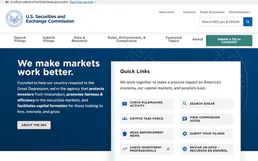
SEC EDGAR Financials — Revenue, Income, Assets, EPS & Industry Comparison
4 toolsExtract XBRL financial data from SEC filings: revenue, net income, total assets, liabilities, stockholders' equity, EPS, and cash for any U.S. public company. Compare financial metrics across all companies industry-wide using XBRL frames. Like a free mini-Bloomberg terminal.

X Ads (Twitter)
8 toolsManage your X Ads campaigns — audit accounts, line items, and analytics via AI.

Zoho Inventory
9 toolsManage inventory items, sales orders, and stock levels via the Zoho Inventory API.

Google Firestore Collection
3 toolsThis MCP does exactly one thing: it manages documents in a single Google Firestore Collection. That's its only function, and nothing else. Incredible for giving your AI a secure NoSQL database.