
Integrate Road511 with Claude, Cursor, Chatbots & AI Agents MCP Server
 GDPR Free for Subscribers
Compatible with every major AI agent and IDE
 Gemini
Get clearance on Road511
Returns average resolution times by incident type, severity, jurisdiction, and time period. Essential for operational efficiency analysis, resource planning, performance benchmarking, and understanding how quickly traffic incidents are resolved in different regions. AI agents should use this when users ask "what is the median resolution time for incidents in California", "how long do major incidents take to clear in Texas", or need performance metrics for traffic incident management analysis. Get incident resolution time metrics (P50/P95) for operational analysis
Get events on Road511
Returns event type, severity (minor, moderate, major, critical, info), jurisdiction, road affected, start and end times, lifecycle status, geometry (line/point), and detailed descriptions. Supports filtering by jurisdiction (e.g., CA), type (incidents, construction, closures, events, advisories), severity, road name, status, and geographic area (bbox, lat/lon/radius). Essential for real-time traffic awareness, route planning, delivery logistics, and commuter decision-making. AI agents should use this when users ask "what incidents are on I-405", "show construction in California", or need traffic event data for route optimization. Get traffic incidents, construction, closures, and events across US and Canada
Get events geojson on Road511
Each feature contains event properties (type, severity, jurisdiction, road, times, status, descriptions) in the properties object and point/line geometry in the geometry object. Supports all the same filtering parameters as get_events. Essential for mapping applications, spatial analysis, GIS integration, and visualization dashboards. AI agents should use this when users need to plot traffic events on a map, perform spatial queries, or integrate with GeoJSON-based mapping tools. Get traffic events in GeoJSON format for mapping and spatial analysis
Get features on Road511
Returns type, jurisdiction, coordinates, status, and feature-specific details. Use when users ask about traffic cameras, EV chargers, rest areas, road conditions, or need infrastructure data for mapping. Get road infrastructure features including cameras, road conditions, weather stations, and more
Get features geojson on Road511
Each feature includes properties (type, jurisdiction, status, camera URL, road condition, weather data, EV charger info) and point geometry. Supports all the same filtering parameters. Essential for mapping applications, GIS workflows, spatial databases, and visualization dashboards. AI agents should reference this when users need to plot infrastructure features on a map, integrate with GeoJSON tools, or perform spatial analysis on road infrastructure. Get road infrastructure features in GeoJSON format for mapping and GIS integration
Get health on Road511
Returns API availability, response times, data source connectivity (per jurisdiction), last update timestamps, and system alerts. Essential for monitoring API reliability, verifying data freshness, troubleshooting integration issues, and ensuring production system uptime. AI agents should use this as a diagnostic tool when users report missing data, when debugging integration issues, or as a periodic health check before making complex traffic data queries. Check API health and data source status
Get summary on Road511
Returns event counts by type and severity, active camera counts, data source status (healthy, degraded, down), refresh rates, and data freshness indicators. Essential for data quality monitoring, system health checks, understanding data coverage by region, and verifying API reliability before production use. AI agents should use this when users ask "how many active incidents are there nationwide", "is the California data source healthy", or need a system-wide overview of Road511 data quality and coverage. Get summary statistics and data source health across all jurisdictions
Get trends on Road511
Returns incident counts over time, severity distributions, trend directions (increasing, decreasing, stable), peak incident times, and comparative analysis between regions. Essential for traffic pattern analysis, operational planning, resource allocation, and understanding temporal traffic safety trends. AI agents should use this when users ask "are incidents increasing in Texas this week", "show me traffic incident trends for the past month", or need analytical data for traffic safety reporting. Get traffic incident trends and time-series analytics
Security & Code Integrity Audit
Every tool in the Road511 MCP Server is continuously audited by the Vinkius Security Engine. We guarantee zero-trust payload isolation, strict data boundaries, and deterministic execution for enterprise-grade AI agents.
How Vinkius protects your data
Can I set different limits for each virtual assistant on my team?
Absolutely. You have full control in our command center. You can create an AI agent that only "reads" data so the support team can answer questions, and another superpowered agent that can "edit" and "create" information exclusively for your operations team. Each AI gets exactly the level of access you allow.
Can I analyze traffic incident trends to understand if traffic is getting worse in my state?
Absolutely! Use get_trends with your jurisdiction code (e.g., jurisdiction=CA for California) to get time-series incident data showing whether incidents are increasing, decreasing, or stable over time. Use get_clearance to understand how quickly incidents are being resolved (P50 median and P95 resolution times). Combined with get_summary for current snapshot data, you can build comprehensive traffic safety and efficiency reports. This is perfect for transportation planning, resource allocation, and operational performance benchmarking.
How does the AI access my passwords and credentials?
It simply doesn't. On Vinkius, your passwords, API keys, and login details are kept in a secure vault. The AI (like ChatGPT or Claude) merely "asks" Vinkius to perform the task. Vinkius opens the door, does the work, and hands the result back to the AI. Your credentials are never seen, read, or learned by the artificial intelligence.
What if the AI ends up reading customer data or confidential information?
We have a built-in digital "bodyguard" called DLP (Data Loss Prevention). If a tool fetches data and the response contains social security numbers, credit cards, or personal customer info, Vinkius magically blocks and erases that information before it is delivered to the AI. The AI works only with what is strictly necessary, and your sensitive data never leaks.
Automated Workflows using Road511
Add the Road511 tool to your AI Agents. The toolkit allows Claude and ChatGPT to securely fetch and update targeted data.
Autonomous traffic data Strategies
Integrate Road511 to access native traffic data capabilities. This allows LLMs to perform secure, deterministic execution of data analytics tasks without hard-coded API scripts.
Mastering incident reporting with Agents
Connect Road511 to your AI agents (Claude, ChatGPT, Cursor) to manage incident reporting operations. The MCP server processes the underlying API requests and schema formatting for the data analytics domain.
Road511. Runs on everything.
From IDE to framework. Every connection governed by Vinkius.
Anthropic's native desktop app for Claude with built-in MCP support.
AI-first code editor with integrated LLM-powered coding assistance.
GitHub Copilot in VS Code with Agent mode and MCP support.
Purpose-built IDE for agentic AI coding workflows.
Autonomous AI coding agent that runs inside VS Code.
Anthropic's agentic CLI for terminal-first development.
Python SDK for building production-grade OpenAI agent workflows.
Google's framework for building production AI agents.
Type-safe agent development for Python with first-class MCP support.
TypeScript toolkit for building AI-powered web applications.
TypeScript-native agent framework for modern web stacks.
Python framework for orchestrating collaborative AI agent crews.
Leading Python framework for composable LLM applications.
Data-aware AI agent framework for structured and unstructured sources.
Microsoft's framework for multi-agent collaborative conversations.
Explore More MCP Servers
View all →
UserEcho
6 toolsBuild a customer feedback community with idea voting, knowledge base, helpdesk, and live chat in one support ecosystem.
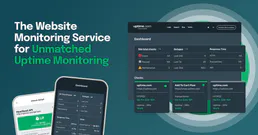
Uptime.com
12 toolsMonitor website and API uptime from 30+ global locations with instant alerts when downtime hits any of your services.

PubMed Central
7 toolsSearch and retrieve full-text biomedical and life sciences literature from PubMed Central (PMC).

ChurnZero
8 toolsManage customer success and health via ChurnZero — track churn scores, monitor segments, and analyze account activity directly from any AI agent.