
Integrate Slack with Claude, Cursor, Chatbots & AI Agents MCP Server
 GDPR Free for Subscribers
Compatible with every major AI agent and IDE
 Gemini
Channels history on Slack
Requires the channel ID (use channels_list to find it). Returns messages in reverse chronological order. Get recent messages from a Slack channel
Channels list on Slack
Returns public and private channels the bot has access to. Channel IDs are needed for sending messages or reading history. List Slack channels in the workspace
Messages search on Slack
Searches message content, usernames, and channels. Results are sorted by most recent first. Search for messages across the Slack workspace
Messages send on Slack
Requires the channel ID. Use channels_list to find available channels. Optionally specify thread_ts to reply in a thread. Send a message to a Slack channel or DM
Reactions add on Slack
Requires the channel ID and the exact message timestamp (ts). Use channels_history to find message timestamps. Add a reaction emoji to a Slack message
Users list on Slack
Returns user IDs, names, emails, and status. User IDs are needed for sending DMs or identifying message authors. List users in the Slack workspace
Security & Code Integrity Audit
Every tool in the Slack MCP Server is continuously audited by the Vinkius Security Engine. We guarantee zero-trust payload isolation, strict data boundaries, and deterministic execution for enterprise-grade AI agents.
How Vinkius protects your data
Is there a risk of the AI "going crazy" and deleting important company data?
No. With Vinkius, the AI operates on "rails". It can only make the exact moves you authorized in the tool's settings. It cannot invent routes, access other networks in your company, or decide to delete random files. If the action isn't in the approved catalog, the attempt is blocked instantly.
How can I find a specific conversation from last week?
Tell your agent to search for it — 'find messages about the Q3 budget review' or 'search for messages from @sarah about the client proposal'. The agent uses Slack's search API with support for modifiers like from:user, in:channel, and date ranges. No more scrolling through channels — your agent retrieves the exact messages you need.
How does the AI access my passwords and credentials?
It simply doesn't. On Vinkius, your passwords, API keys, and login details are kept in a secure vault. The AI (like ChatGPT or Claude) merely "asks" Vinkius to perform the task. Vinkius opens the door, does the work, and hands the result back to the AI. Your credentials are never seen, read, or learned by the artificial intelligence.
What if the AI ends up reading customer data or confidential information?
We have a built-in digital "bodyguard" called DLP (Data Loss Prevention). If a tool fetches data and the response contains social security numbers, credit cards, or personal customer info, Vinkius magically blocks and erases that information before it is delivered to the AI. The AI works only with what is strictly necessary, and your sensitive data never leaks.
Supported Use Cases for Slack
The Slack integration provides comprehensive execution endpoints, allowing AI models to orchestrate tasks reliably.
Execute messaging Commands with AI
The Slack MCP translates LLM intent into specific messaging actions. Agents like Cursor use this to interface securely with your talk to me infrastructure.
Seamless team chat Integration
Connect Slack to provide your chatbots with team chat capabilities. The integration manages the backend execution for talk to me workflows.
Slack. Runs on everything.
From IDE to framework. Every connection governed by Vinkius.
Anthropic's native desktop app for Claude with built-in MCP support.
AI-first code editor with integrated LLM-powered coding assistance.
GitHub Copilot in VS Code with Agent mode and MCP support.
Purpose-built IDE for agentic AI coding workflows.
Autonomous AI coding agent that runs inside VS Code.
Anthropic's agentic CLI for terminal-first development.
Python SDK for building production-grade OpenAI agent workflows.
Google's framework for building production AI agents.
Type-safe agent development for Python with first-class MCP support.
TypeScript toolkit for building AI-powered web applications.
TypeScript-native agent framework for modern web stacks.
Python framework for orchestrating collaborative AI agent crews.
Leading Python framework for composable LLM applications.
Data-aware AI agent framework for structured and unstructured sources.
Microsoft's framework for multi-agent collaborative conversations.
Explore More MCP Servers
View all →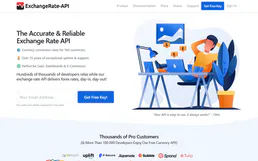
ExchangeRate-API
5 toolsGlobal currency exchange platform — get real-time rates and perform conversions via AI.

Azure Service Bus Topic
1 toolsThis MCP does exactly one thing: it publishes messages to a single Azure Service Bus Topic. That's its only function, and nothing else. Incredible for giving your AI the power to trigger cloud events.

Airbnb
12 toolsSearch and manage Airbnb listings, experiences, reservations, and pricing directly from any AI agent.

AskHandle Alternative
18 toolsManage AI chat rooms, capture leads, and automate messaging workflows directly through AskHandle.