
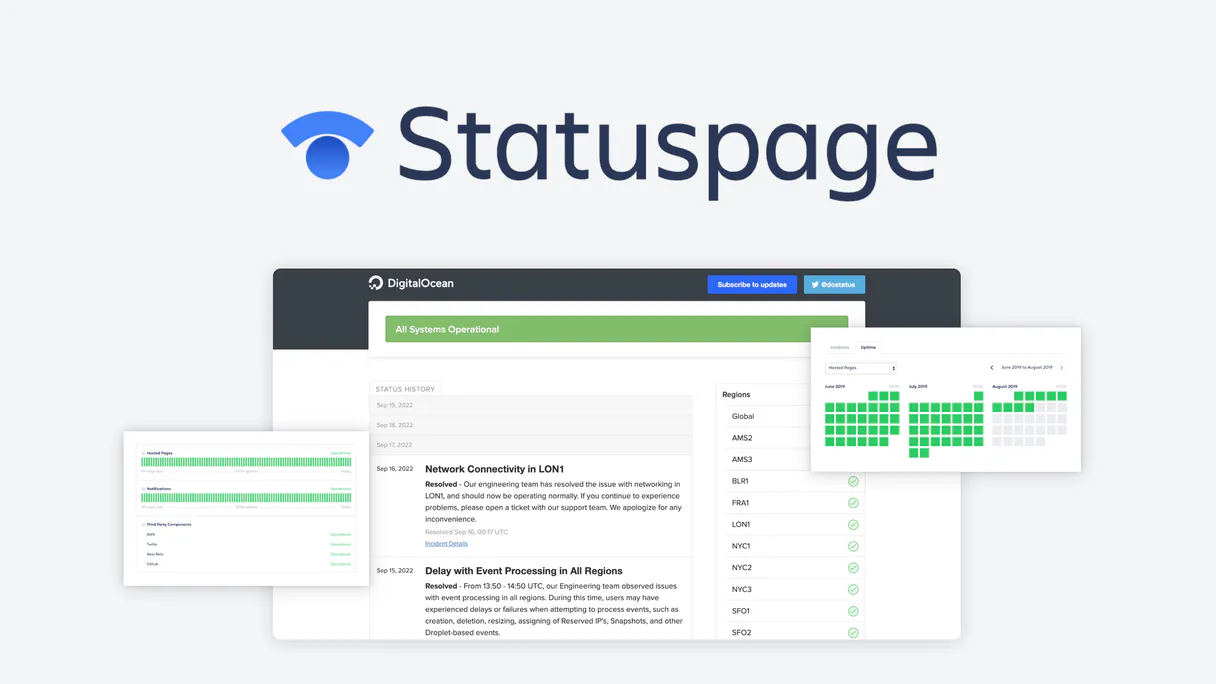
Statuspage (Atlassian) MCP Server with 16 Tools for Claude, Cursor, and AI Agents
 GDPR Free for Subscribers
Manage Atlassian Statuspage — list pages, update configurations, and handle user permissions or access controls via AI. Vinkius routes your AI agents directly to Statuspage (Atlassian) through a governed connection. 16 tools ready to use with Claude, ChatGPT, Cursor, or any AI agent — no hosting, no setup, connect in 30 seconds.
Ask AI about this server
Compatible with every major AI agent and IDE
 Gemini
* Every MCP server runs on Vinkius-managed infrastructure inside AWS - a purpose-built runtime with per-request V8 isolates, Ed25519 signed audit chains, and sub-40ms cold starts optimized for native MCP execution. See our infrastructure
What is the Statuspage (Atlassian) MCP Server?
The Statuspage (Atlassian) MCP Server routes AI agents like Claude, ChatGPT, and Cursor directly to Statuspage (Atlassian) via 16 tools. Manage Atlassian Statuspage — list pages, update configurations, and handle user permissions or access controls via AI. Powered by Vinkius — your credentials stay on your side of the connection, every request is auditable. Connect in under 2 minutes.
Built-in capabilities (16)
Tools for your AI Agents to operate Statuspage (Atlassian)
Ask your AI agent "List all my Statuspage pages." and get the answer without opening a single dashboard. With 16 tools connected to real Statuspage (Atlassian) data, your agents reason over live information, cross-reference it with other MCP servers, and deliver insights you would spend hours assembling manually.
Works with Claude, ChatGPT, Cursor, and any MCP-compatible client. Powered by Vinkius — your credentials never touch the AI model, every request is auditable. Connect in under two minutes.
Why teams choose Vinkius
One subscription gives you the infrastructure to connect your AI agents to thousands of MCP servers — and deploy your own to the Vinkius Edge. Your credentials stay yours. Your data flows directly between your agent and the API. DLP blocks sensitive information from ever reaching the model, kill switch for instant shutdown, and up to 60% token savings. Enterprise-grade routing and governance, zero maintenance.
Build your own MCP Server with our secure development framework →The Statuspage (Atlassian) App Connector works with every AI agent you already use
…and any MCP-compatible client









Use all 16 Statuspage (Atlassian) tools with your AI agents right now
Vinkius routes your AI agents to Statuspage (Atlassian) through a governed proxy. Beyond a simple connection, you get full visibility into every action your agents perform, with enterprise-grade security and up to 60% savings on AI costs.
Create page access user on Statuspage (Atlassian)
Add a page access user
Delete page access user on Statuspage (Atlassian)
Delete page access user
Delete page access user components on Statuspage (Atlassian)
Remove components for page access user
Delete page access user metrics on Statuspage (Atlassian)
Delete metrics for page access user
Get page on Statuspage (Atlassian)
Get a specific page
Get page access user components on Statuspage (Atlassian)
Get components for page access user
Get status embed config on Statuspage (Atlassian)
Get status embed config settings
Get user permissions on Statuspage (Atlassian)
Get a user's permissions
List page access users on Statuspage (Atlassian)
Get a list of page access users
List pages on Statuspage (Atlassian)
Get a list of pages
Update page on Statuspage (Atlassian)
). Update a page
Update page access user on Statuspage (Atlassian)
Update page access user
Update page access user components on Statuspage (Atlassian)
Add/Replace components for page access user
Update page access user metrics on Statuspage (Atlassian)
Add/Replace metrics for page access user
Update status embed config on Statuspage (Atlassian)
Update status embed config settings
Update user permissions on Statuspage (Atlassian)
g., page_configuration, incident_manager, maintenance_manager). Update a user's role permissions
What the Statuspage (Atlassian) MCP Server unlocks
Connect your Statuspage (Atlassian) account to any AI agent to monitor and manage your incident communication infrastructure through natural conversation.
What you can do
- Page Management — List all status pages and fetch detailed configurations for specific IDs using
list_pagesandget_page. - Configuration Updates — Update page names, domains, and branding settings instantly with the
update_pagetool. - User Permissions — Query and update user roles and permissions within your organization using
get_user_permissionsandupdate_user_permissions. - Embed Widgets — Manage status embed configurations to control how status is displayed on your site via
get_status_embed_config. - Access Control — Manage audience-specific users for private status pages, including creation and updates with
list_page_access_usersandcreate_page_access_user.
How it works
1. Subscribe to this server
2. Enter your Statuspage API Key
3. Start managing your status infrastructure from Claude, Cursor, or any MCP-compatible client
Who is this for?
- DevOps & SREs — quickly check and update status page configurations during incident response without leaving the terminal.
- Support Teams — manage private page access for specific customers directly through the AI assistant.
- Product Owners — ensure branding and domains are correctly configured across all status environments.
Frequently asked questions about the Statuspage (Atlassian) MCP Server
How can I see all the status pages I have access to?
You can use the list_pages tool. It will return a list of all pages associated with your API key, including their IDs and basic settings.
Can I update the name or domain of a status page using the AI?
Yes! Use the update_page tool. You just need to provide the page_id and the new name, domain, or subdomain you wish to set.
How do I manage users who have access to my private status pages?
You can use list_page_access_users to see current users and create_page_access_user to add new ones to a specific page.
More in this category

FDA Drug Labels (openFDA)
2 toolsAccess official FDA drug labels and structured product labeling (SPL) data via openFDA.

Aliyun CAPTCHA / 阿里云验证码
2 toolsAlibaba Cloud's dominant anti-bot service — verify tickets and audit security risk via AI.

Typeform
8 toolsCreate beautifully designed forms and surveys that ask one question at a time and get dramatically higher completion rates.
Box
10 toolsStore, share, and collaborate on files securely with enterprise-grade cloud content management and governance controls.
You might also like

Fanart.tv
8 toolsGet high-quality artwork for movies, TV shows and music — posters, fanart, logos, banners and more.
Plausible
10 toolsMonitor website analytics via Plausible — track visitors, pageviews, and bounce rates directly from any AI agent.

Freshcaller
12 toolsManage your cloud phone system, track calls, and oversee agents via AI agents with Freshcaller.
KnoCommerce
10 toolsAnalyze post-purchase surveys — list responses, audit customer feedback, and track attribution channels.
We built the connector to Statuspage (Atlassian). Now put your agents to work. Fully governed.
Vinkius is the AI Gateway with managed hosting. Stop building connectors. Every connection runs inside eight layers of security.
Hosted, sandboxed, and live on AWS. You don't provision anything. You don't maintain anything. You connect.
Every tool call, every token, every response. Logged and auditable. Data flows direct from Statuspage (Atlassian) to your agent. Nothing is stored on our side. Ever.
Eight governance layers on every request. Sensitive data redacted before it reaches the model. Kill switch if anything goes sideways. Always on.