
Integrate LiveKit Real-Time Rooms with Claude, Cursor, Chatbots & AI Agents MCP Server
 GDPR Free for Subscribers
Compatible with every major AI agent and IDE
 Gemini
Create room on LiveKit Real-Time Rooms
Participants can join it via access tokens. Create a new LiveKit room with specified settings
Delete room on LiveKit Real-Time Rooms
Requires roomCreate permission. Delete a room, disconnecting all participants
Get participant on LiveKit Real-Time Rooms
Get detailed information about a specific participant
List participants on LiveKit Real-Time Rooms
List all participants currently in a room
List rooms on LiveKit Real-Time Rooms
List all active rooms on the LiveKit server
Mute track on LiveKit Real-Time Rooms
Mute or unmute a participant's published track
Remove participant on LiveKit Real-Time Rooms
On LiveKit Cloud, their token is also revoked. Remove a participant from a room
Send data on LiveKit Real-Time Rooms
Use "reliable" for guaranteed delivery or "lossy" for low-latency. Send a data message to all participants in a room
Update participant metadata on LiveKit Real-Time Rooms
Update a participant's metadata
Update room metadata on LiveKit Real-Time Rooms
Use JSON strings for structured data. Update the metadata of a room
Security & Code Integrity Audit
Every tool in the LiveKit Real-Time Rooms MCP Server is continuously audited by the Vinkius Security Engine. We guarantee zero-trust payload isolation, strict data boundaries, and deterministic execution for enterprise-grade AI agents.
How Vinkius protects your data
Can I set different limits for each virtual assistant on my team?
Absolutely. You have full control in our command center. You can create an AI agent that only "reads" data so the support team can answer questions, and another superpowered agent that can "edit" and "create" information exclusively for your operations team. Each AI gets exactly the level of access you allow.
Can I audit what my AI agents are doing with this integration?
Yes, Vinkius provides an immutable, HMAC-chained audit log. Every tool execution, payload, and response is tracked in real-time on your dashboard, giving you complete visibility into your agent's actions.
Can I list all active rooms on my LiveKit server?
Yes! Use the list_rooms tool. It calls the LiveKit RoomService ListRooms endpoint and returns all currently open rooms with their participant count, metadata, and creation time.
Does the AI train on my tools or API data?
No. Vinkius enforces a strict Zero-Retention policy. Your data simply passes through our secure servers to complete the requested action and is instantly forgotten. Nothing you do here is ever stored, logged, or used to train any artificial intelligence.
Automated Workflows using LiveKit Real-Time Rooms
Add the LiveKit Real-Time Rooms tool to your AI Agents. The toolkit allows Claude and ChatGPT to securely fetch and update targeted data.
Managing livekit inside Claude
The LiveKit Real-Time Rooms integration allows Cursor and ChatGPT to securely fetch livekit data. It handles the API requests required for communication operations.
Next-Gen voice chat Operations
The LiveKit Real-Time Rooms integration exposes LLM-friendly schemas for voice chat. Tools like Cursor can map natural language directly into executable communication commands.
LiveKit Real-Time Rooms. Runs on everything.
From IDE to framework. Every connection governed by Vinkius.
Anthropic's native desktop app for Claude with built-in MCP support.
AI-first code editor with integrated LLM-powered coding assistance.
GitHub Copilot in VS Code with Agent mode and MCP support.
Purpose-built IDE for agentic AI coding workflows.
Autonomous AI coding agent that runs inside VS Code.
Anthropic's agentic CLI for terminal-first development.
Python SDK for building production-grade OpenAI agent workflows.
Google's framework for building production AI agents.
Type-safe agent development for Python with first-class MCP support.
TypeScript toolkit for building AI-powered web applications.
TypeScript-native agent framework for modern web stacks.
Python framework for orchestrating collaborative AI agent crews.
Leading Python framework for composable LLM applications.
Data-aware AI agent framework for structured and unstructured sources.
Microsoft's framework for multi-agent collaborative conversations.
Explore More MCP Servers
View all →
ANA (Movimentação de Dados)
18 toolsAccess and manage hydrometeorological data from the Brazilian National Water Agency (ANA) — query flow, rainfall, water quality, and cross-section series.

Billsby
10 toolsManage subscription billing via Billsby — list customers, subscriptions, and invoices directly from any AI agent.
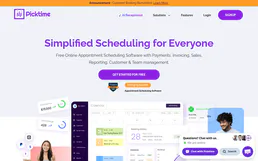
Picktime
10 toolsEquip your AI agent to manage scheduling operations. Fetch global availabilities, list locations, and manage business bookings via chat natively.

Focus Admin
10 toolsSend CC-e, inutilize numbering, distribute DF-e and list fiscal documents via Focus NFe API.