
Integrate Wallarm with Claude, Cursor, Chatbots & AI Agents MCP Server
 GDPR Free for Subscribers
Compatible with every major AI agent and IDE
 Gemini
Create ip acl rule on Wallarm
list_type must be "white" or "black". Adds an IP or CIDR range to the global allowlist or denylist
Get client info on Wallarm
Retrieves details about the Wallarm account, subscription, and feature status
Get discovered api inventory on Wallarm
Retrieves the API inventory automatically discovered through passive traffic analysis
Get vulnerability details on Wallarm
Retrieves comprehensive diagnostic data and exploit evidence for a specific vulnerability ID
List filtering nodes on Wallarm
Lists all deployed Wallarm WAF/API gateway filtering nodes
List ip acl rules on Wallarm
Lists configured IP allowlist and denylist rules
Search security attacks on Wallarm
Searches for security attacks detected by Wallarm, grouped by vector (SQLi, XSS, etc.)
Search security hits on Wallarm
Shows full request headers and payloads for blocked traffic. Searches for granular individual malicious HTTP request hits intercepted by WAF nodes
Search vulnerabilities on Wallarm
Lists all open security vulnerabilities discovered in live API traffic
Update vulnerability status on Wallarm
Valid statuses: open, closed, falsepositive. Changes the lifecycle status of a vulnerability (e.g., mark as closed or false positive)
Security & Code Integrity Audit
Every tool in the Wallarm MCP Server is continuously audited by the Vinkius Security Engine. We guarantee zero-trust payload isolation, strict data boundaries, and deterministic execution for enterprise-grade AI agents.
How Vinkius protects your data
Is there a risk of the AI "going crazy" and deleting important company data?
No. With Vinkius, the AI operates on "rails". It can only make the exact moves you authorized in the tool's settings. It cannot invent routes, access other networks in your company, or decide to delete random files. If the action isn't in the approved catalog, the attempt is blocked instantly.
Can I set different limits for each virtual assistant on my team?
Absolutely. You have full control in our command center. You can create an AI agent that only "reads" data so the support team can answer questions, and another superpowered agent that can "edit" and "create" information exclusively for your operations team. Each AI gets exactly the level of access you allow.
How does the AI access my passwords and credentials?
It simply doesn't. On Vinkius, your passwords, API keys, and login details are kept in a secure vault. The AI (like ChatGPT or Claude) merely "asks" Vinkius to perform the task. Vinkius opens the door, does the work, and hands the result back to the AI. Your credentials are never seen, read, or learned by the artificial intelligence.
Is it possible to triage vulnerabilities and change their status via chat?
Absolutely. You can use update_vulnerability_status to change a vulnerability's lifecycle status (e.g., to closed or false positive) once you have investigated it or applied remediation steps.
How Chatbots Interact with Wallarm
Integrate Wallarm to provide your custom AI agents with direct read and write access to the capabilities listed below.
Scaling api security via MCP
Connect the Wallarm server to enable api security workflows. The integration provides structured schemas for Claude to mutate fort knox data.
AI Semantic Routing for waf
Integrate the Wallarm server to handle waf requests natively. It provides the schemas required for ChatGPT and Cursor to manage fort knox data.
Wallarm. Runs on everything.
From IDE to framework. Every connection governed by Vinkius.
Anthropic's native desktop app for Claude with built-in MCP support.
AI-first code editor with integrated LLM-powered coding assistance.
GitHub Copilot in VS Code with Agent mode and MCP support.
Purpose-built IDE for agentic AI coding workflows.
Autonomous AI coding agent that runs inside VS Code.
Anthropic's agentic CLI for terminal-first development.
Python SDK for building production-grade OpenAI agent workflows.
Google's framework for building production AI agents.
Type-safe agent development for Python with first-class MCP support.
TypeScript toolkit for building AI-powered web applications.
TypeScript-native agent framework for modern web stacks.
Python framework for orchestrating collaborative AI agent crews.
Leading Python framework for composable LLM applications.
Data-aware AI agent framework for structured and unstructured sources.
Microsoft's framework for multi-agent collaborative conversations.
Explore More MCP Servers
View all →
NLM RxNorm (Drug Database)
21 toolsAccess the NLM RxNorm database to search for drugs, retrieve RxCUIs, and inspect standardized drug properties and identifiers.
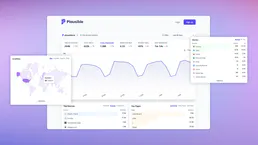
Plausible
10 toolsMonitor website analytics via Plausible — track visitors, pageviews, and bounce rates directly from any AI agent.

Google Cloud Storage Bucket
4 toolsThis MCP does exactly one thing: it manages files in a single Google Cloud Storage Bucket. That's its only function, and nothing else. Incredible for giving your AI secure file storage.
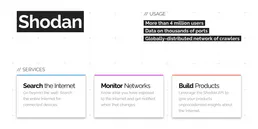
Shodan
10 toolsSearch for internet-connected devices, analyze open ports, discover vulnerabilities and explore the IoT landscape.