
Bring Ledger Management
to AutoGen
Create your Vinkius account to connect Pennylane to AutoGen and start using all 13 AI tools in minutes. Fully managed, enterprise secure, and ready to use without writing a single line of code. No hosting, no server setup — just connect and start using.
 GDPR Free for Subscribers
Compatible with every major AI agent and IDE
 Gemini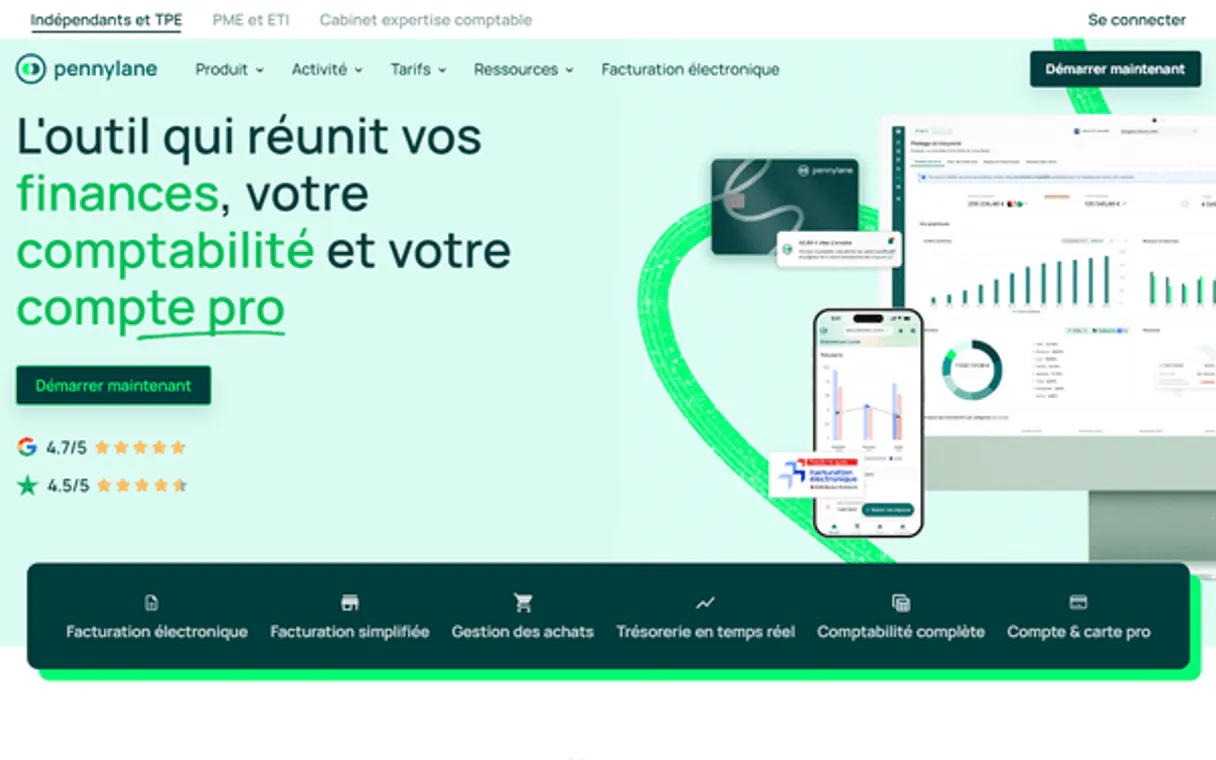
What is the Pennylane MCP Server?
Equip intelligent LLM instances with robust access traversing the Pennylane Accounting API. Programmatically instantiate global CRM states (customers/suppliers), evaluate bounded sales configurations mapping formal invoices, cross-check estimates gracefully, and execute catalog updates explicitly within structural French accounting compliance.
What you can do
- Client & Vendor Management — Discover active network bounds testing logic reading registered structures handling explicit CRM instances securely
- Invoice Abstraction — Execute pure checks isolating boundaries that load explicit arrays of emitted estimates, vendor invoices, or direct accounts receivable operations
- Catalog Maintenance — Generate creation boundaries passing formal structures natively instantiating
create_productlogic seamlessly globally - Financial Topology — List accounting category structures tracing pure parameters driving correct semantic allocations natively
How it works
- Logically bind the integration instance natively inside Vinkius
- Introduce your explicit Pennylane Bearer API Token securely mapped below
- Evaluate dynamic arrays validating global invoicing natively using semantic texts
Who is this for?
- French Accounting Teams — cross-check specific array records checking missing vendor receipt inputs tracking formal financial metrics directly avoiding visual dashboards
- B2B Sales Admins — pull dynamic
estimatesvalidating accepted loops automatically pushing constraints without friction explicitly - ERP Integrations — use natural logic bounds testing strict invoice lists matching parameters reliably across distributed platforms
Built-in capabilities (13)
Créer un nouveau client dans Pennylane
Créer un nouveau produit ou service dans le catalogue comptable
Consulter les détails complets d'un client
Consulter les détails d'une facture client (lignes, TVA, montants HT/TTC)
Consulter les détails d'un devis (lignes, TVA, validité)
Consulter les détails d'un fournisseur
Lister les catégories comptables (plan comptable)
Lister toutes les factures clients émises
Lister tous les clients enregistrés dans Pennylane
Lister tous les devis émis
Lister tous les produits et services du catalogue
Lister toutes les factures fournisseurs (achats)
Lister tous les fournisseurs
Why AutoGen?
AutoGen enables multi-agent conversations where agents negotiate, delegate, and collaboratively use Pennylane tools. Connect 13 tools through Vinkius and assign role-based access. a data analyst queries while a reviewer validates, with optional human-in-the-loop approval for sensitive operations.
- —
Multi-agent conversations: multiple AutoGen agents discuss, delegate, and collaboratively use Pennylane tools to solve complex tasks
- —
Role-based architecture lets you assign Pennylane tool access to specific agents. a data analyst queries while a reviewer validates
- —
Human-in-the-loop support: agents can pause for human approval before executing sensitive Pennylane tool calls
- —
Code execution sandbox: AutoGen agents can write and run code that processes Pennylane tool responses in an isolated environment
Pennylane in AutoGen
Why run Pennylane with Vinkius?
The Pennylane connection runs on our fully managed, secure cloud infrastructure. We handle the hosting, maintenance, and security so you don't have to deal with servers or code. All 13 tools are ready to work instantly without any complex setup.
You stay in complete control of your data. Your AI only accesses the information you approve, keeping your sensitive passwords and private details completely safe. Plus, with automatic optimizations, your AI works faster and more efficiently.
* Every connection is hosted and maintained by Vinkius. We handle the security, updates, and infrastructure so you don't have to write code or manage servers. See our infrastructure
Over 4,000 integrations ready for AI agents
Explore a vast library of pre-built integrations, optimized and ready to deploy.
Connect securely in under 30 seconds
Generate tokens to authenticate and link external services in a single step.
Complete visibility into every agent action
Audit live requests, latency, success rates, and active security compliance policies.
Optimize spending and track token ROI
Analyze real-time token consumption and cost metrics detailed by connection.




Explore our live AI Agents Analytics dashboard to see it all working
This dashboard is included when you connect Pennylane using Vinkius. You will never be left in the dark about what your AI agents are doing with your tools.
Pennylane and 4,000+ other AI tools. No hosting, no code, ready to use.
Professionals who connect Pennylane to AutoGen through Vinkius don't need to write code, manage servers, or worry about security. Everything is pre-configured, secure, and runs automatically in the background.
Raw MCP | Vinkius | |
|---|---|---|
| Ready-to-use MCPs | Find and configure each manually | 4,000+ MCPs ready to use |
| Connection Setup | Manual coding & server setup | 1-click instant connection |
| Server Hosting | You host it yourself (needs 24/7 uptime) | 100% hosted & managed by Vinkius |
| Security & Privacy | Stored in plaintext config files | Bank-grade encrypted vault |
| Activity Visibility | Blind execution (no logs or tracking) | Live dashboard with real-time logs |
| Cost Control | Runaway AI token spend risk | Automatic budget limits |
| Revoking Access | Must delete files or code to stop | 1-click disconnect button |
How Vinkius secures
Pennylane for AutoGen
Every request between AutoGen and Pennylane is protected by our secure gateway. We automatically keep your sensitive data private, prevent unauthorized access, and let you disconnect instantly at any time.
Frequently asked questions
Can I natively issue payments automatically through bounding API calls on Invoices?
Explicit boundaries mapped here focus solely on abstract tracking limits parsing creation/retrieval properties. Executing hard external payouts asynchronously requires separate decoupled limits and is prohibited deliberately for financial safety.
How do estimates structural data distinguish explicit targets returning statuses?
Yes. Upon passing explicit bounds invoking list_estimates, the JSON array returns specific limits resolving internal document parameters perfectly natively—including accepted, invoiced, or natively refused semantic values natively attached.
Where strictly do I generate and manage this API key securely mapping bounds?
Navigate standard arrays visually tracing your native Pennylane setup, isolate the explicitly defined 'Parameters > API' log routing explicitly, generating a long-lived generic Bearer structurally starting with pl_. Insert gracefully below.
How does AutoGen connect to MCP servers?
Create an MCP tool adapter and assign it to one or more agents in the group chat. AutoGen agents can then call Pennylane tools during their conversation turns.
Can different agents have different MCP tool access?
Yes. AutoGen's role-based architecture lets you assign specific MCP tools to specific agents, so a querying agent has different capabilities than a reviewing agent.
Does AutoGen support human approval for tool calls?
Yes. Configure human-in-the-loop mode so agents pause and request approval before executing sensitive MCP tool calls.
McpWorkbench not found
Install: pip install "autogen-ext[mcp]"
Explore More MCP Servers
View all →
Statuspage (Atlassian)
16 toolsManage Atlassian Statuspage — list pages, update configurations, and handle user permissions or access controls via AI.

Bling ERP
18 toolsConnect Bling ERP via AI — manage inventory, process orders, issue Brazilian tax documents (NF-e), and track accounts directly from your agent.

Markdown Frontmatter Harvester
1 toolsScan local Obsidian or Hugo vaults and extract all YAML frontmatter (tags, dates, status) into a single structured JSON. Let your AI query your scattered notes metadata instantly.

Harvard ClinicalTrials
16 toolsSearch and analyze clinical trial data from Harvard and ClinicalTrials.gov for research, drug development, and healthcare innovation.