
Bring Contract Drafting
to Claude Code
Create your Vinkius account to connect Spellbook Legal AI to Claude Code and start using all 13 AI tools in minutes. Fully managed, enterprise secure, and ready to use without writing a single line of code. No hosting, no server setup — just connect and start using.
 GDPR Free for Subscribers
Compatible with every major AI agent and IDE
 Gemini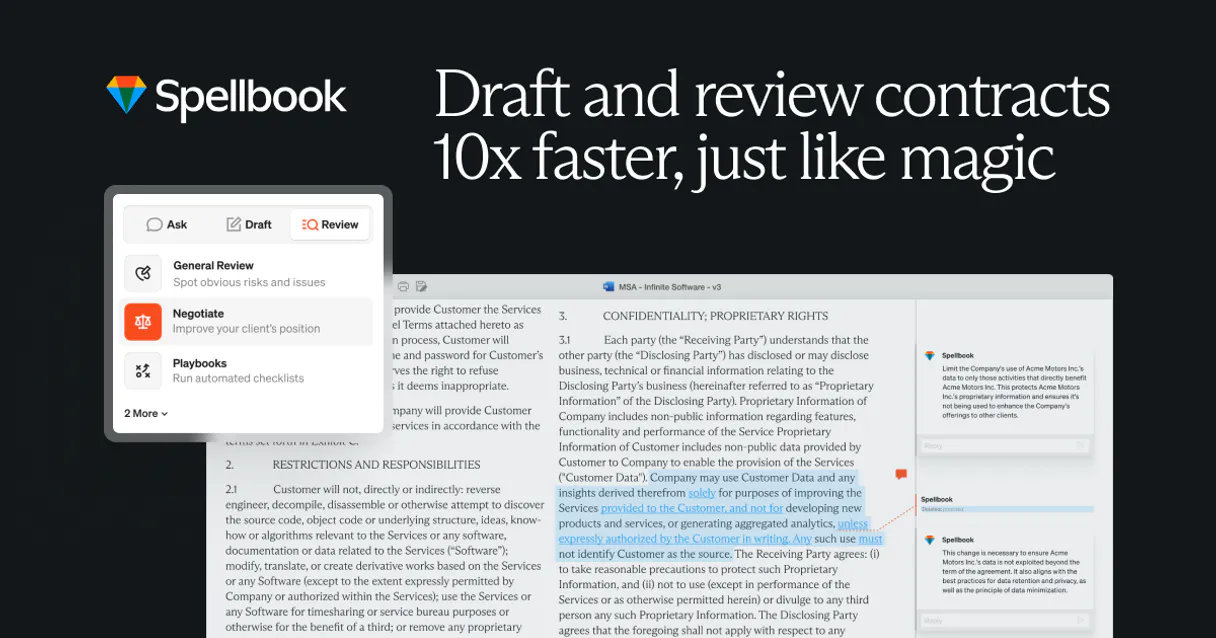
What is the Spellbook Legal AI MCP Server?
Connect to Spellbook Legal AI and bring AI-powered contract drafting, review, and analysis to any AI agent. Trusted by 4,000+ in-house teams and law firms worldwide, Spellbook helps transactional lawyers draft and review contracts faster and more accurately.
What you can do
- Contract Analysis — AI-powered review of contracts identifying risks, missing clauses, non-standard terms, and issues
- Clause Suggestions — Get AI-generated clause suggestions based on market standards and best practices
- Contract Comparison — Compare two contract versions to identify additions, deletions, and modifications
- Market Comparison — Compare contract terms against 2,000+ market precedents showing pro-buyer, pro-seller, and market-standard positions
- AI Clause Drafting — Generate AI-drafted clauses based on specified requirements, jurisdiction, and party position
- Contract Summarization — Generate concise summaries highlighting key terms, obligations, and risks
- Risk Assessment — Get comprehensive risk assessments with high, medium, and low risk issues and remediations
- Playbook Compliance — Check contracts against company playbooks to identify deviations from standards
- Clause Library Search — Search Spellbook's extensive clause library for standard, market-tested clauses
- Document Management — Upload, list, and search contract documents with filtering by status and type
How it works
- Subscribe to this server
- Enter your Spellbook API key (available in Spellbook account settings)
- Start drafting and reviewing contracts from Claude, Cursor, or any MCP-compatible client
Your AI becomes a transactional legal assistant, helping you draft clauses, review contracts, identify risks, and ensure market-standard terms.
Who is this for?
- Transactional Lawyers — draft and review contracts with AI-powered clause suggestions and market comparisons
- In-House Legal Teams — review vendor and customer contracts against company playbooks and standards
- Contract Managers — analyze contracts for risks, track changes between versions, and manage document libraries
- Legal Operations — automate contract review workflows and ensure consistent clause usage
- Law Students — practice contract drafting and learn market-standard clause positions
Built-in capabilities (13)
USE WHEN: - User wants to review a contract for risks - User needs to identify issues in a contract - User asks to "analyze this contract" or "review for risks" PARAMETERS: - document_id (REQUIRED): ID of the document to analyze - analysis_type (OPTIONAL): Type of analysis — "full" (default), "risks_only", "clause_check", "market_comparison" EXAMPLES: - "Analyze document 123 for risks" → call with document_id="123" - "Review this contract for issues" → call with document_id="123", analysis_type="full" - "Check clauses in document 456" → call with document_id="456", analysis_type="clause_check" Analyze a contract document for risks, issues, and suggestions
Check contract compliance against a playbook
USE WHEN: - User wants to compare two versions of a contract - User needs to identify changes between drafts - User asks to "compare these contracts" or "show differences" PARAMETERS: - document_id_1 (REQUIRED): ID of the first document - document_id_2 (REQUIRED): ID of the second document - comparison_type (OPTIONAL): Type of comparison — "full" (default), "clauses_only", "risk_comparison" EXAMPLES: - "Compare documents 123 and 456" → call with document_id_1="123", document_id_2="456" - "Show differences between contract versions" → call with document_id_1="123", document_id_2="456", comparison_type="full" Compare two contract versions to identify differences
USE WHEN: - User needs to draft a new clause for a contract - User wants AI to generate standard clause language - User asks to "draft a limitation of liability clause" or "write an indemnification clause" PARAMETERS: - clause_type (REQUIRED): Type of clause to draft (e.g. "Limitation of Liability", "Indemnification", "Confidentiality") - party_position (OPTIONAL): Which party position to draft for — "neutral" (default), "pro-buyer", "pro-seller", "pro-vendor" - jurisdiction (OPTIONAL): Jurisdiction for the clause (e.g. "New York", "Delaware", "California", "UK") - custom_instructions (OPTIONAL): Additional instructions or requirements for the clause EXAMPLES: - "Draft a limitation of liability clause" → call with clause_type="Limitation of Liability" - "Draft a pro-buyer indemnification clause for New York" → call with clause_type="Indemnification", party_position="pro-buyer", jurisdiction="New York" - "Write a confidentiality clause with custom instructions" → call with clause_type="Confidentiality", custom_instructions="Include data breach notification requirements" Draft a contract clause using Spellbook AI
Get AI clause suggestions for a contract document
Get detailed information for a specific contract document
Shows pro-buyer, pro-seller, and market-standard positions. Get market comparison data for a specific clause type
Get a detailed risk assessment for a contract document
Supports filtering by status, document type, and date range. USE WHEN: - User wants to see all their contract documents - User needs to find contracts by status or type - User is exploring their document library - User asks "what contracts do I have" or "list my documents" PARAMETERS: - status (OPTIONAL): Filter by document status (e.g. "Draft", "In Review", "Finalized") - document_type (OPTIONAL): Filter by document type (e.g. "NDA", "MSA", "SOW", "Employment Agreement") - date_from (OPTIONAL): Start date filter (YYYY-MM-DD) - date_to (OPTIONAL): End date filter (YYYY-MM-DD) - page (OPTIONAL): Page number for pagination - page_size (OPTIONAL): Results per page (default: 25, max: 100) EXAMPLES: - "List all my contract documents" → call with no params - "Show contracts in review" → call with status="In Review" - "List NDAs" → call with document_type="NDA" List all contract documents in Spellbook
Search the Spellbook clause library for standard clauses
Search contract documents by keyword
Generate an AI summary of a contract document
USE WHEN: - User wants to upload a new contract for review - User needs to analyze a contract received from another party - User asks to "upload this contract" or "analyze this document" PARAMETERS: - file_name (REQUIRED): Name of the document file - file_content (REQUIRED): Base64-encoded file content or document text - document_type (OPTIONAL): Type of document (e.g. "NDA", "MSA", "SOW") EXAMPLES: - "Upload this NDA for review" → call with file_name="NDA.pdf", file_content="[base64 content]", document_type="NDA" - "Analyze this MSA contract" → call with file_name="MSA.docx", file_content="[base64 content]", document_type="MSA" Upload a contract document to Spellbook for analysis
Why Claude Code?
Claude Code registers Spellbook Legal AI as an MCP server in a single terminal command. Once connected, Claude Code discovers all 13 tools at runtime and can call them headlessly. ideal for CI/CD pipelines, cron jobs, and automated workflows where Spellbook Legal AI data drives decisions without human intervention.
- —
Single-command setup:
claude mcp addregisters the server instantly. no config files to edit or applications to restart - —
Terminal-native workflow means MCP tools integrate seamlessly into shell scripts, CI/CD pipelines, and automated DevOps tasks
- —
Claude Code runs headlessly, enabling unattended batch processing using Spellbook Legal AI tools in cron jobs or deployment scripts
- —
Built by the same team that created the MCP protocol, ensuring first-class compatibility and the fastest adoption of new protocol features
Spellbook Legal AI in Claude Code
Why run Spellbook Legal AI with Vinkius?
The Spellbook Legal AI connection runs on our fully managed, secure cloud infrastructure. We handle the hosting, maintenance, and security so you don't have to deal with servers or code. All 13 tools are ready to work instantly without any complex setup.
You stay in complete control of your data. Your AI only accesses the information you approve, keeping your sensitive passwords and private details completely safe. Plus, with automatic optimizations, your AI works faster and more efficiently.
* Every connection is hosted and maintained by Vinkius. We handle the security, updates, and infrastructure so you don't have to write code or manage servers. See our infrastructure
Over 4,000 integrations ready for AI agents
Explore a vast library of pre-built integrations, optimized and ready to deploy.
Connect securely in under 30 seconds
Generate tokens to authenticate and link external services in a single step.
Complete visibility into every agent action
Audit live requests, latency, success rates, and active security compliance policies.
Optimize spending and track token ROI
Analyze real-time token consumption and cost metrics detailed by connection.




Explore our live AI Agents Analytics dashboard to see it all working
This dashboard is included when you connect Spellbook Legal AI using Vinkius. You will never be left in the dark about what your AI agents are doing with your tools.
Spellbook Legal AI and 4,000+ other AI tools. No hosting, no code, ready to use.
Professionals who connect Spellbook Legal AI to Claude Code through Vinkius don't need to write code, manage servers, or worry about security. Everything is pre-configured, secure, and runs automatically in the background.
Raw MCP | Vinkius | |
|---|---|---|
| Ready-to-use MCPs | Find and configure each manually | 4,000+ MCPs ready to use |
| Connection Setup | Manual coding & server setup | 1-click instant connection |
| Server Hosting | You host it yourself (needs 24/7 uptime) | 100% hosted & managed by Vinkius |
| Security & Privacy | Stored in plaintext config files | Bank-grade encrypted vault |
| Activity Visibility | Blind execution (no logs or tracking) | Live dashboard with real-time logs |
| Cost Control | Runaway AI token spend risk | Automatic budget limits |
| Revoking Access | Must delete files or code to stop | 1-click disconnect button |
How Vinkius secures
Spellbook Legal AI for Claude Code
Every request between Claude Code and Spellbook Legal AI is protected by our secure gateway. We automatically keep your sensitive data private, prevent unauthorized access, and let you disconnect instantly at any time.
Frequently asked questions
What types of contracts can Spellbook analyze?
Spellbook can analyze a wide range of commercial contracts including NDAs, MSAs, SOWs, employment agreements, vendor agreements, customer contracts, licensing agreements, real estate contracts, and more. The AI is trained on thousands of market precedents and can identify risks, non-standard terms, and missing clauses across all common commercial contract types.
How does the market comparison feature work?
The market comparison feature compares your contract clauses against 2,000+ market precedents to show how your terms compare to market standards. It shows pro-buyer, pro-seller, and market-standard positions for each clause type, helping you understand whether your terms are favorable, aggressive, or in line with market norms.
How do I get a Spellbook API key?
Visit Spellbook.legal and sign up for an account. Navigate to Settings → Integrations or API Settings in your account dashboard to generate an API key. The key gives you access to contract analysis, clause drafting, risk detection, and market comparison features. Contact Spellbook support if you need help setting up API access.
Can Spellbook draft custom clauses for specific jurisdictions?
Yes! When drafting clauses with draft_spellbook_clause, you can specify the jurisdiction (e.g. New York, Delaware, California, UK, EU), party position (pro-buyer, pro-seller, neutral), and custom instructions. The AI generates clauses tailored to the specified jurisdiction's legal requirements and your preferred negotiating position.
How do I add an MCP server to Claude Code?
Run claude mcp add <name> --transport http "<url>" in your terminal. Claude Code registers the server and discovers all tools immediately.
Can Claude Code run MCP tools in headless mode?
Yes. Claude Code supports non-interactive execution, making it ideal for scripts, cron jobs, and CI/CD pipelines that need MCP tool access.
How do I list all connected MCP servers?
Run claude mcp in your terminal to see all registered servers and their status, or type /mcp inside an active Claude Code session.
Command not found: claude
Ensure Claude Code is installed globally: npm install -g @anthropic-ai/claude-code
Connection timeout
Check your internet connection and verify the Edge URL is reachable
Explore More MCP Servers
View all →
Amazon DSP
7 toolsDemand-Side Platform orchestration — manage display campaigns, audiences, and creatives via AI.

PushPress
8 toolsManage members, check-ins, classes, plans, and appointments for your PushPress gym through natural conversation.

Microsoft Clarity
13 toolsSee exactly how users interact with your website through heatmaps, session recordings, and behavioral analytics that reveal UX insights.

Avalara AvaTax
4 toolsManage sales tax — audit transactions, addresses, and codes via AI.