
Bring Astronomy
to Claude Desktop
Create your Vinkius account to connect NASA Full — Ultimate Space Intelligence to Claude Desktop and start using all 32 AI tools in minutes. Fully managed, enterprise secure, and ready to use without writing a single line of code. No hosting, no server setup — just connect and start using.
 GDPR Free for Subscribers
Compatible with every major AI agent and IDE
 Gemini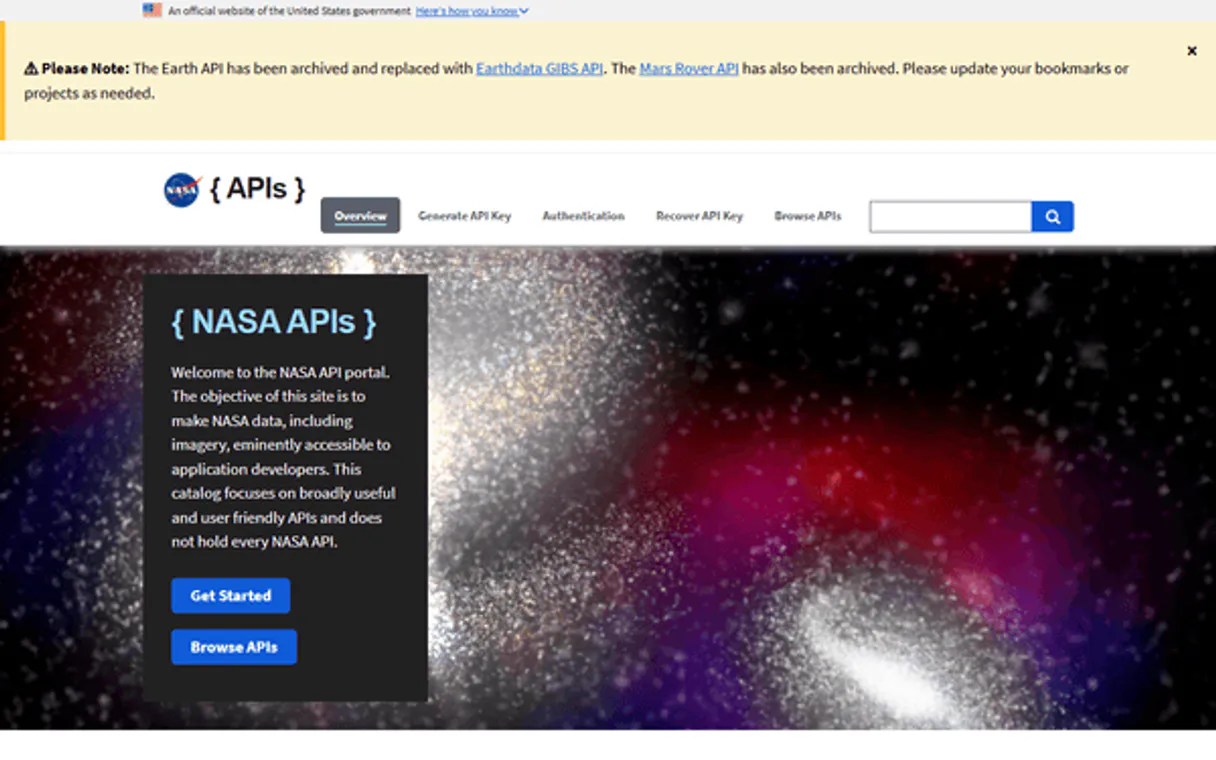
What is the NASA Full — Ultimate Space Intelligence MCP Server?
The ultimate NASA Mega-Server — 32+ tools across 7 domains from 10 data sources.
32+ Tools
- 🌌 APOD (3) — Today, date range, random
- ☄️ Asteroids (5) — NEOs, close approaches, fireballs
- 🔴 Mars (4) — Photos by sol/date, manifests, latest
- ☀️ Space Weather (7) — CME, flares, storms, shocks, particles
- 🌍 Earth (5) — EPIC imagery, EONET events
- 🪐 Exoplanets (4) — Confirmed, habitable zone, stats
- 📸 Media (4) — Images, videos, patents
One API Key for Everything
Built-in capabilities (32)
Includes title, explanation, image URL, copyright, and media type (image or video). Running since June 16, 1995 — one of the most popular websites across all federal agencies. Get the Astronomy Picture of the Day — NASA's most popular API
Great for exploring a week or month of astronomical imagery. Maximum range is about 30 days per request. Get APOD images for a date range
Filter by distance threshold, date range, and minimum size. Critical for planetary defense monitoring. Get future close approaches of asteroids to Earth from JPL CNEOS
CMEs are massive bursts of solar wind and magnetic fields from the Sun. Earth-directed CMEs cause geomagnetic storms and aurora. Default: last 30 days. Get Coronal Mass Ejection (CME) events from NASA DONKI
A unified feed of all space weather events: CMEs, flares, storms, shocks, and radiation events. Good for a quick overview of recent solar activity. Get all recent DONKI space weather notifications
Each entry includes coordinates, sun position, and image identifier for constructing the full image URL. Get EPIC Earth images for a specific date
Useful for finding specific dates of interest before requesting images. List all dates with available EPIC Earth images
5 million km from Earth. Available in natural color or enhanced color. Get the latest full-disk images of Earth from the DSCOVR satellite
List all EONET natural event categories
Includes location, velocity, energy (kilotons of TNT equivalent), and altitude. Covers events worldwide. Get atmospheric fireball (bolide) events detected by US government sensors
Includes Kp index and linked CME/shock data. Storms above Kp=7 are severe, Kp=9 is extreme. Affects power grids, GPS, satellites, and enables aurora at low latitudes. Get geomagnetic storm events from NASA DONKI
These are the most promising candidates for life. Get exoplanets in the habitable zone — where liquid water could exist
Shocks often precede geomagnetic storms and are caused by CME-driven disturbances in the solar wind. Get interplanetary shock wave events from NASA DONKI
Curiosity is still active and sending new photos. Opportunity and Spirit missions have ended but their full archives are available. Get the most recent photos from a Mars rover
Essential for understanding what data is available. Get the mission manifest for a Mars rover
Filter by camera: FHAZ (front hazard), RHAZ (rear hazard), MAST (mast), CHEMCAM, MAHLI, MARDI, NAVCAM. Curiosity has 800K+ photos. Get Mars rover photos by sol number and camera
Easier than using sol numbers. Works with all three rovers. Get Mars rover photos by Earth date
Use NASA IDs from search results. Get download URLs for a NASA media asset by its NASA ID
Get full metadata for a NASA media asset
Categories include wildfires, volcanic eruptions, severe storms, sea ice, dust/haze, floods, and earthquakes. Includes coordinates and source links. Get active natural events worldwide: wildfires, volcanoes, storms, icebergs
Returns 20 asteroids per page. Use for exploring the complete known catalog of near-Earth objects. Browse the complete catalog of known near-Earth asteroids
Includes estimated diameter, velocity, miss distance, and whether potentially hazardous. Source: NASA NeoWs. Get near-Earth asteroids approaching within a date range
Use SPK-IDs from the feed endpoint. Get detailed information about a specific asteroid by its NASA SPK-ID
Shows how exoplanet science has exploded since Kepler's launch in 2009. Get global exoplanet discovery statistics: totals, methods, yearly trends
The Van Allen radiation belts can be energized during geomagnetic storms, posing risks to satellites in medium Earth orbit. Get radiation belt enhancement events from NASA DONKI
Perfect for discovering amazing space imagery you might have missed. Default: 5 random images. Get random Astronomy Pictures of the Day from the 30-year archive
SEPs are dangerous to astronauts and can damage satellite electronics. Get Solar Energetic Particle (SEP) events from NASA DONKI
Classes: C (common), M (moderate), X (extreme). X-class flares cause radio blackouts and satellite disruption. Includes begin/peak/end times, active region, and instruments that detected it. Get solar flare events by class (C, M, X) from NASA DONKI
Transit is the most productive method (>75% of all discoveries). Kepler and TESS are the primary transit missions. Get exoplanets discovered via the transit method (Kepler/TESS)
Filter by planet name, discovery method (Transit, Radial Velocity, Imaging, Microlensing), discovery facility (Kepler, TESS, Keck), or year. Returns orbital period, radius, mass, equilibrium temperature. Search confirmed exoplanets by name, discovery method, facility, or year
Covers every mission: Apollo, Space Shuttle, ISS, Hubble, Webb, Mars rovers, and more. Filter by media type and year range. Search NASA's image and video library — 140,000+ assets
NASA technologies have been adapted into thousands of commercial products — from memory foam to water purification systems. Search NASA patents and technology spinoffs available for licensing
Why Claude Desktop?
Claude Desktop is the definitive way to connect NASA Full — Ultimate Space Intelligence to your AI workflow. Add Vinkius Edge URL to your config, restart the app, and Claude immediately exposes all 32 tools in the chat interface. ask a question, Claude calls the right tool, and you see the answer. Zero code, zero context switching.
- —
Claude Desktop is the reference MCP client. it was designed alongside the protocol itself, ensuring the most complete and stable MCP implementation available
- —
Zero-code configuration: add a server URL to a JSON file and Claude instantly discovers and exposes all available tools in the chat interface
- —
Claude's extended thinking capability lets it reason through multi-step tool usage, chaining multiple API calls to answer complex questions
- —
Enterprise-grade security with local config storage. your tokens never leave your machine, and connections go directly to Vinkius Edge network
NASA Full — Ultimate Space Intelligence in Claude Desktop
Why run NASA Full — Ultimate Space Intelligence with Vinkius?
The NASA Full — Ultimate Space Intelligence connection runs on our fully managed, secure cloud infrastructure. We handle the hosting, maintenance, and security so you don't have to deal with servers or code. All 32 tools are ready to work instantly without any complex setup.
You stay in complete control of your data. Your AI only accesses the information you approve, keeping your sensitive passwords and private details completely safe. Plus, with automatic optimizations, your AI works faster and more efficiently.
* Every connection is hosted and maintained by Vinkius. We handle the security, updates, and infrastructure so you don't have to write code or manage servers. See our infrastructure
Over 4,000 integrations ready for AI agents
Explore a vast library of pre-built integrations, optimized and ready to deploy.
Connect securely in under 30 seconds
Generate tokens to authenticate and link external services in a single step.
Complete visibility into every agent action
Audit live requests, latency, success rates, and active security compliance policies.
Optimize spending and track token ROI
Analyze real-time token consumption and cost metrics detailed by connection.




Explore our live AI Agents Analytics dashboard to see it all working
This dashboard is included when you connect NASA Full — Ultimate Space Intelligence using Vinkius. You will never be left in the dark about what your AI agents are doing with your tools.
NASA Full — Ultimate Space Intelligence and 4,000+ other AI tools. No hosting, no code, ready to use.
Professionals who connect NASA Full — Ultimate Space Intelligence to Claude Desktop through Vinkius don't need to write code, manage servers, or worry about security. Everything is pre-configured, secure, and runs automatically in the background.
Raw MCP | Vinkius | |
|---|---|---|
| Ready-to-use MCPs | Find and configure each manually | 4,000+ MCPs ready to use |
| Connection Setup | Manual coding & server setup | 1-click instant connection |
| Server Hosting | You host it yourself (needs 24/7 uptime) | 100% hosted & managed by Vinkius |
| Security & Privacy | Stored in plaintext config files | Bank-grade encrypted vault |
| Activity Visibility | Blind execution (no logs or tracking) | Live dashboard with real-time logs |
| Cost Control | Runaway AI token spend risk | Automatic budget limits |
| Revoking Access | Must delete files or code to stop | 1-click disconnect button |
How Vinkius secures
NASA Full — Ultimate Space Intelligence for Claude Desktop
Every request between Claude Desktop and NASA Full — Ultimate Space Intelligence is protected by our secure gateway. We automatically keep your sensitive data private, prevent unauthorized access, and let you disconnect instantly at any time.
Frequently asked questions
Why Full instead of individual servers?
The Full server has all 32+ tools from 10 NASA data sources. Query APOD AND asteroids AND Mars AND solar flares AND exoplanets in a single session. One API key covers everything.
How many exoplanets does the API track?
The Exoplanet Archive API tracks over 5,700 confirmed exoplanets, including their detailed physical characteristics, orbital data, and habitable zone status.
Does this include the Astronomy Picture of the Day (APOD)?
Yes, the Full server includes complete access to APOD, allowing you to get today's image, search by specific dates, or retrieve a random selection of breathtaking astronomy pictures.
How does Claude Desktop discover MCP tools?
When Claude Desktop starts, it reads the claude_desktop_config.json file and connects to each configured MCP server. It calls the tools/list endpoint to fetch the schema for every available tool, then surfaces them as clickable options in the chat interface via the 🔌 icon.
What happens if the MCP server is temporarily unavailable?
Claude Desktop handles disconnections gracefully. if the server is unreachable at startup, the tools simply won't appear. Once the server becomes available again, restarting Claude Desktop will re-establish the connection. There is no timeout penalty or error loop.
Can I connect multiple MCP servers simultaneously?
Yes. You can add as many servers as you need in the mcpServers section of the config file. Each server appears as a separate tool provider, and Claude can use tools from multiple servers in a single conversation turn.
Is there a limit on the number of tools per server?
Claude Desktop can handle hundreds of tools per server. However, for optimal LLM performance, Vinkius servers are designed to expose focused, well-documented tool sets rather than overwhelming the model with too many options.
Does Claude Desktop support Streamable HTTP transport?
Yes. Claude Desktop supports both SSE (Server-Sent Events) and the newer Streamable HTTP transport that Vinkius uses. Simply provide the server URL. Claude auto-negotiates the transport protocol.
Server not appearing after restart
Ensure the JSON is valid (no trailing commas). Check the file path: ~/Library/Application Support/Claude/claude_desktop_config.json (macOS) or %APPDATA%\\Claude\\ (Windows).
Authentication error
Verify your Vinkius token is correct. Go to cloud.vinkius.com to regenerate it if needed.
Tools not showing in chat
Click the 🔌 icon at the bottom of the chat input. If it shows 0 tools, the server may still be connecting. wait a few seconds.
Explore More MCP Servers
View all →
Hostaway
8 toolsManage vacation rental listings, reservations, calendar, channels, guest conversations, and financials for your Hostaway properties through natural conversation.
Calendarific
6 toolsAccess global holiday data via Calendarific — track public, religious, and local holidays across 230+ countries directly from any AI agent.
SketricGen
18 toolsConnect your AI agents to SketricGen to run multi-agent workflows, manage knowledge bases, debug traces, and interact with contacts.

Howspace
7 toolsFacilitate collaborative learning and organizational development with AI-powered workshops that engage participants at scale.