
Bring Noaa
to Cline
Learn how to connect NCEI Climate Data Online (NOAA Archive) to Cline and start using 10 AI agent tools in minutes. Fully managed, enterprise secure, and ready to use without writing a single line of code.
 GDPR Free for Subscribers
Compatible with every major AI agent and IDE
 Gemini
What is the NCEI Climate Data Online (NOAA Archive) MCP Server?
Connect your AI agent to the NCEI Climate Data Online archive and explore decades of global environmental records through natural language.
What you can do
- Datasets & Categories — Browse primary data groupings like Daily Summaries (GHCND) or Global Summary of the Month (GSOM) using
list_datasetsandlist_datacategories. - Location Discovery — Find specific geopolitical entities, cities, or zip codes using
list_locationsandlist_locationcategoriesto narrow your search. - Station Metadata — Identify weather observing platforms and stations worldwide with
list_stationsto find the exact source of climate records. - Data Type Inspection — Query specific climate variables such as precipitation (PRCP), average temperature (TAVG), or snow depth using
list_datatypes. - Historical Analysis — Retrieve precise climate observations for specific timeframes and locations to power research or environmental reporting.
How it works
- Subscribe to this server
- Request a free API Token from the NOAA NCEI portal
- Start querying historical weather data directly from your AI client
Who is this for?
- Data Scientists & Researchers — quickly locate and verify available climate datasets without manual API exploration
- Environmental Consultants — retrieve station metadata and location-specific weather history for impact reports
- Developers — integrate reliable, government-backed climate data into applications using natural language queries
Built-in capabilities (10)
Annual/Monthly data limited to 10-year range; other data limited to 1-year range. Fetch actual observations and ancillary attributes
Access subset data in multiple formats
List general types of data used to group similar data types
g., Daily Summaries, Global Summary of the Month). Find information about available NCEI datasets
List specific types of data (e.g., TAVG, PRCP)
List groupings of similar locations (e.g., Countries, States)
List geopolitical entities or bounding areas
List weather observing platforms
Discover data based on temporal and spatial parameters
Discover datasets based on temporal and spatial parameters
Why Cline?
Cline operates autonomously inside VS Code. it reads your codebase, plans a strategy, and executes multi-step tasks including NCEI Climate Data Online (NOAA Archive) tool calls without waiting for prompts between steps. Connect 10 tools through Vinkius and Cline can fetch data, generate code, and commit changes in a single autonomous run.
- —
Cline operates autonomously. it reads your codebase, plans a strategy, and executes multi-step tasks including MCP tool calls without step-by-step prompts
- —
Runs inside VS Code, so you get MCP tool access alongside your existing extensions, terminal, and version control in a single window
- —
Cline can create, edit, and delete files based on MCP tool responses, enabling end-to-end automation from data retrieval to code generation
- —
Transparent execution: every tool call and file change is shown in Cline's activity log for full visibility and approval before committing
NCEI Climate Data Online (NOAA Archive) in Cline
NCEI Climate Data Online (NOAA Archive) and 4,000+ other MCP servers. One platform. One governance layer.
Teams that connect NCEI Climate Data Online (NOAA Archive) to Cline through Vinkius don't need to source, host, or maintain individual MCP servers. Every tool call runs inside a hardened runtime with credential isolation, DLP, and a signed audit chain.
Raw MCP | Vinkius | |
|---|---|---|
| Server catalog | Find and host yourself | 4,000+ managed |
| Infrastructure | Self-hosted | Sandboxed V8 isolates |
| Credential handling | Plaintext in config | Vault + runtime injection |
| Data loss prevention | None | Configurable DLP policies |
| Kill switch | None | Global instant shutdown |
| Financial circuit breakers | None | Per-server limits + alerts |
| Audit trail | None | Ed25519 signed logs |
| SIEM log streaming | None | Splunk, Datadog, Webhook |
| Honeytokens | None | Canary alerts on leak |
| Custom domains | Not applicable | DNS challenge verified |
| GDPR compliance | Manual effort | Automated purge + export |
Why teams choose Vinkius for NCEI Climate Data Online (NOAA Archive) in Cline
The NCEI Climate Data Online (NOAA Archive) MCP Server runs on Vinkius-managed infrastructure inside AWS — a purpose-built runtime with per-request V8 isolates, Ed25519 signed audit chains, and sub-40ms cold starts. All 10 tools execute in hardened sandboxes optimized for native MCP execution.
Your AI agents in Cline only access the data you authorize, with DLP that blocks sensitive information from ever reaching the model, kill switch for instant shutdown, and up to 60% token savings. Enterprise-grade infrastructure, zero maintenance.
* Every MCP server runs on Vinkius-managed infrastructure inside AWS - a purpose-built runtime with per-request V8 isolates, Ed25519 signed audit chains, and sub-40ms cold starts optimized for native MCP execution. See our infrastructure
How Vinkius secures
NCEI Climate Data Online (NOAA Archive) for Cline
Every tool call from Cline to the NCEI Climate Data Online (NOAA Archive) MCP Server is protected by DLP redaction, cryptographic audit chains, V8 sandbox isolation, kill switch, and financial circuit breakers.
Frequently asked questions
How do I find the specific ID for a weather station in a certain city?
You can use the list_stations tool and provide a locationid. To find the correct location ID first, use the list_locations tool to search by city or state name.
What is the difference between a Data Category and a Data Type?
Data Categories (retrieved via list_datacategories) are broad groups like 'Temperature' or 'Precipitation'. Data Types (retrieved via list_datatypes) are specific codes like 'TMAX' (Maximum temperature) or 'PRCP' (Precipitation amount).
Can I see what datasets are available for a specific date range?
Yes, the list_datasets tool accepts startdate and enddate parameters. This allows you to filter the archive for datasets that have coverage during your period of interest.
How does Cline connect to MCP servers?
Cline reads MCP server configurations from its settings panel in VS Code. Add the server URL and Cline discovers all available tools on initialization.
Can Cline run MCP tools without approval?
By default, Cline asks for confirmation before executing tool calls. You can configure auto-approval rules for trusted servers in the settings.
Does Cline support multiple MCP servers at once?
Yes. Configure as many servers as needed. Cline can use tools from different servers within the same autonomous task execution.
Server shows error in sidebar
Click the server name to see logs. Verify the URL and token are correct.
Explore More MCP Servers
View all →
HashiCorp Vault
50 toolsSecurely manage secrets, tokens, and encryption keys via HashiCorp Vault — read KV secrets, generate dynamic credentials, and monitor system health.
Smeetz
6 toolsManage your Smeetz commerce operations — list products, handle bookings, and manage customer data directly from any AI agent.
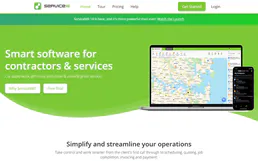
ServiceM8
9 toolsRun your field service business with job scheduling, quoting, invoicing, and GPS tracking from your phone or tablet.
Mapbox (Maps & Geospatial)
10 toolsBuild with location data via Mapbox — geocode addresses, calculate routes, and solve trip optimization.