
Bring Daily Planning
to Google ADK
Create your Vinkius account to connect Sunsama to Google ADK and start using all 8 AI tools in minutes. Fully managed, enterprise secure, and ready to use without writing a single line of code. No hosting, no server setup — just connect and start using.
 GDPR Free for Subscribers
Compatible with every major AI agent and IDE
 Gemini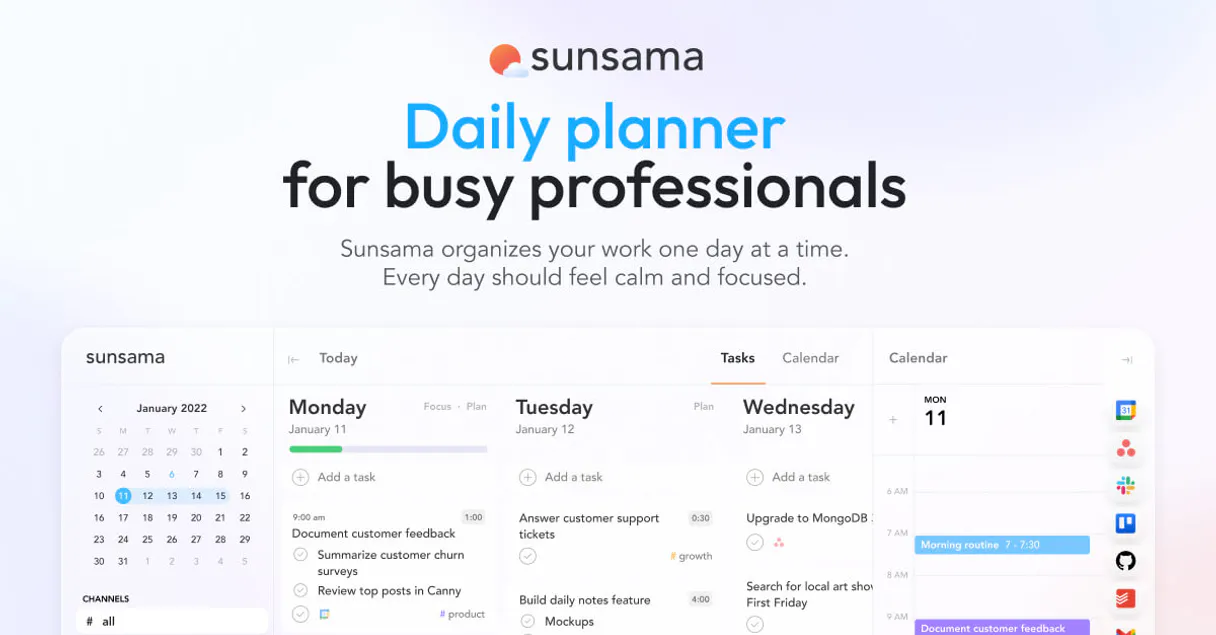
What is the Sunsama MCP Server?
Integrate the mindful focus of the Sunsama daily planner directly into your conversational AI environment. Empower your engineering or administrative focus by allowing your LLM to intuitively pull tasks, filter backlog activities, and assign contexts dynamically without constant tab-switching. With this MCP connector attached securely to your workspace, your conversational agent functions as an objective scheduling assistant, seamlessly tracking and resolving your agenda.
What you can do
- Agenda Discovery — Query your scheduled events actively using
list_tasksand retrieve deep contextual dependencies of an item utilizingget_task_details. - Task Orchestration — Add new action items seamlessly via
create_taskor modify ongoing assignments intuitively usingupdate_task. - Taxonomy Mapping — Review your organizational frameworks executing
list_channelsandlist_contextsto accurately file items according to team domains. - Profile Confirmations — Safely extract your user metadata boundaries and operational statuses natively invoking
get_user_profile.
How it works
- Enable the Sunsama MCP module orchestrator as an active system integration.
- Bind your verified
SUNSAMA_API_KEYdirectly from your workspace parameters precisely to your environment matrix. - Instruct your artificial intelligence concisely: "Analyze my pending tasks for today, generate a new assigned block under the 'Development' channel, and mark yesterday's review as completed."
Who is this for?
- Founders & Executives — Mitigate schedule conflicts iteratively without breaking focus, directing agenda adjustments via an analytical AI agent.
- Software Engineers — Centralize your daily planned agenda cleanly inside your IDE or local conversational CLI, reporting progress directly in real-time.
- Project Managers — Consolidate activities safely tracking team deliverables and personal timelines without bloated secondary interfaces.
Built-in capabilities (8)
Provide text and an optional planned date. Creates a new task in Sunsama
This action is irreversible. Permanently deletes a task
Retrieves details for a specific task
Retrieves the current user profile
g., "Work", "Personal"). Lists available Sunsama channels
Lists available Sunsama contexts
You can filter by date. Lists all tasks in Sunsama
Updates an existing task
Why Google ADK?
Google ADK natively supports Sunsama as an MCP tool provider. declare Vinkius Edge URL and the framework handles discovery, validation, and execution automatically. Combine 8 tools with Gemini's long-context reasoning for complex multi-tool workflows, with production-ready session management and evaluation built in.
- —
Google ADK natively supports MCP tool servers. declare a tool provider and the framework handles discovery, validation, and execution
- —
Built on Gemini models, ADK provides long-context reasoning ideal for complex multi-tool workflows with Sunsama
- —
Production-ready features like session management, evaluation, and deployment come built-in. not bolted on
- —
Seamless integration with Google Cloud services means you can combine Sunsama tools with BigQuery, Vertex AI, and Cloud Functions
Sunsama in Google ADK
Why run Sunsama with Vinkius?
The Sunsama connection runs on our fully managed, secure cloud infrastructure. We handle the hosting, maintenance, and security so you don't have to deal with servers or code. All 8 tools are ready to work instantly without any complex setup.
You stay in complete control of your data. Your AI only accesses the information you approve, keeping your sensitive passwords and private details completely safe. Plus, with automatic optimizations, your AI works faster and more efficiently.
* Every connection is hosted and maintained by Vinkius. We handle the security, updates, and infrastructure so you don't have to write code or manage servers. See our infrastructure
Over 4,000 integrations ready for AI agents
Explore a vast library of pre-built integrations, optimized and ready to deploy.
Connect securely in under 30 seconds
Generate tokens to authenticate and link external services in a single step.
Complete visibility into every agent action
Audit live requests, latency, success rates, and active security compliance policies.
Optimize spending and track token ROI
Analyze real-time token consumption and cost metrics detailed by connection.




Explore our live AI Agents Analytics dashboard to see it all working
This dashboard is included when you connect Sunsama using Vinkius. You will never be left in the dark about what your AI agents are doing with your tools.
Sunsama and 4,000+ other AI tools. No hosting, no code, ready to use.
Professionals who connect Sunsama to Google ADK through Vinkius don't need to write code, manage servers, or worry about security. Everything is pre-configured, secure, and runs automatically in the background.
Raw MCP | Vinkius | |
|---|---|---|
| Ready-to-use MCPs | Find and configure each manually | 4,000+ MCPs ready to use |
| Connection Setup | Manual coding & server setup | 1-click instant connection |
| Server Hosting | You host it yourself (needs 24/7 uptime) | 100% hosted & managed by Vinkius |
| Security & Privacy | Stored in plaintext config files | Bank-grade encrypted vault |
| Activity Visibility | Blind execution (no logs or tracking) | Live dashboard with real-time logs |
| Cost Control | Runaway AI token spend risk | Automatic budget limits |
| Revoking Access | Must delete files or code to stop | 1-click disconnect button |
How Vinkius secures
Sunsama for Google ADK
Every request between Google ADK and Sunsama is protected by our secure gateway. We automatically keep your sensitive data private, prevent unauthorized access, and let you disconnect instantly at any time.
Frequently asked questions
Are organizational channels safely isolated when using programmatic executions?
Yes. The AI intrinsically utilizes list_channels and list_contexts effectively to accurately parse pre-existing frameworks before assignment seamlessly.
Can the agent inadvertently destroy historical tracking via deletion?
The tool bounds the logic reliably using isolated mutation calls like delete_task. These are triggered explicitly, protecting chronological historical records systematically effectively internally.
Does the integration sync with external calendars like Google Calendar?
The MCP operates through the Sunsama API, which already consolidates events from Google Calendar, Outlook, and other connected services. Tasks you create or update via the AI will appear alongside your synced calendar events.
How does Google ADK connect to MCP servers?
Import the MCP toolset class and pass the server URL. ADK discovers and registers all tools automatically, making them available to your agent's tool-use loop.
Can ADK agents use multiple MCP servers?
Yes. Declare multiple MCP tool providers in your agent configuration. ADK merges all tool schemas and the agent can call tools from any server in a single turn.
Which Gemini models work best with MCP tools?
Gemini 2.0 Flash and Pro models both support function calling required for MCP tools. Flash is recommended for latency-sensitive use cases, Pro for complex reasoning.
McpToolset not found
Update: pip install --upgrade google-adk
Explore More MCP Servers
View all →
Google Air Quality
2 toolsUniversal air quality intelligence — get Google-powered AQI, pollutants, and health advice via AI.

Bloom Credit
10 toolsUnified access to credit data and reporting via Bloom Credit — manage consumers, order reports, and monitor scores directly from any AI agent.

HashiCorp Vault
50 toolsSecurely manage secrets, tokens, and encryption keys via HashiCorp Vault — read KV secrets, generate dynamic credentials, and monitor system health.
Exchange Rates API
7 toolsEquip your AI agent to access real-time and historical foreign exchange rates via the ExchangeRatesAPI.io service.