
Bring Social Listening
to Mastra AI
Create your Vinkius account to connect Lucidya to Mastra AI and start using all 7 AI tools in minutes. Fully managed, enterprise secure, and ready to use without writing a single line of code. No hosting, no server setup — just connect and start using.
 GDPR Free for Subscribers
Compatible with every major AI agent and IDE
 Gemini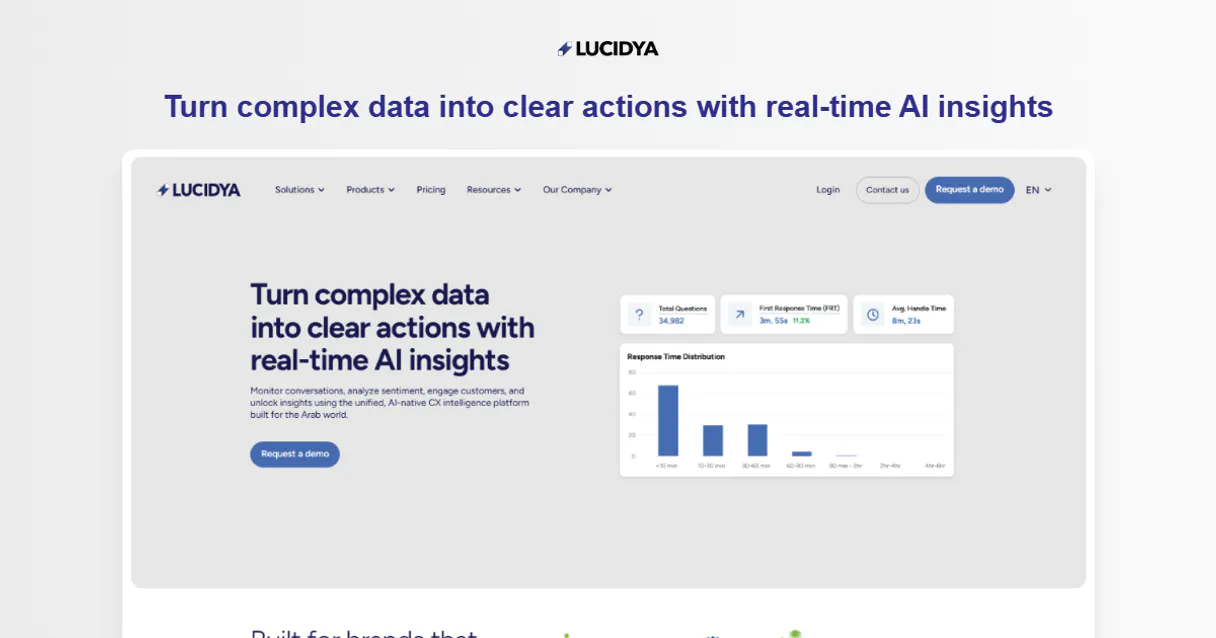
What is the Lucidya MCP Server?
Connect your Lucidya account to any AI agent to automate your social listening and customer engineering intelligence. This MCP server enables your agent to list monitors, analyze text sentiment using advanced AI, and retrieve unified customer profiles directly from natural language interfaces.
What you can do
- Social Listening — List all active and inactive monitors across Twitter, Instagram, and other sources
- AI Analysis — Perform advanced sentiment analysis and Arabic dialect detection on any text string
- CDP Access — Retrieve unified customer profiles and interaction histories from the Lucidya Customer Data Platform
- Service Analytics — Query KPIs and performance metrics for customer service via the OmniServe API
- Real-time Monitoring — Fetch complete metadata and status for your configured listening monitors
How it works
- Subscribe to this server
- Enter your Lucidya API Token
- Start managing your social intelligence from Claude, Cursor, or any MCP-compatible client
Who is this for?
- Brand Managers — Monitor social mentions and brand sentiment via simple natural language commands
- Customer Experience Teams — Quickly retrieve unified customer profiles and interaction histories
- Data Analysts — Automate the extraction of social metrics and AI-driven sentiment logs into your workflow
Built-in capabilities (7)
Analyze the sentiment of a given text
Detect the specific Arabic dialect of a text
Get complete details for a customer profile
Get details for a specific monitor
Query customer service analytics KPIs
List customer profiles from CDP
List all social media monitors
Why Mastra AI?
Mastra's agent abstraction provides a clean separation between LLM logic and Lucidya tool infrastructure. Connect 7 tools through Vinkius and use Mastra's built-in workflow engine to chain tool calls with conditional logic, retries, and parallel execution. deployable to any Node.js host in one command.
- —
Mastra's agent abstraction provides a clean separation between LLM logic and tool infrastructure. add Lucidya without touching business code
- —
Built-in workflow engine chains MCP tool calls with conditional logic, retries, and parallel execution for complex automation
- —
TypeScript-native: full type inference for every Lucidya tool response with IDE autocomplete and compile-time checks
- —
One-command deployment to any Node.js host. Vercel, Railway, Fly.io, or your own infrastructure
Lucidya in Mastra AI
Why run Lucidya with Vinkius?
The Lucidya connection runs on our fully managed, secure cloud infrastructure. We handle the hosting, maintenance, and security so you don't have to deal with servers or code. All 7 tools are ready to work instantly without any complex setup.
You stay in complete control of your data. Your AI only accesses the information you approve, keeping your sensitive passwords and private details completely safe. Plus, with automatic optimizations, your AI works faster and more efficiently.
* Every connection is hosted and maintained by Vinkius. We handle the security, updates, and infrastructure so you don't have to write code or manage servers. See our infrastructure
Over 4,000 integrations ready for AI agents
Explore a vast library of pre-built integrations, optimized and ready to deploy.
Connect securely in under 30 seconds
Generate tokens to authenticate and link external services in a single step.
Complete visibility into every agent action
Audit live requests, latency, success rates, and active security compliance policies.
Optimize spending and track token ROI
Analyze real-time token consumption and cost metrics detailed by connection.




Explore our live AI Agents Analytics dashboard to see it all working
This dashboard is included when you connect Lucidya using Vinkius. You will never be left in the dark about what your AI agents are doing with your tools.
Lucidya and 4,000+ other AI tools. No hosting, no code, ready to use.
Professionals who connect Lucidya to Mastra AI through Vinkius don't need to write code, manage servers, or worry about security. Everything is pre-configured, secure, and runs automatically in the background.
Raw MCP | Vinkius | |
|---|---|---|
| Ready-to-use MCPs | Find and configure each manually | 4,000+ MCPs ready to use |
| Connection Setup | Manual coding & server setup | 1-click instant connection |
| Server Hosting | You host it yourself (needs 24/7 uptime) | 100% hosted & managed by Vinkius |
| Security & Privacy | Stored in plaintext config files | Bank-grade encrypted vault |
| Activity Visibility | Blind execution (no logs or tracking) | Live dashboard with real-time logs |
| Cost Control | Runaway AI token spend risk | Automatic budget limits |
| Revoking Access | Must delete files or code to stop | 1-click disconnect button |
How Vinkius secures
Lucidya for Mastra AI
Every request between Mastra AI and Lucidya is protected by our secure gateway. We automatically keep your sensitive data private, prevent unauthorized access, and let you disconnect instantly at any time.
Frequently asked questions
How do I find my API Token?
Log in to your Lucidya account and navigate to Account Settings or API section to generate and copy your unique authorization token.
Does the AI analysis work for languages other than English?
Yes, Lucidya's AI is highly optimized for multiple languages, with specific advanced support for various Arabic dialects.
Can I retrieve historical social data?
You can retrieve any data that has been captured by your active monitors. Use the monitor_details tool to check what is currently being monitored.
How does Mastra AI connect to MCP servers?
Create an MCPClient with the server URL and pass it to your agent. Mastra discovers all tools and makes them available with full TypeScript types.
Can Mastra agents use tools from multiple servers?
Yes. Pass multiple MCP clients to the agent constructor. Mastra merges all tool schemas and the agent can call any tool from any server.
Does Mastra support workflow orchestration?
Yes. Mastra has a built-in workflow engine that lets you chain MCP tool calls with branching logic, error handling, and parallel execution.
createMCPClient not exported
Install: npm install @mastra/mcp
Explore More MCP Servers
View all →
Document Paginator Engine
1 toolsMathematically slice massive text blocks into token-safe chunks without ever truncating critical sentences.
Avalara (AvaTax)
10 toolsAutomate tax calculation and compliance with Avalara AvaTax — calculate rates and resolve addresses via AI.

TeleSign
10 toolsVerify user identities with phone number intelligence, SMS verification, and risk scoring that prevents fraud at sign-up.
Rocketlane
11 toolsDeliver customer onboarding projects on time with collaborative workspaces, task tracking, and time-to-value analytics.