
Bring Digital Library
to Windsurf
Create your Vinkius account to connect Internet Archive to Windsurf and start using all 10 AI tools in minutes. Fully managed, enterprise secure, and ready to use without writing a single line of code. No hosting, no server setup — just connect and start using.
 GDPR Free for Subscribers
Compatible with every major AI agent and IDE
 Gemini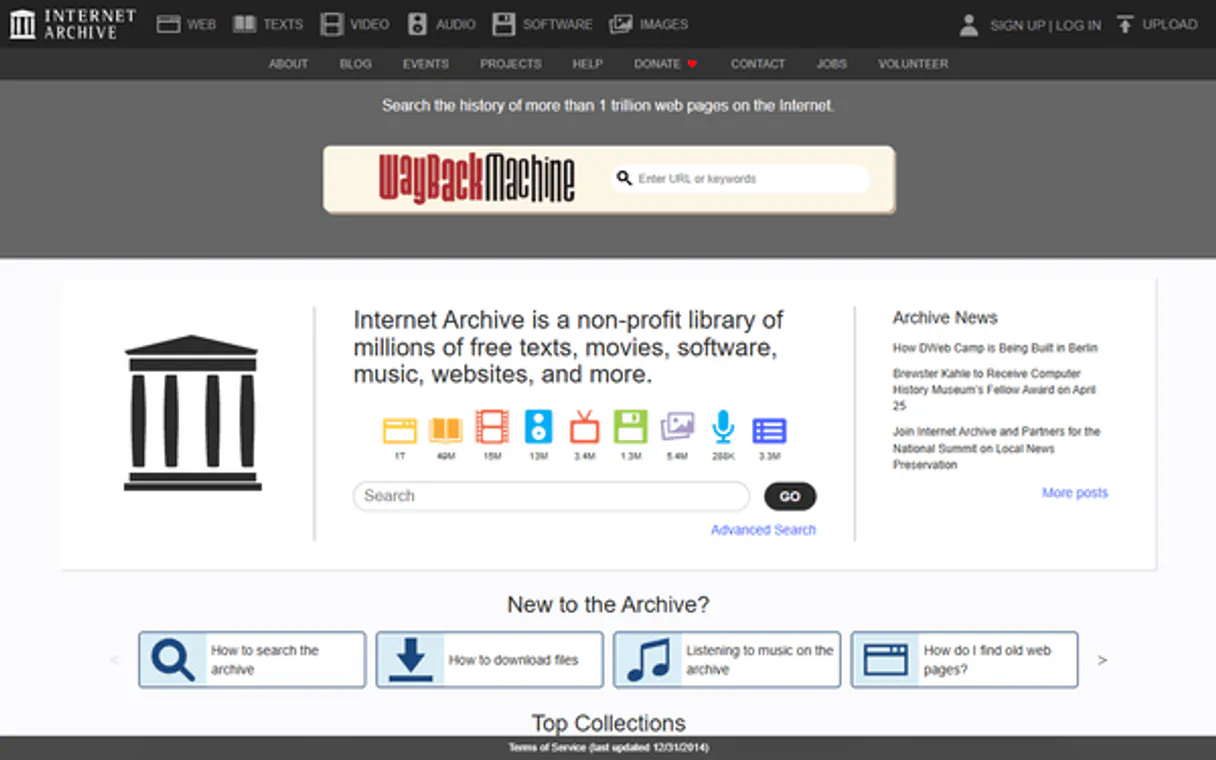
What is the Internet Archive MCP Server?
Connect the Internet Archive to any AI agent and access the world's largest digital library — 40M+ books, videos, audio recordings, software, images, and archived web pages — plus the Wayback Machine for historical website snapshots, all through natural conversation.
What you can do
- Universal Search — Search across the entire Internet Archive collection for books, films, music, software, images, and web pages with complex query syntax
- Collection Browsing — Explore curated collections like Prelinger Archives, Project Gutenberg, NASA images, TV news, and more
- Media Type Filtering — Search specifically for texts, movies, audio, software, images, or datasets
- Creator Search — Find all works by a specific author, director, musician, or organization
- Historical Date Range — Discover content from specific decades or year ranges
- Item Metadata — Get complete details for any item including description, subjects, collections, file formats, and download links
- File Listings — See all downloadable files for an item with formats (PDF, EPUB, MP4, MP3) and sizes
- User Reviews — Read community reviews and ratings for archived items
- Wayback Machine — Check if any URL has been archived and find the closest snapshot date
- View Statistics — Track popularity and access counts for archived items
How it works
- Subscribe to this server
- No API key needed — completely free and public
- Start searching the world's digital library from Claude, Cursor, or any MCP-compatible client
The Internet Archive is a non-profit library providing universal access to all knowledge — no authentication or registration required for searching and viewing.
Who is this for?
- Researchers & Students — find historical documents, academic papers, rare books, and primary sources from any era
- Journalists — use the Wayback Machine to find archived versions of websites, verify claims, and track content changes over time
- Content Creators — discover public domain films, music, and images for creative projects and video essays
- Historians — explore Prelinger Archives, government films, TV news coverage, and cultural artifacts from any decade
- Software Developers — access classic software, abandonware, and historical computing materials
Built-in capabilities (10)
Items may contain multiple files in various formats (PDF, EPUB, MP4, MP3, JPEG, etc.). The identifier is the unique item ID from search results or the item URL. Use this to see what formats are available for download. Files can be downloaded from: https://archive.org/download/{identifier}/{filename} Get the file listing for a specific Internet Archive item
Returns: title, creator, date, description, subjects, collection(s), publisher, language, license, download stats, reviews, and complete file listing with formats and sizes. The identifier is obtained from search results or can be found in the item URL (e.g., from https://archive.org/details/big_buck_bunny, the identifier is "big_buck_bunny"). Use this to get comprehensive information about a specific item before downloading or citing it. Get complete metadata and details for a specific Internet Archive item
Each review includes reviewer name, star rating, review text, and submission date. Use this to understand community reception and quality assessment of items. Not all items have reviews — community items tend to have more user feedback. Get user reviews for a specific Internet Archive item
Returns total views and, when available, daily view counts and geographic breakdown. Use this to measure the popularity and reach of archived content. The identifier is the unique item ID from search results or the item URL. Get view count statistics for an Internet Archive item
The query parameter supports complex search syntax: AND, OR, NOT, wildcards (*), phrase matching ("..."), and field-specific searches (title:"X", subject:"Y"). Returns item identifiers, titles, media types, creators, dates, and collection info. Use this for broad searches across all media types. Optional fields parameter specifies which fields to return (comma-separated: "identifier,title,mediatype,creator,date,collection"). Default returns 25 rows; use rows to get up to 100 per page. Use page for pagination. Sort options: "date desc", "date asc", "title asc", "title desc", "creator asc", "downloads desc". Example queries: "moon landing", "subject:world war 2", "collection:prelinger". Search the Internet Archive for books, videos, audio, software, images, and more
Common collections: "prelinger" (Prelinger Archives), "fedflix" (Federal government films), "gutenberg" (Project Gutenberg ebooks), "opensource_movies" (community films), "netlabels" (netlabel music), "softwarelibrary" (classic software), "tv" (TV news archive), "pubmed" (medical journal articles), "nasa" (NASA images and videos), "americanlibraries" (library collections). Returns items within that collection with their identifiers, titles, and metadata. Use this to browse or search within curated collections. Search for items in a specific Internet Archive collection
The creator name should match how it appears in the item metadata (may be full name or organization name). Use this to find the complete works of an author, all films by a director, or all content from an organization. Example creators: "George Orwell", "Charlie Chaplin", "NASA", "Project Gutenberg". Search for items created by a specific person or organization
Combines a search query with year filtering to find historical content from a specific era. Use this to find content from specific decades or periods. Example: query="science fiction", startYear="1950", endYear="1959" finds 1950s sci-fi. The query parameter can be any valid search term. Years should be 4-digit format. Search for items within a specific year range
Media types include: "texts" (books, articles, documents), "movies" (films, videos, TV clips), "audio" (music, podcasts, radio, audiobooks), "software" (classic PC games, applications), "image" (photos, artwork, maps), "dataset" (data files), "web" (web pages). Use this when you want to find only items of a specific format. Example: mediatype="movies" returns only video content. Search for items of a specific media type in the Internet Archive
Returns the closest (most recent) archived snapshot with its timestamp and availability status. Use this to find archived versions of websites, verify if a page is preserved, or get the date of the most recent snapshot. The archived URL can be accessed at: https://web.archive.org/web/{timestamp}/{original_url}. Example: For https://example.com, returns the closest archived snapshot date and URL. Check if a URL has been archived by the Wayback Machine and find available snapshots
Why Windsurf?
Windsurf's Cascade agent chains multiple Internet Archive tool calls autonomously. query data, analyze results, and generate code in a single agentic session. Paste Vinkius Edge URL, reload, and all 10 tools are immediately available. Real-time tool feedback appears inline, so you see API responses directly in your editor.
- —
Windsurf's Cascade agent autonomously chains multiple tool calls in sequence, solving complex multi-step tasks without manual intervention
- —
Purpose-built for agentic workflows. Cascade understands context across your entire codebase and integrates MCP tools natively
- —
JSON-based configuration means zero code changes: paste a URL, reload, and all 10 tools are immediately available
- —
Real-time tool feedback is displayed inline, so you see API responses directly in your editor without switching contexts
Internet Archive in Windsurf
Why run Internet Archive with Vinkius?
The Internet Archive connection runs on our fully managed, secure cloud infrastructure. We handle the hosting, maintenance, and security so you don't have to deal with servers or code. All 10 tools are ready to work instantly without any complex setup.
You stay in complete control of your data. Your AI only accesses the information you approve, keeping your sensitive passwords and private details completely safe. Plus, with automatic optimizations, your AI works faster and more efficiently.
* Every connection is hosted and maintained by Vinkius. We handle the security, updates, and infrastructure so you don't have to write code or manage servers. See our infrastructure
Over 4,000 integrations ready for AI agents
Explore a vast library of pre-built integrations, optimized and ready to deploy.
Connect securely in under 30 seconds
Generate tokens to authenticate and link external services in a single step.
Complete visibility into every agent action
Audit live requests, latency, success rates, and active security compliance policies.
Optimize spending and track token ROI
Analyze real-time token consumption and cost metrics detailed by connection.




Explore our live AI Agents Analytics dashboard to see it all working
This dashboard is included when you connect Internet Archive using Vinkius. You will never be left in the dark about what your AI agents are doing with your tools.
Internet Archive and 4,000+ other AI tools. No hosting, no code, ready to use.
Professionals who connect Internet Archive to Windsurf through Vinkius don't need to write code, manage servers, or worry about security. Everything is pre-configured, secure, and runs automatically in the background.
Raw MCP | Vinkius | |
|---|---|---|
| Ready-to-use MCPs | Find and configure each manually | 4,000+ MCPs ready to use |
| Connection Setup | Manual coding & server setup | 1-click instant connection |
| Server Hosting | You host it yourself (needs 24/7 uptime) | 100% hosted & managed by Vinkius |
| Security & Privacy | Stored in plaintext config files | Bank-grade encrypted vault |
| Activity Visibility | Blind execution (no logs or tracking) | Live dashboard with real-time logs |
| Cost Control | Runaway AI token spend risk | Automatic budget limits |
| Revoking Access | Must delete files or code to stop | 1-click disconnect button |
How Vinkius secures
Internet Archive for Windsurf
Every request between Windsurf and Internet Archive is protected by our secure gateway. We automatically keep your sensitive data private, prevent unauthorized access, and let you disconnect instantly at any time.
Frequently asked questions
Is any authentication required to use the Internet Archive API?
No! All search, metadata, and Wayback Machine features are completely free and public — no API key or account needed. You can search 40M+ items, get item details, and check archived URLs immediately. Authentication is only required if you want to upload content (which this MCP server doesn't support).
How do I find and download files from an archived item?
First, use search to find items matching your query and note the identifier (e.g., "big_buck_bunny"). Then use get_item_files to see all available files with their formats (PDF, MP4, MP3, etc.). Files can be downloaded directly from: https://archive.org/download/{identifier}/{filename}. Many items offer multiple formats for the same content.
How can I use the Wayback Machine to find archived websites snapshots?
Use the wayback_availability tool with any full URL (e.g., "https://example.com"). It returns the closest archived snapshot with its timestamp. The archived page can be viewed at: https://web.archive.org/web/{timestamp}/{original_url}. Note: Not all URLs are archived — the Wayback Machine selectively crawls and saves web pages.
What collections are available in the Internet Archive?
Major collections include: Prelinger Archives (ephemeral films), Project Gutenberg (free ebooks), NASA (space images and videos), TV News Archive, FedFlix (government films), Open Source Movies, Netlabels (independent music), Software Library (classic games and apps), American Libraries, Biodiversity Heritage Library, and thousands of community collections. Use search_by_collection to explore any collection.
How does Windsurf discover MCP tools?
Windsurf reads the mcp_config.json file on startup and connects to each configured server via Streamable HTTP. Tools are listed in the MCP panel and available to Cascade automatically.
Can Cascade chain multiple MCP tool calls?
Yes. Cascade is an agentic system. it can plan and execute multi-step workflows, calling several tools in sequence to accomplish complex tasks without manual prompting between steps.
Does Windsurf support multiple MCP servers?
Yes. Add as many servers as needed in mcp_config.json. Each server's tools appear in the MCP panel and Cascade can use tools from different servers in a single flow.
Server not connecting
Check Settings → MCP for the server status. Try toggling it off and on.
Explore More MCP Servers
View all →
Bot9
8 toolsManage your AI agents via Bot9 — orchestrate bots, train them, and automate conversations directly from any AI agent.

OpenSanctions
8 toolsScreen persons and companies against global sanctions lists and PEP databases for KYC/AML compliance.

Maxar (Satellite Imagery)
4 toolsAccess high-resolution satellite imagery and geospatial data from Maxar — search discovery catalogs, order data products, and retrieve streaming endpoints.
Oracle Vector DB
7 toolsRun vector similarity searches on Oracle 23ai — execute VECTOR_DISTANCE queries, inspect schemas, list vector indexes, and query tables from any AI agent.