

Cerbos MCP Server with 6 Tools for Claude, Cursor, and AI Agents
 GDPR Free for Subscribers
Decouple authorization logic from your application. Evaluate permissions, generate query plans, and manage access control via AI. Vinkius routes your AI agents directly to Cerbos through a governed connection. 6 tools ready to use with Claude, ChatGPT, Cursor, or any AI agent — no hosting, no setup, connect in 30 seconds.
Ask AI about this server
Compatible with every major AI agent and IDE
 Gemini
* Every MCP server runs on Vinkius-managed infrastructure inside AWS - a purpose-built runtime with per-request V8 isolates, Ed25519 signed audit chains, and sub-40ms cold starts optimized for native MCP execution. See our infrastructure
What is the Cerbos MCP Server?
The Cerbos MCP Server routes AI agents like Claude, ChatGPT, and Cursor directly to Cerbos via 6 tools. Decouple authorization logic from your application. Evaluate permissions, generate query plans, and manage access control via AI. Powered by Vinkius — your credentials stay on your side of the connection, every request is auditable. Connect in under 2 minutes.
Built-in capabilities (6)
Tools for your AI Agents to operate Cerbos
Ask your AI agent "Check if principal 'user_123' with role 'editor' can 'edit' resource 'document:abc'." and get the answer without opening a single dashboard. With 6 tools connected to real Cerbos data, your agents reason over live information, cross-reference it with other MCP servers, and deliver insights you would spend hours assembling manually.
Works with Claude, ChatGPT, Cursor, and any MCP-compatible client. Powered by Vinkius — your credentials never touch the AI model, every request is auditable. Connect in under two minutes.
Why teams choose Vinkius
One subscription gives you the infrastructure to connect your AI agents to thousands of MCP servers — and deploy your own to the Vinkius Edge. Your credentials stay yours. Your data flows directly between your agent and the API. DLP blocks sensitive information from ever reaching the model, kill switch for instant shutdown, and up to 60% token savings. Enterprise-grade routing and governance, zero maintenance.
Build your own MCP Server with our secure development framework →The Cerbos App Connector works with every AI agent you already use
…and any MCP-compatible client









Use all 6 Cerbos tools with your AI agents right now
Vinkius routes your AI agents to Cerbos through a governed proxy. Beyond a simple connection, you get full visibility into every action your agents perform, with enterprise-grade security and up to 60% savings on AI costs.
Authzen evaluation on Cerbos
Single action evaluation using the AuthZEN entity model
Authzen evaluations on Cerbos
Supports execute_all, deny_on_first_deny, and permit_on_first_permit semantics. Batch evaluation of multiple access requests using AuthZEN
Check resources on Cerbos
This is a read-only evaluation. Evaluates permissions for a principal on a set of resources
Get authzen config on Cerbos
Returns endpoint URLs for the AuthZEN APIs
Get server info on Cerbos
Returns the version and build details of the Cerbos instance
Plan resources on Cerbos
Produces a query plan for obtaining a list of resources a principal is allowed to access
What the Cerbos MCP Server unlocks
Connect your Cerbos instance to any AI agent to manage complex authorization policies through natural language conversation.
What you can do
- Permission Evaluation — Use
check_resourcesto instantly verify if a principal can perform specific actions on resources based on your policies. - Query Planning — Generate AST-based query plans with
plan_resourcesto filter database results according to user permissions. - AuthZEN Compliance — Leverage standardized access requests using
authzen_evaluationandauthzen_evaluationstools. - System Monitoring — Check instance health and build metadata using
get_server_infoandget_authzen_config.
How it works
1. Subscribe to this server
2. Provide your Cerbos instance base URL (e.g., http://localhost:3592)
3. Start auditing and testing your access control logic directly from your chat interface
Who is this for?
- Software Engineers — debug complex RBAC/ABAC policies without manual API calls
- Security Auditors — verify permission logic across different roles and resource attributes
- DevOps Teams — monitor Cerbos instance metadata and configuration status
Frequently asked questions about the Cerbos MCP Server
Can I check if a specific user has permission to access a resource?
Yes. Use the check_resources tool by providing the principal (user) details and the resource information. The agent will return an evaluation of allowed or denied actions.
How do I generate a filter for my database based on user permissions?
Use the plan_resources tool. It produces a query plan (AST) that you can use to construct database queries, ensuring users only see records they are authorized to access.
Is it possible to verify the Cerbos server version via AI?
Yes, the get_server_info tool retrieves the version, build date, and commit hash of your connected Cerbos instance.
More in this category
Yida
10 toolsEnterprise low-code development platform by DingTalk — manage forms, data instances, and approval workflows via AI.
Nyckel ML
10 toolsClassify data and perform semantic search via Nyckel — track ML functions, samples, and labels directly from your AI agent.
Azure DevOps
6 toolsManage work items, track builds, and coordinate releases across your Azure DevOps organization with full pipeline visibility.

PagerDuty
11 toolsManage incidents, services, on-call schedules, and escalation policies via PagerDuty — trigger, acknowledge, and resolve alerts from any AI agent.
You might also like
Amenitiz
8 toolsManage hotel reservations, room types, availability, rates, and guest profiles for your Amenitiz PMS through natural conversation.
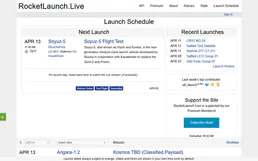
RocketLaunch.Live
9 toolsTrack rocket launches worldwide — search upcoming launches, vehicles, companies, locations and missions.
Stigg
12 toolsAutomate billing and subscription management via Stigg — provision customers, manage plans, and report usage directly from any AI agent.

Confluence
8 toolsEmpower your AI agent to search, read, and create Confluence wiki pages directly from chat.
We built the connector to Cerbos. Now put your agents to work. Fully governed.
Vinkius is the AI Gateway with managed hosting. Stop building connectors. Every connection runs inside eight layers of security.
Hosted, sandboxed, and live on AWS. You don't provision anything. You don't maintain anything. You connect.
Every tool call, every token, every response. Logged and auditable. Data flows direct from Cerbos to your agent. Nothing is stored on our side. Ever.
Eight governance layers on every request. Sensitive data redacted before it reaches the model. Kill switch if anything goes sideways. Always on.