
Integrate HappyFox with Claude, Cursor, Chatbots & AI Agents MCP Server
 GDPR Free for Subscribers
Compatible with every major AI agent and IDE
 Gemini
Add staff update on HappyFox
Add a staff response/update to a ticket
Create ticket on HappyFox
Requires subject, text, category ID, and contact details. Create a new support ticket
Get ticket on HappyFox
Get detailed information about a specific ticket
List categories on HappyFox
List all ticket categories
List contacts on HappyFox
List all contacts (users) in the help desk
List priorities on HappyFox
List all available ticket priorities
List staff on HappyFox
List all staff members
List statuses on HappyFox
List all available ticket statuses
List tickets on HappyFox
Use query parameters for filtering/pagination. List all support tickets in HappyFox
Search tickets on HappyFox
Search for tickets using a text query
Security & Code Integrity Audit
Every tool in the HappyFox MCP Server is continuously audited by the Vinkius Security Engine. We guarantee zero-trust payload isolation, strict data boundaries, and deterministic execution for enterprise-grade AI agents.
How Vinkius protects your data
Can I set different limits for each virtual assistant on my team?
Absolutely. You have full control in our command center. You can create an AI agent that only "reads" data so the support team can answer questions, and another superpowered agent that can "edit" and "create" information exclusively for your operations team. Each AI gets exactly the level of access you allow.
Can I audit what my AI agents are doing with this integration?
Yes, Vinkius provides an immutable, HMAC-chained audit log. Every tool execution, payload, and response is tracked in real-time on your dashboard, giving you complete visibility into your agent's actions.
Is the integration secure for managing support data?
Absolutely. The integration uses industry-standard HTTP Basic authentication over HTTPS. Your credentials are encrypted and stored securely within the Vinkius Cloud infrastructure.
Does the AI train on my tools or API data?
No. Vinkius enforces a strict Zero-Retention policy. Your data simply passes through our secure servers to complete the requested action and is instantly forgotten. Nothing you do here is ever stored, logged, or used to train any artificial intelligence.
Triggering HappyFox via Natural Language
Connect your AI agents and chatbots (Claude, ChatGPT, Cursor) with the HappyFox MCP server to manage operations across the following domains.
AI-Driven ticket management Workflows
The HappyFox MCP manages API routing for ticket management. This enables AI agents like Claude Code to execute structured productivity queries.
The Future of automated workflows
Build automated workflows involving automated workflows by connecting HappyFox. It provides Claude and ChatGPT with direct API hooks into your productivity ecosystem.
HappyFox. Runs on everything.
From IDE to framework. Every connection governed by Vinkius.
Anthropic's native desktop app for Claude with built-in MCP support.
AI-first code editor with integrated LLM-powered coding assistance.
GitHub Copilot in VS Code with Agent mode and MCP support.
Purpose-built IDE for agentic AI coding workflows.
Autonomous AI coding agent that runs inside VS Code.
Anthropic's agentic CLI for terminal-first development.
Python SDK for building production-grade OpenAI agent workflows.
Google's framework for building production AI agents.
Type-safe agent development for Python with first-class MCP support.
TypeScript toolkit for building AI-powered web applications.
TypeScript-native agent framework for modern web stacks.
Python framework for orchestrating collaborative AI agent crews.
Leading Python framework for composable LLM applications.
Data-aware AI agent framework for structured and unstructured sources.
Microsoft's framework for multi-agent collaborative conversations.
Explore More MCP Servers
View all →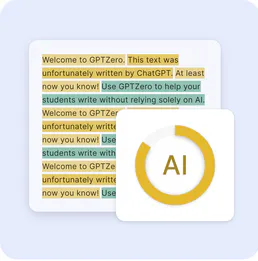
GPTZero
8 toolsDetect AI-generated text with confidence scores and highlight exactly which passages were likely written by a language model.

Chanty
10 toolsAutomate team communication via Chanty — manage conversations, send messages, invite members, and update statuses using any AI agent.

CustomerGauge
10 toolsEquip your AI agent to manage B2B experience, monitor NPS scores, and track revenue impact directly via the CustomerGauge API.
Paymo
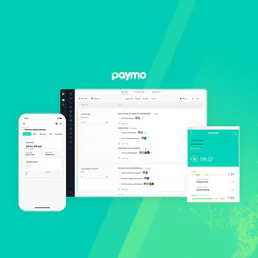
10 toolsControl agency workflows via Paymo — trace tasks, submit time entries, structure project milestones, and securely fetch invoices using AI.