
Integrate KnoCommerce with Claude, Cursor, Chatbots & AI Agents MCP Server
 GDPR Free for Subscribers
Compatible with every major AI agent and IDE
 Gemini
Check knocommerce api status on KnoCommerce
Check the status of the KnoCommerce API integration
Get channel attribution report on KnoCommerce
This is essential for understanding which marketing channels are driving customer acquisition. Get the latest channel attribution report
Get customer feedback profile on KnoCommerce
Get details for a specific customer feedback profile
Get response details on KnoCommerce
Get details for a specific customer response
Get survey details on KnoCommerce
Returns survey title, status, and high-level configuration. Get details for a specific survey
List knocommerce customers on KnoCommerce
Useful for correlating feedback with specific buyer profiles. List customers associated with survey data
List survey questions on KnoCommerce
Use this to understand the data structure of the responses. List all questions in a specific survey
List survey responses on KnoCommerce
You can optionally filter by survey_id to see feedback from a specific post-purchase interaction. List responses for surveys
List survey templates on KnoCommerce
List available survey templates
List surveys on KnoCommerce
Use this to identify survey IDs for analyzing specific campaigns or response sets. List all KnoCommerce surveys
Security & Code Integrity Audit
Every tool in the KnoCommerce MCP Server is continuously audited by the Vinkius Security Engine. We guarantee zero-trust payload isolation, strict data boundaries, and deterministic execution for enterprise-grade AI agents.
How Vinkius protects your data
Can I set different limits for each virtual assistant on my team?
Absolutely. You have full control in our command center. You can create an AI agent that only "reads" data so the support team can answer questions, and another superpowered agent that can "edit" and "create" information exclusively for your operations team. Each AI gets exactly the level of access you allow.
Is there a risk of the AI "going crazy" and deleting important company data?
No. With Vinkius, the AI operates on "rails". It can only make the exact moves you authorized in the tool's settings. It cannot invent routes, access other networks in your company, or decide to delete random files. If the action isn't in the approved catalog, the attempt is blocked instantly.
How does the AI access my passwords and credentials?
It simply doesn't. On Vinkius, your passwords, API keys, and login details are kept in a secure vault. The AI (like ChatGPT or Claude) merely "asks" Vinkius to perform the task. Vinkius opens the door, does the work, and hands the result back to the AI. Your credentials are never seen, read, or learned by the artificial intelligence.
Does this support creating new surveys?
The current version focus on data retrieval and analysis. You can list templates, but survey creation should be done in the KnoCommerce dashboard.
Triggering KnoCommerce via Natural Language
Connect your AI agents and chatbots (Claude, ChatGPT, Cursor) with the KnoCommerce MCP server to manage operations across the following domains.
Next-Gen post purchase survey Automation
Add post purchase survey functionality to your custom chatbots. The KnoCommerce MCP handles the payload formatting required for ChatGPT and Claude to interface with ecommerce endpoints.
ChatGPT customer feedback Automation
Integrate customer feedback features into your LLM framework using KnoCommerce. The MCP server ensures precise command execution across your ecommerce stack.
KnoCommerce. Runs on everything.
From IDE to framework. Every connection governed by Vinkius.
Anthropic's native desktop app for Claude with built-in MCP support.
AI-first code editor with integrated LLM-powered coding assistance.
GitHub Copilot in VS Code with Agent mode and MCP support.
Purpose-built IDE for agentic AI coding workflows.
Autonomous AI coding agent that runs inside VS Code.
Anthropic's agentic CLI for terminal-first development.
Python SDK for building production-grade OpenAI agent workflows.
Google's framework for building production AI agents.
Type-safe agent development for Python with first-class MCP support.
TypeScript toolkit for building AI-powered web applications.
TypeScript-native agent framework for modern web stacks.
Python framework for orchestrating collaborative AI agent crews.
Leading Python framework for composable LLM applications.
Data-aware AI agent framework for structured and unstructured sources.
Microsoft's framework for multi-agent collaborative conversations.
Explore More MCP Servers
View all →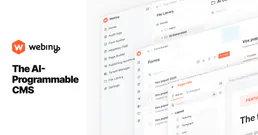
Webiny CMS
9 toolsManage content models, entries, and GraphQL workflows on Webiny — the enterprise open-source headless CMS.

Deterministic 50/30/20 Budget Engine
1 toolsTransform your AI into a hyper-precise financial controller. Mathematically enforce the 50/30/20 budgeting rule on pre-categorized expense pipelines to detect exact capital deviations.

CAMB.AI
10 toolsTranslate and dub audio content into dozens of languages using AI voices that sound natural and preserve speaker identity.
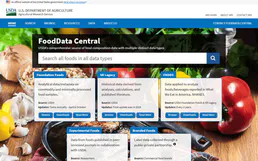
USDA FoodData Central
2 toolsAccess the gold standard in nutrition data — 300,000+ foods with scientific-grade nutrient profiles from the U.S. Department of Agriculture.