
Stanford GDELT MCP Server for ClineGive Cline instant access to 16 tools to Get Geo Data, Get Themes, Get Timeline Country, and more
 GDPR Free for Subscribers
Cline is an autonomous AI coding agent inside VS Code that plans, executes, and iterates on tasks. Wire Stanford GDELT through Vinkius and Cline gains direct access to every tool. from data retrieval to workflow automation. without leaving the terminal.
Ask AI about this MCP Server for Cline
The Stanford GDELT MCP Server for Cline is a standout in the Data Analytics category — giving your AI agent 16 tools to work with, ready to go from day one.
Vinkius delivers Streamable HTTP and SSE to any MCP client
 Gemini
{
"mcpServers": {
"stanford-gdelt": {
"url": "https://edge.vinkius.com/[YOUR_TOKEN_HERE]/mcp"
}
}
}Vinkius Desktop App
The modern way to manage MCP Servers — no config files, no terminal commands. Install Stanford GDELT and 4,000+ MCP Servers from a single visual interface.




* Every MCP server runs on Vinkius-managed infrastructure inside AWS - a purpose-built runtime with per-request V8 isolates, Ed25519 signed audit chains, and sub-40ms cold starts optimized for native MCP execution. See our infrastructure
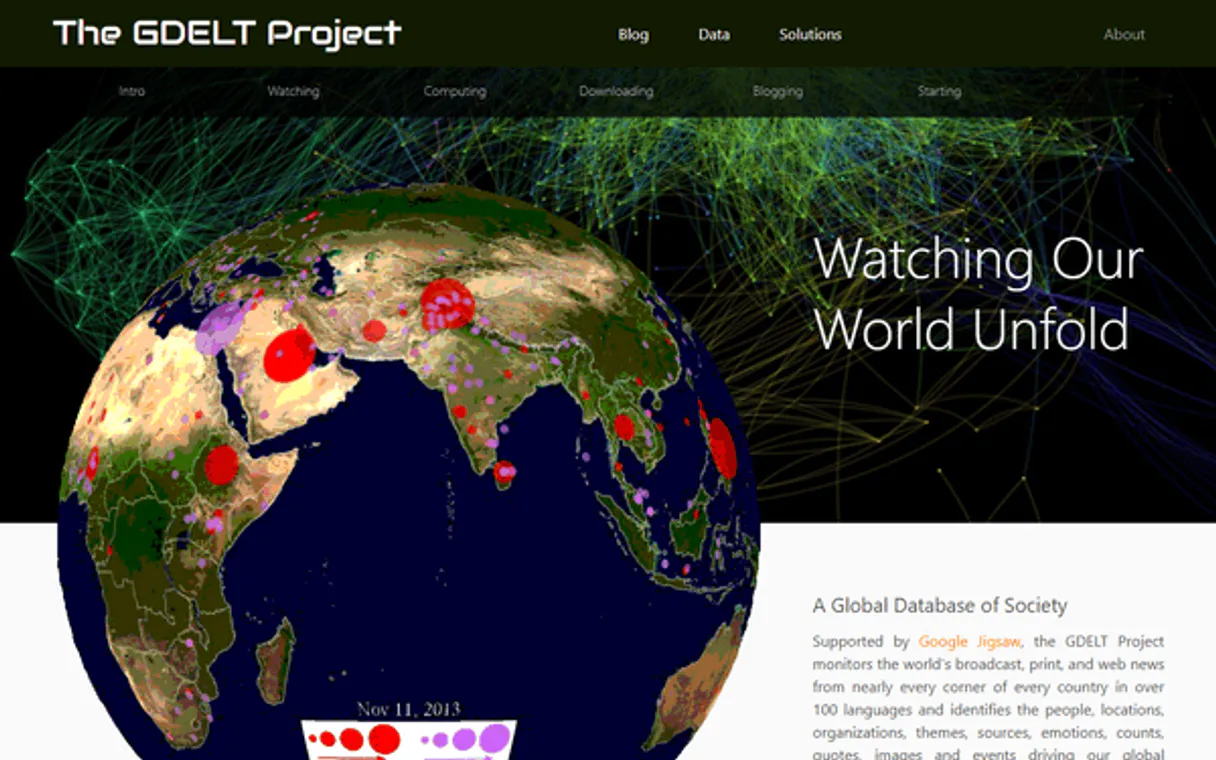
About Stanford GDELT MCP Server
Connect to the GDELT Project API — the world's largest open platform for monitoring global news media in real time.
Cline operates autonomously inside VS Code. it reads your codebase, plans a strategy, and executes multi-step tasks including Stanford GDELT tool calls without waiting for prompts between steps. Connect 16 tools through Vinkius and Cline can fetch data, generate code, and commit changes in a single autonomous run.
What you can do
- Article Search — Search global news articles with filters for language, country, date range, and topic
- Volume Timelines — Track how media attention to any topic changes over time
- Sentiment Analysis — Monitor tone and sentiment shifts in coverage of any subject
- Geographic Mapping — Visualize where news events are happening around the world
- TV News Search — Search closed caption transcripts from CNN, Fox News, MSNBC, BBC, and more
- Theme Analysis — Explore standardized GDELT themes across geopolitics, health, environment, and economics
- Language Distribution — See which linguistic communities are covering a topic
- Country Distribution — Identify which nations produce the most coverage of specific issues
- Proximity Search — Find articles where two terms appear near each other
- Word Clouds — Extract dominant terms and concepts from coverage
The Stanford GDELT MCP Server exposes 16 tools through the Vinkius. Connect it to Cline in under two minutes — credentials fully managed, no infrastructure to provision, no vendor lock-in. Your configuration, your data, your control.
All 16 Stanford GDELT tools available for Cline
When Cline connects to Stanford GDELT through Vinkius, your AI agent gets direct access to every tool listed below — spanning gdelt, global-news, sentiment-analysis, and more. Every call runs in a secure, isolated environment with full audit visibility. Beyond a simple connection, you get real-time monitoring of agent activity, enterprise governance, and optimized token usage.
Get geo data on Stanford GDELT
Each point includes coordinates, location name, and article metadata. Use modes: "PointData" for individual points, "PointHeat" for heatmap data. Get geographic point data for news events
Get themes on Stanford GDELT
GDELT uses hundreds of themes from politics, economics, health, environment, technology, and more to classify news content. Get GDELT theme distribution for a topic
Get timeline country on Stanford GDELT
Reveals geographic patterns in media attention, identifies when a story goes global, and shows which nations are most interested in specific issues. Get source country distribution timeline
Get timeline lang on Stanford GDELT
Reveals which linguistic communities are paying attention to an issue and when interest spreads across language barriers. Get language distribution timeline for a topic
Get timeline tone on Stanford GDELT
Positive values indicate positive coverage, negative values indicate negative coverage. Essential for tracking public opinion shifts, crisis communications, and brand reputation monitoring. Get sentiment and tone timeline for a topic
Get timeline volume on Stanford GDELT
Essential for tracking media attention, identifying news spikes, and understanding the lifecycle of a story. Default timespan is 3 months. Get news volume timeline for any topic
Get tone chart on Stanford GDELT
Shows whether coverage is predominantly positive, negative, or neutral, and the overall emotional intensity of the coverage. Get tone distribution chart for a topic
Get tv channels on Stanford GDELT
Use this to understand the scope of TV news coverage available for analysis. Get available TV news channels inventory
Get tv timeline on Stanford GDELT
Reveals which stories dominate TV airtime and how TV coverage patterns differ from online news. Get TV news mention volume timeline
Get word cloud on Stanford GDELT
Reveals the dominant themes, entities, and concepts associated with a topic in media discourse. Get word cloud data showing key terms for a topic
Search articles on Stanford GDELT
Returns article titles, URLs, dates, source domains, languages, and source countries. Use timespan like "1d" (1 day), "1w" (1 week), "3m" (3 months). Use sourcelang codes like "english", "spanish", "portuguese", "french", "chinese", "arabic". Use sourcecountry codes like "US", "BR", "UK", "FR", "DE". Search global news articles across 100+ languages
Search by country on Stanford GDELT
Country codes follow ISO 2-letter format: US (United States), BR (Brazil), UK (United Kingdom), FR (France), DE (Germany), CN (China), JP (Japan), IN (India), RU (Russia), AU (Australia), CA (Canada), etc. Essential for understanding country-specific media perspectives on global events. Search news articles from a specific country
Search by language on Stanford GDELT
Covers 100+ languages. Language codes include: english, spanish, portuguese, french, german, italian, chinese, japanese, korean, arabic, russian, hindi, turkish, dutch, swedish, polish, and many more. Essential for monitoring how different linguistic communities cover the same event. Search news articles in a specific language
Search by theme on Stanford GDELT
Themes are standardized topic categories like TAX_FNCACT (financial actions), HEALTH_PANDEMIC, ENV_CLIMATECHANGE, TERROR, PROTEST, ELECTION, ECON_BANKRUPTCY, etc. Use this for precise topic-based monitoring. Search articles by GDELT standardized theme
Search nearby on Stanford GDELT
More precise than simple keyword search. Use distance parameter to control proximity (default 10 words). Example: term1="climate", term2="migration", distance=15. Search articles where two terms appear near each other
Search tv on Stanford GDELT
Returns clips with timestamps, station names, transcript snippets, and video preview URLs. Covers CNN, Fox News, MSNBC, BBC, and more. Modes: "ClipGallery" for clips, "StationChart" for station comparison. Search TV news transcripts by keyword
Connect Stanford GDELT to Cline via MCP
Follow these steps to wire Stanford GDELT into Cline. The entire setup takes under two minutes — your credentials stay safe behind Vinkius.
Open Cline MCP Settings
Add remote server
Enable the server
Start using Stanford GDELT
Why Use Cline with the Stanford GDELT MCP Server
Cline provides unique advantages when paired with Stanford GDELT through the Model Context Protocol.
Cline operates autonomously. it reads your codebase, plans a strategy, and executes multi-step tasks including MCP tool calls without step-by-step prompts
Runs inside VS Code, so you get MCP tool access alongside your existing extensions, terminal, and version control in a single window
Cline can create, edit, and delete files based on MCP tool responses, enabling end-to-end automation from data retrieval to code generation
Transparent execution: every tool call and file change is shown in Cline's activity log for full visibility and approval before committing
Stanford GDELT + Cline Use Cases
Practical scenarios where Cline combined with the Stanford GDELT MCP Server delivers measurable value.
Autonomous feature building: tell Cline to fetch data from Stanford GDELT and scaffold a complete module with types, handlers, and tests
Codebase refactoring: use Stanford GDELT tools to validate live data while Cline restructures your code to match updated schemas
Automated testing: Cline fetches real responses from Stanford GDELT and generates snapshot tests or mocks based on actual payloads
Incident response: query Stanford GDELT for real-time status and let Cline generate hotfix patches based on the findings
Example Prompts for Stanford GDELT in Cline
Ready-to-use prompts you can give your Cline agent to start working with Stanford GDELT immediately.
"What are the latest news articles about AI regulation?"
"How has sentiment about climate change evolved over the last 3 months?"
"Search for TV news clips mentioning quantum computing"
Troubleshooting Stanford GDELT MCP Server with Cline
Common issues when connecting Stanford GDELT to Cline through Vinkius, and how to resolve them.
Server shows error in sidebar
Stanford GDELT + Cline FAQ
Common questions about integrating Stanford GDELT MCP Server with Cline.
How does Cline connect to MCP servers?
Can Cline run MCP tools without approval?
Does Cline support multiple MCP servers at once?
Explore More MCP Servers
View all →
Winevybe
10 toolsAutomate sommelier intelligence via Winevybe — search global wine catalogs, check vineyard ratings, and manage virtual cellars directly from any AI agent.
Apify
10 toolsCommand Apify scrapers from your AI agent — run actors, extract web data, poll datasets, and automate browser tasks seamlessly.
FireHydrant
12 toolsManage incidents, services, and responder teams via AI agents with FireHydrant.
Elastic Email
10 toolsEquip your AI agent to manage email campaigns, track contacts, and monitor delivery logs via the Elastic Email API.