3,400+ servers built on vurb.ts
Vinkius

20 Best MCP Servers for Freelancers. Run Your Entire Business Inside Claude AI.

Your entire independent business, operating from one chat interface. Give Claude direct access to your time tracking, client proposals, and billing systems to eliminate hours of administrative overhead every single week.

Invoicing & Billing

4 servers
Browse all →
  1. 01
    FreshBooks MCP server For Freelancers

    FreshBooks MCP Server

    Built specifically for freelancers and service businesses. Ask Claude to create a branded invoice, check what's overdue, log time against a project or pull a client profitability report. 30M+ users trust FreshBooks for invoicing, expenses and simple accounting, all accessible through a single conversation.
  2. 02
    QuickBooks Online MCP server For Freelancers

    QuickBooks Online MCP Server

    The most widely used small business accounting platform in the world. Claude can create invoices, categorize expenses, reconcile bank transactions and generate profit and loss statements inside your QuickBooks account, without you ever opening the dashboard. By connecting this system to Claude, you can query records, update statuses, and trigger advanced automations completely hands-free.

  3. 03
    Xero MCP server For Freelancers

    Xero MCP Server

    Cloud accounting loved by accountants across 180+ countries. Connect Xero to Claude and manage invoicing, bank reconciliation, payables, receivables and financial reporting through natural language, keeping your books audit-ready year-round. By connecting this system to Claude, you can query records, update statuses, and trigger advanced automations completely hands-free. This integration dramatically reduces context switching, allowing you to maintain deep focus on high-value strategic execution rather than manual administrative tasks.

  4. 04
    Wave Accounting MCP server For Freelancers

    Wave Accounting MCP Server

    Free accounting and invoicing for freelancers and microbusinesses. Claude creates invoices, categorizes transactions, manages your chart of accounts and pulls profit and loss reports, without paying a dime for accounting software. By connecting this system to Claude, you can query records, update statuses, and trigger advanced automations completely hands-free. This integration dramatically reduces context switching, allowing you to maintain deep focus on high-value strategic execution rather than manual administrative tasks.

Time Tracking & Project Management

4 servers
Browse all →
  1. 05
    ClickUp MCP server For Freelancers

    ClickUp MCP Server

    The all-in-one workspace where freelancers manage tasks, track time and set goals in a single place. Ask Claude to log hours, update task statuses, check what's due this week or generate a progress report across every client project. By connecting this system to Claude, you can query records, update statuses, and trigger advanced automations completely hands-free.

  2. 06
    Asana MCP server For Freelancers

    Asana MCP Server

    Work management for freelancers who juggle multiple clients. Claude creates tasks, reorganizes project timelines, tracks milestones and monitors deliverables, keeping every project on schedule without a single tab switch. By connecting this system to Claude, you can query records, update statuses, and trigger advanced automations completely hands-free. This integration dramatically reduces context switching, allowing you to maintain deep focus on high-value strategic execution rather than manual administrative tasks.

  3. 07
    Notion MCP server For Freelancers

    Notion MCP Server

    The all-in-one workspace where freelancers keep docs, wikis, databases and project boards together. Claude searches pages, queries databases, creates new entries and updates client-facing documentation, all from a single prompt. By connecting this system to Claude, you can query records, update statuses, and trigger advanced automations completely hands-free. This integration dramatically reduces context switching, allowing you to maintain deep focus on high-value strategic execution rather than manual administrative tasks.

  4. 08
    Todoist MCP server For Freelancers

    Todoist MCP Server

    Simple, focused task management for freelancers who want clarity over complexity. Ask Claude to add tasks, set priorities, review what's due today and clear completed items, keeping your to-do list organized across every client. By connecting this system to Claude, you can query records, update statuses, and trigger advanced automations completely hands-free.

CRM & Client Management

4 servers
Browse all →
  1. 09
    HubSpot MCP server For Freelancers

    HubSpot MCP Server

    The free CRM freelancers use to manage contacts, deals and client communication in one place. Claude creates contact records, moves deals through pipeline stages, logs interactions and pulls revenue reports, giving you a complete picture of every client relationship. By connecting this system to Claude, you can query records, update statuses, and trigger advanced automations completely hands-free.

  2. 10
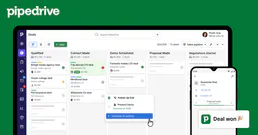
    Pipedrive MCP server For Freelancers

    Pipedrive MCP Server

    The visual pipeline CRM built for speed. Freelancers use Pipedrive to track opportunities, log calls and close deals faster. Claude moves deals between stages, schedules follow-ups, updates custom fields and identifies which prospects need attention, all through conversation. By connecting this system to Claude, you can query records, update statuses, and trigger advanced automations completely hands-free.

  3. 11
    Google Calendar MCP server For Freelancers

    Google Calendar MCP Server

    Where freelancers schedule their time. Claude creates events, checks availability across time zones, blocks focus time and coordinates meetings with clients, turning scheduling from a manual chore into an automated flow. By connecting this system to Claude, you can query records, update statuses, and trigger advanced automations completely hands-free. This integration dramatically reduces context switching, allowing you to maintain deep focus on high-value strategic execution rather than manual administrative tasks.

  4. 12
    Slack MCP server For Freelancers

    Slack MCP Server

    Where freelancers communicate with clients and collaborators. Claude reads conversation history, posts updates, searches across channels and summarizes threads, so you never miss a message or lose context between projects. By connecting this system to Claude, you can query records, update statuses, and trigger advanced automations completely hands-free. This integration dramatically reduces context switching, allowing you to maintain deep focus on high-value strategic execution rather than manual administrative tasks.

Payments & Transfers

4 servers
Browse all →
  1. 13
    Stripe MCP server For Freelancers

    Stripe MCP Server

    The payment platform freelancers trust for online billing. Ask Claude to check payment status, create invoices, review subscription charges, process refunds or pull revenue metrics, all from one conversation, without logging into the Stripe dashboard. By connecting this system to Claude, you can query records, update statuses, and trigger advanced automations completely hands-free.

  2. 14
    PayPal MCP server For Freelancers

    PayPal MCP Server

    The world's most recognized payment network with 400M+ accounts. Claude checks if a client payment has arrived, sends invoices, tracks subscription plans and handles dispute management. covering international freelance transactions across 200+ markets. By connecting this system to Claude, you can query records, update statuses, and trigger advanced automations completely hands-free.

  3. 15
    Wise MCP server For Freelancers

    Wise MCP Server

    International money transfers at the real exchange rate. Freelancers working with overseas clients use Wise daily. Claude checks incoming transfers, confirms exchange rates, reviews balances across currencies and tracks whether a payment has cleared. in one question. By connecting this system to Claude, you can query records, update statuses, and trigger advanced automations completely hands-free.

  4. 16
    Square MCP server For Freelancers

    Square MCP Server

    The all-in-one commerce platform for freelancers who meet clients in person. Claude processes transactions, manages product catalogs, tracks sales trends and handles refunds, whether you work from a studio, a market stall or a client's office. By connecting this system to Claude, you can query records, update statuses, and trigger advanced automations completely hands-free.

Contracts, Files & E-Signatures

4 servers
Browse all →
  1. 17
    DocuSign MCP server For Freelancers

    DocuSign MCP Server

    The world's #1 e-signature platform. Freelancers send contracts, proposals and agreements for signature directly through Claude. No switching to DocuSign, no downloading PDFs, no tracking who signed. Claude handles the entire signing workflow. By connecting this system to Claude, you can query records, update statuses, and trigger advanced automations completely hands-free.

  2. 18
    PandaDoc MCP server For Freelancers

    PandaDoc MCP Server

    Proposals, quotes and contracts in one platform, built for closing deals faster. Claude creates documents from templates, tracks who's viewed what, sends signing reminders and reports on your pipeline of pending contracts. By connecting this system to Claude, you can query records, update statuses, and trigger advanced automations completely hands-free.

  3. 19
    Google Drive MCP server For Freelancers

    Google Drive MCP Server

    Where freelancers store client files, project assets and deliverables. Claude searches files, reads documents, exports PDFs, manages folder permissions and tracks recently modified files, giving you instant access to your entire file library from conversation. By connecting this system to Claude, you can query records, update statuses, and trigger advanced automations completely hands-free.

  4. 20
    Dropbox MCP server For Freelancers

    Dropbox MCP Server

    Cloud file storage trusted by 700 million users. Claude navigates your folder structure, downloads files for analysis, uploads deliverables, manages shared links and keeps client files organized, without you ever opening the Dropbox app. By connecting this system to Claude, you can query records, update statuses, and trigger advanced automations completely hands-free.

Connect Your Freelance Tools to Claude AI via MCP

Stop switching between a dozen different web apps. Here is how modern independent professionals run their entire stack.

Invoice clients without opening your billing tool

Ask Claude to create an invoice, check what's unpaid or pull last quarter's revenue. Claude acts directly inside whichever invoicing tool you use, without you opening a single tab.

Track billable hours without opening your time tracker

Log hours, review entries and generate weekly reports through a single conversation. Works with any time tracking tool connected via MCP.
Send contracts and onboard clients without switching apps

Manage proposals, contracts and client questionnaires from Claude AI. No CRM login. No tab switching. The whole onboarding sequence runs from a single prompt.

Check payments and international transfers in one question

Ask Claude if a client paid. Confirm a receipt. Follow up on a late transfer. One prompt covers the whole picture. No separate login, no currency math.

Know your project status across every client

Ask Claude what's late, what's waiting and what needs your attention today. Across all projects, all clients, all at once.

Walk into every discovery call already prepared

Claude reads your intake responses before the call and builds the brief for you. The call becomes confirmation, not discovery.

Ask Claude about your entire business, at once.

"Give me a full update on Acme Corp. How many hours did I log, what tasks are still open, did they pay the invoice yet and has anything cleared on Wise?"
Claude

Sure. You have 42 billable hours ready to invoice at $6,300. 14 of 16 tasks are complete. The final review is due tomorrow. The invoice for $6,300 is unpaid but within the client's normal window. No payment has cleared yet, but their history shows a 4-day average. Nothing needs your attention today.

Time tracker42 billable hours · $6,300 ready to invoice
Project tool14 of 16 tasks done · Final review due tomorrow
InvoicingInvoice for $6,300 sent · unpaid but within normal window
PaymentsNo payment yet · on track based on client history

Nothing needs your attention today.

Everything connected

The Definitive Plugin Directory for Independent Talent

From your first cold outreach email to your final tax preparation document, we offer the API bridges necessary to operate a completely lean solo enterprise.

Browse the full catalog at vinkius.com

Common Questions About MCP Servers for Freelancers

Everything you need to know about connecting your freelance tools to Claude AI via MCP.

What is MCP and how does it work for freelancers?

MCP, or Model Context Protocol, is an open standard that lets Claude AI connect directly to external tools and services. For freelancers, this means Claude can read your hours, create invoices, check payments and manage contracts, all without you opening a single tab. Vinkius provides the MCP server infrastructure so setup takes minutes, not days.

What is an MCP server for freelancers?

An MCP server connects your external tools to Claude AI, letting you manage invoicing, time tracking, contracts and payments directly in a conversation. Vinkius offers 3,400+ MCP servers ready to use, with no code required.

Which freelance tools does Vinkius connect to Claude AI?

Vinkius connects 3,400+ tools to Claude AI via MCP. invoicing software like FreshBooks and QuickBooks, time trackers like ClickUp and Todoist, CRMs like HubSpot and Pipedrive, payment platforms like Stripe, PayPal and Wise, and contract tools like DocuSign and PandaDoc. If you use it to run your freelance business, it almost certainly has an MCP server on Vinkius.

Does Vinkius work with Claude Desktop and Claude.ai?

Yes. Vinkius supports Claude Desktop, Claude.ai and Claude Code via Streamable HTTP and SSE.

Do I need to know how to code to use Vinkius?

No. Setup is copy and paste a URL. Any freelancer can be up and running in under 5 minutes.

How do I connect my tools to Claude AI?

Open Claude, click Connectors in the sidebar, paste your Vinkius MCP server URL and click Add. Your tools are live inside Claude AI in under 2 minutes. No code required.

Is Vinkius secure? Does my data go through Claude AI?

No. Your data never passes through the language model. Claude executes actions via MCP but data stays in your own systems. Every request is logged and audited.

How much does Vinkius cost?

See current plans at vinkius.com/pricing.

Take Back Your Billable Hours

Why waste time on admin when Claude can do it? Connect your freelance stack and start automating your backend immediately.

Try for Free·No credit card

3,400+ MCP servers included. Cancel anytime.